English
  Tiếng Việt
 - 1. Basic knowledge about wireless network security
- 2. Cannot connect to wifi hotspot
- 3. How to open ports for a router
- 4. Automatically log in to any network it can find
- 5. Expand wifi coverage
- 6. Dùng kênh sóng nào thì hợp lý nhất
- 7. Có nên để người khác sử dụng chung wifi ?
- 8. Firewall phần cứng và Fire Wall phần mềm
Wireless communication networks are booming in Vietnam. As a result, wireless networks are becoming increasingly popular in our lives. As we know, nothing is perfect, so it is normal to encounter problems that prevent us from accessing the internet while using wifi signals. So what should be done when encountering such situations? All will be in the following article.
Basic knowledge about wireless network security
A typical router has 2 security modes: WEP and WPA/WPA2. Accordingly, WPA/WPA2 provides almost absolute information security. At present, no one can hack wifi when this mode is set. WEP is the default security mode of the router, with extremely low security, and a simple software can hack into the system. Currently, there is a new security mode, WPA AES and WPA2 AES, which have extremely high security.
Typically, the settings manager of a router is accessed through a web browser. The default login information is usually written in the user manual that comes with the router. WPA/WPA2 requires a strong password of 8-64 characters, including numbers and letters, while WEP allows you to choose 64-bit or 128-bit encryption. If you don't need to share personal data over the network (file sharing), turn it off to ensure your information security.
Cannot connect to wifi hotspot
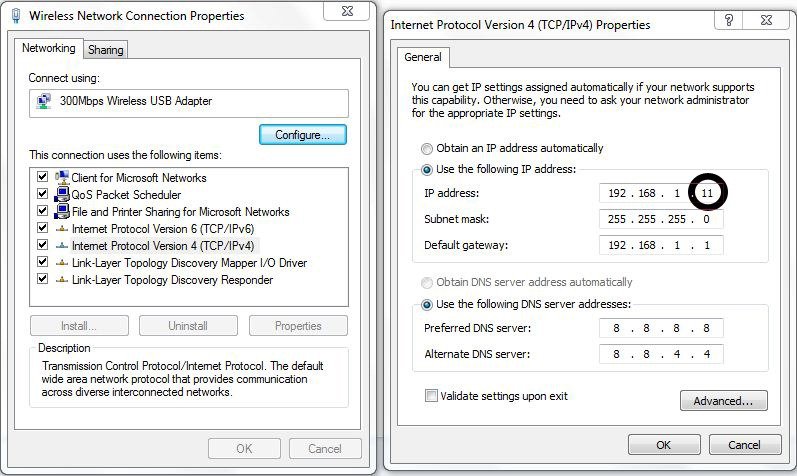
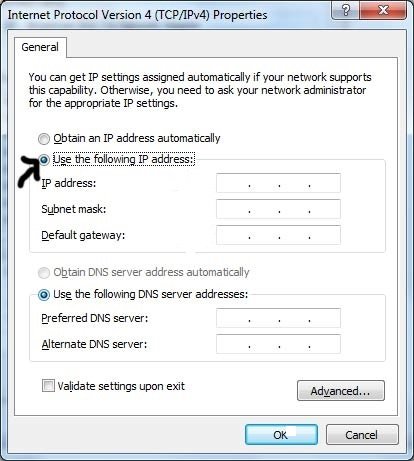
This is probably the most common and widespread error, due to many reasons leading to this situation. Therefore, it will be very difficult to identify the error and fix the problem when encountered. To solve the problem, first check if the router has DHCP enabled. If so, restart the device. If the situation still hasn't improved, try adjusting your IP address and DNS to match the router. Try setting one of the following two modes
Set static IP for computer
Set dynamic IP
How to open ports for a router
Sometimes websites, servers, or games require you to open ports on the router to perform the requested functions. When you encounter this situation, follow these steps (each router is slightly different, but the general procedure will be as follows):
- See the number of ports to be opened.
- Log in to the router management page in your web browser and find the NAT or NAT traversal section.
- Enter the start port and end port values correctly according to the port number you want to open. The IP address is the IP address of your computer, then select the TCP protocol.
Automatically log in to any network it can find
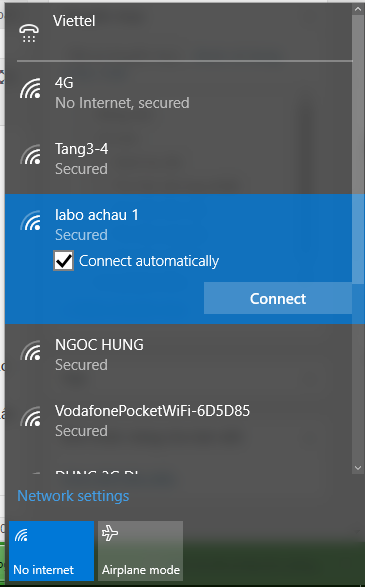
If you don't want to search for wifi networks and log in every time, check 'Automatically connect to non-prefered networks' in the Network connections section.
For laptops using Win 7/8/10, when connecting to a wifi, check the 'Connections Automatically' box. When you return to that location, just turn on the computer and it will automatically connect to that wifi.
Expand wifi coverage
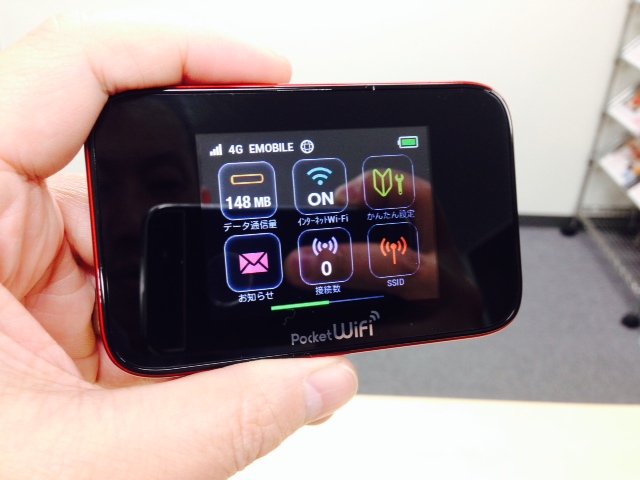
If you want to expand coverage, you should place the wifi hotspot in the center of the house, company, etc., avoiding obstacles such as furniture, walls... Since wifi signals tend to spread downwards, you need to place the device at a high position to optimize the device's coverage. You can also use a wifi booster, which extends the range of the wifi hotspot by up to 25m.
>>> You can see the range of3g wifi routers có tầm phủ sóng rộng nhất hiện nay.
Dùng kênh sóng nào thì hợp lý nhất
Có hai dải băng tần phổ biến trên các router hiện nay là 2.4GHz và 5GHz. Mạng 2.4 GHz có tầm phủ sóng xa hơn và nhiều người dùng hơn. Với tần số 5GHz có tốc độ mạnh hơn nhưng ít người dùng, nếu có quá nhiều thiết bị sử dụng tần số 2.4GHz hãy thử đổi sang kênh 5GHz chắc chắn sẽ cho tốc độ internet ổn định hơn.
Có nên để người khác sử dụng chung wifi ?
Điều này thì tùy thuộc vào hoàn cảnh sống của mỗi người. Nếu mạng internet của bạn chất lượng và đủ khỏe thì hãy chia sẻ nó với những người hàng xóm tối lửa tắt đèn có nhau để tăng mối thâm giao. Nếu có thể hãy thu phí sử dụng để san sẻ tiền mạng hàng tháng. Còn nếu mạng bạn đăng ký chỉ đủ dùng thôi thì hãy giữ cho riêng mình tránh tình trạng giật lag... Tất nhiên là không nên chia sẻ mạng với người lạ để đảm bảo an toàn thông tin cho chính bạn.
Điều này còn phải tùy thuộc vào mức độ hiểu biết cũng như độ cận thận của bạn. Thông thường những cuộc tấn công ăn cắp thông tin, dữ liệu của bạn ở những nơi công cộng là không xảy ra. Hơn thế thì các máy tính cũng như các kết nối internet đều được bảo mật một cách tối đa.
Firewall phần cứng và Fire Wall phần mềm
Đa số các router hiện tịa đều có tường lửa để bảo vệ dữ liệu của bạn khỏi các cuộc tấn công. Ngay cả trên máy tính cá nhân cũng có chương trình này. Nhưng trình độ của hacker ngày nay thì như thế vẫn là chưa đủ, bạn nên sử dụng thêm phần mềm duyệt virus chuyên đụng để bảo vệ an ninh mạng cho máy tính của mình.
Article was edited and updated on 01/14/2020