


 English
  Tiếng Việt
 Win 8/8.1 is now very common, but not everyone has discovered all of its features. The article below will guide youhow to broadcast wifi from a win 8 laptop with basic operations without needing to use other software. 
The easiest way to broadcast wifi from a Win 8 laptop
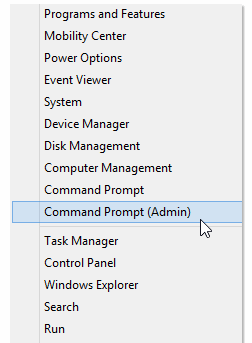
Step 1: Right-click on the bottom-left corner of the screen and selectCommand Prompt (Admin).
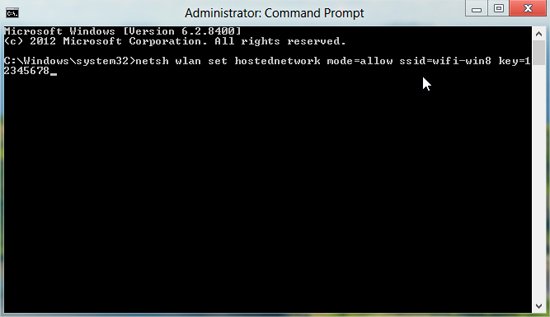
Step 2: Next, inCommand Promptenter the command below to create aHosted Networkand press Enter.
netsh wlan set hostednetwork mode=allow ssid=wifi-win8 key=12345678
Note:wifi-win8 is the name of the WiFi address that can be replaced with another name as you like,12345678 is the password you choose, with a minimum of 8 characters.
>>> Share laptop's WiFi quickly with the product: Cheap 4g wifi hotspot
Step 3: After creating a hosted network successfully. Enter the following command to broadcast WiFi and press Enter: netsh wlan start hostednetwork
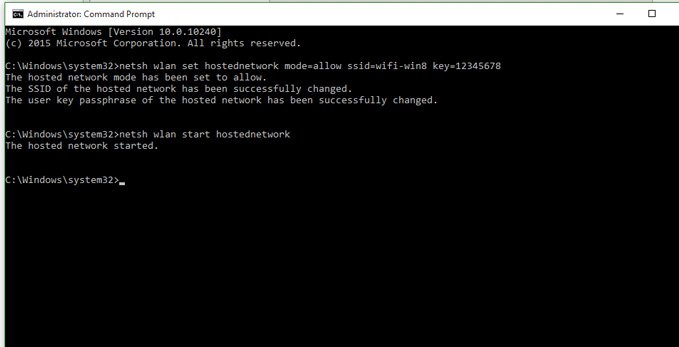
Step 4: Next, share the Internet connection for the newly created WiFi network.
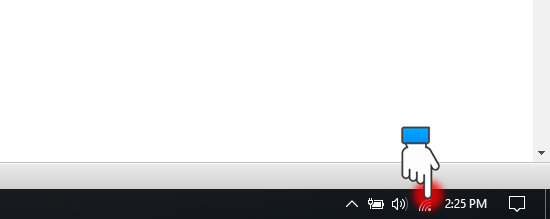
Right-click the network icon at the bottom of the taskbar, in the right corner, next to the speaker icon.
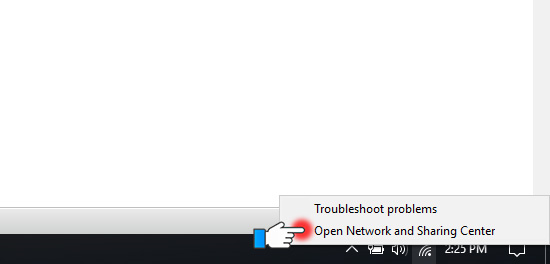
Choose Open Network and Sharing Center
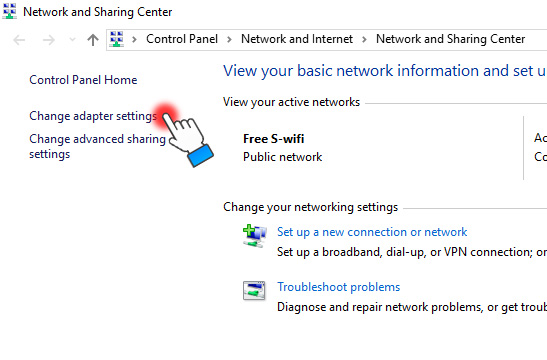
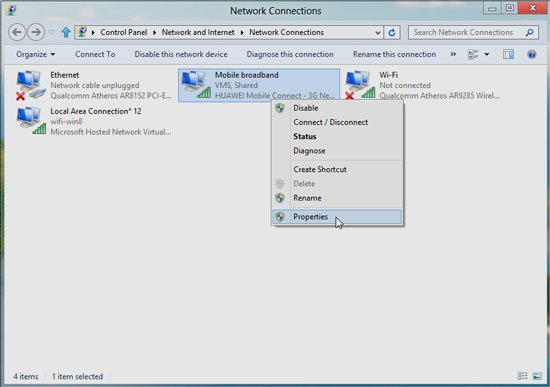
Choose Change Adapter Settings. You will see an additional virtual wireless network appear in Network Connections (in the image it is Local Area Connection* 12).
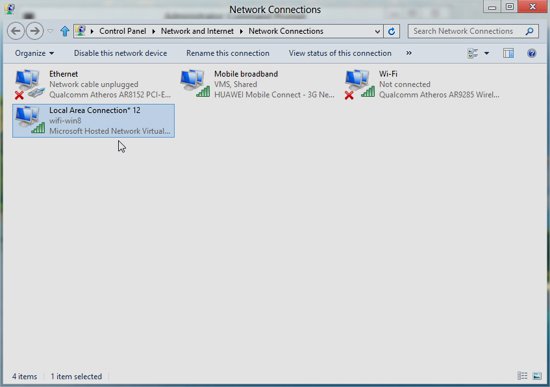
Step 5: Right-click on the network you are using to access Internet (here using Mobifone's 3G) => select Properties.
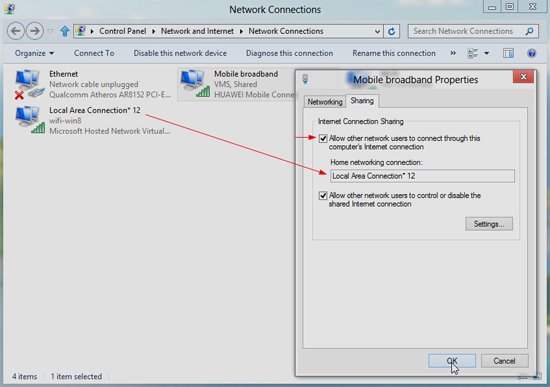
Step 6: In the Sharing tab, tick the box Allow other network users to connect through this computer’s Internet connection.
Below Home networking connection, select the network name just created (here is Local Area Connection* 12) then click OK (this part is only set up the first time).
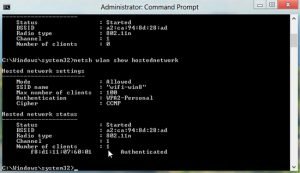
Step 7: That's it. You have successfully broadcast a Hosted Network. To recheck the network information just created, enter the following command line in Command Prompt. Then press Enter.netsh wlan show Hosted Network.
>>> You can plug in my4G USB modem to achieve the fastest Wi-Fi speed
Share with you 2 tips to turn off and cancel Wi-Fi
To turn off Wi-Fi, type the command: netsh wlan stop hostednetwork Note: When you want to turn it back on, just re-enter the command: netsh wlan start hostednetwork Step 9To cancel a created WiFi network, type into Command Prompt: netsh wlan set hostednetwork mode=disallow ssid=wifi-win8 key=12345678. Quite easy, isn't it? So with the simple steps above, you can share Wi-Fi for Windows 8 laptop successfully. Wish you success!





