


 English
  Tiếng Việt
 - 1. Quickly fix laptop Wi-Fi connection errors
- 1.1. Turn off the firewall feature of the antivirus software
- 1.2. Change the Network Address on your laptop
- 1.3. Change the Google DNS address of the Wi-Fi network
- 1.4. Turn on the Laptop's WiFi Adapter feature again
- 1.5. Lost or accidentally disabled WiFi driver
- 1.6. Check and replace the laptop's wifi card
Laptop cannot connect to Wi-Fiis really annoying. You are using it normally, suddenly it can't use Wi-Fi anymore. You have tried resetting the laptop, resetting the network, but it still doesn't work. Let's see how to fix and repair Wi-Fi errors in this article. Laptop Wi-Fi errors are caused by many reasons, and you must know the exact cause to fix it correctly.
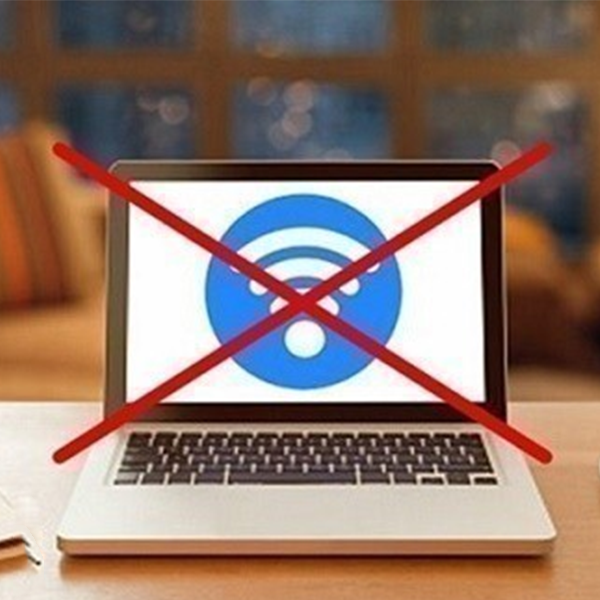
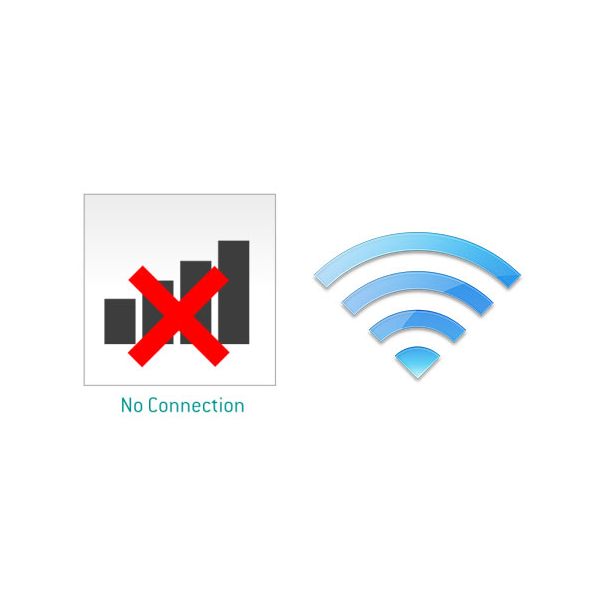
The symptom of a laptop not connecting to Wi-Fi is that the Wi-Fi icon suddenly disappears or is crossed out and displays "No connections are available". These are signs that the laptop's Wi-Fi has a problem.
Quickly fix laptop Wi-Fi connection errors
Turn off the firewall feature of the antivirus software
Many times you accidentally install antivirus software with too high security or it blocks all external connections. This leads to the laptop losing Wi-Fi. To fix this, temporarily turn off the protection feature of the antivirus software. Then restart the computer and wait to see if the laptop can connect to Wi-Fi.
Change the Network Address on your laptop
OpenNetwork and Sharing Center"then go toChange Adapter Settings. Then right-click onLocal Area Connection->Configure->Advanced. Then go to the Network Address section and change the Value to 12 random letters and numbers.Then click OK to confirm. If it doesn't work, try the method below.
Change the Google DNS address of the Wi-Fi network
If your Wifi is not connecting and shows an exclamation mark, you can try changing the network's DNS. Usually, the default DNS for laptops is set to auto.
You should use a third-party DNS server, such as OpenDNS, CloudFlareDNS... You can try using Google's DNS: 8.8.8.8 - 8.8.4.4, you can use the DNS Changer software to change it instead of going into TCP/IP. Changing DNS can also help you access blocked websites.
Turn on the Laptop's WiFi Adapter feature again
It's possible that you accidentally turned off the WiFi connection feature on your laptop without realizing it. Please check your laptop for a function key or a WiFi switch, and then activate it. If it still doesn't work, please follow the instructions below.
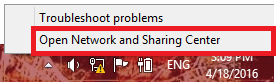
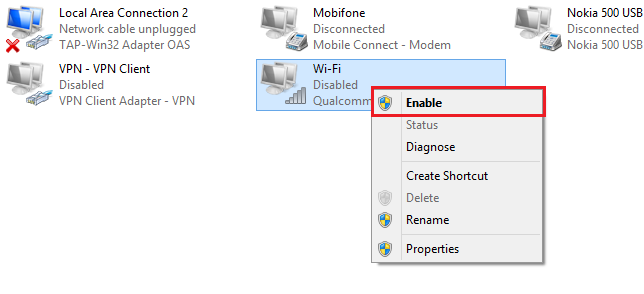
Please move your mouse to the network icon, right-click > select Open Network and Sharing Center.
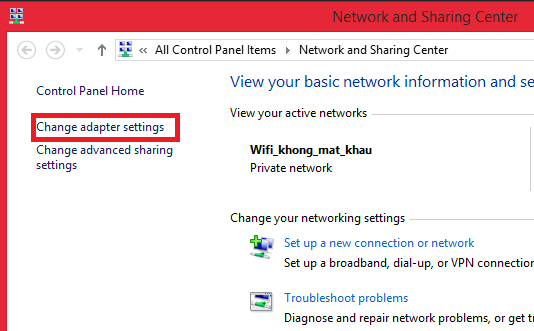
Next, select Change Adapter Settings. Select the Adapter with the WiFi icon you are using: Right-click and select Enable
- If you want high-speed, stable wifi, see: 4G WiFi Router
Lost or accidentally disabled WiFi driver
If the above steps did not resolve the issue, it's highly likely that your WiFi driver has a problem. Please check the following steps.

At the computer icon, select → Select then wait for a window to appear as shown in the image.
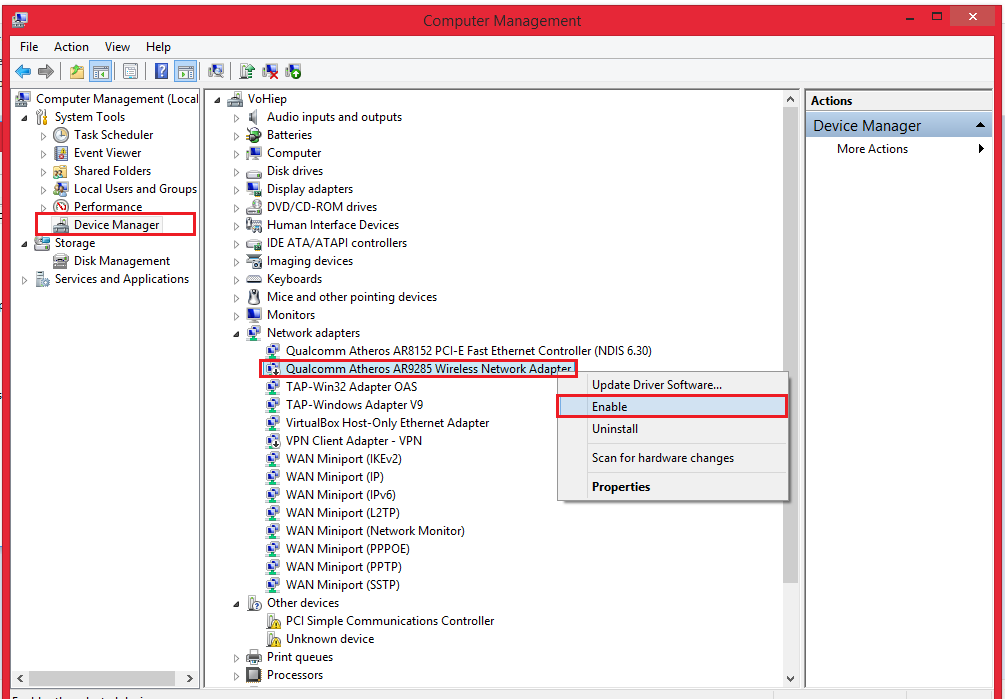
Next, you choose Device Managerthen choose Network Adapter then find your wifi drive. The wifi drive usually has the word Wireless in its name, depending on the type of machine, it will have a different name. Next, right-click and select Enable.
If you don't see the drive, your computer may have lost it. Please download the drive to your computer and install it or use the disk that came with the computer when you bought it to install it.
Check and replace the laptop's wifi card
After you have tried everything and it doesn't work, your wifi card is probably broken. Try replacing it with a new card to see if it can connect to wifi. If the wifi card is indeed faulty, buy a new card or a separate USB wifi card (Wireless Mini USB Adapter). You can buy devices from Mercusys.
We are currently offering many promotional products. If you are interested, you can refer to them below.
- If your laptop's wifi is broken and you don't have a wired network, you can use:Cheap 4G USB to provide internet for your laptop.





