English
  Tiếng Việt
 There are many it correctly. In general, Dcom 3Gways to use Dcom 3G for computers, laptops online. This article also discusses the same topic but with a difference that it will be complete with the it correctly. In general, Dcom 3G 3G for durability and maximum efficiency.
always with you wherever you are is becoming an indispensable device in the daily lives of many users.Some people are using it for the first time and don't knowDcom 3G it correctly. In general, Dcom 3G from the 3 carriers all have similar designs and similar features. So the way to use it is not different. Therefore, this article guides.
cách sử dụng Dcom 3G
for computers and will be applicable to all types of 3G USBs. To use Dcom 3G, you need a
- 3G SIM card
- Guide on how to use Dcom 3G for computers
USB 3G Operating Conditions
The 3G Dcom device has a built-in installer, so you just need to plug the device into your computer's USB port and then run the program. Please follow these steps:
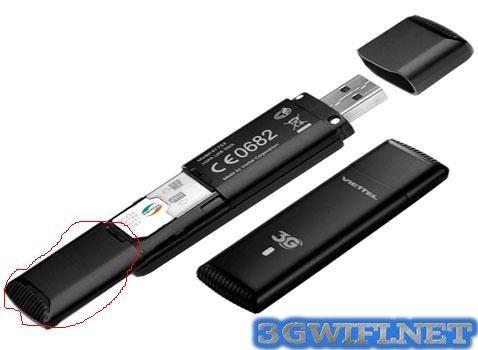
Guide to the 3G USB installation process for computers
Step 1:Plug the 3G Dcom into your computer
Step 2:The device has integrated drivers, so the operating system will automatically detect, recognize the new hardware, and start the installation.
Step 3:You just need to select "Next" and your computer will install it for you, it's very simple.If the program does not install automatically, follow the path: "My Computer" → " → "Double-click to run the program>>> You may be interested in:
Product line4G USBSome notes when using 3G USB for computers[Tên của bộ cài]Some notes when using 3G USB for computersDouble-click to run the program.
>>> You may be interested in:Product line 4G USB new and best today
Một số lưu ý khi sử dụng Usb 3G cho máy tính
When you want to connect to the Internet, you need to plug your device into the computer. The management program will run automatically or you click on shortcut for the program on the screen Desktop.
You need to wait a moment for the device to boot up. When the connect button lights up, it means the program is ready. You just need to click on connect and wait a moment. Then you connect to wifi from Dcom.
After you want to exit the program and remove the 3G USB from the computer, on the connection interface, please click on Disconnect.
With the instructions on how to use the 3G USB for computers above from Viettel multi-network 3G modem specialized for tablets you will surely succeed.
These are the SIM cards people often put into Dcom. Therefore, if you are using a 3G Dcom, you should choose a 3G SIM card like the ones above.
You already know how to use Dcom on your computer, right? If you have any questions, please leave a comment below for assistance.