


 English
  Tiếng Việt
 To connect a laptop to the internet, you need to connect to Wi-Fi or plug in a network cable. For convenience, everyone prefers the Wi-Fi connection method for laptops. If you want to connect your laptop to Wi-Fi, check out this article. We will share how to connect to Wi-Fi for laptops win 10, win 7, and win 8 simply and quickly, which anyone can do.
How to connect to Wi-Fi for Windows 10, 7, and 8 laptops
To connect your laptop to Wi-Fi, simply click on the Wi-Fi icon in the bottom right corner of the screen. You can see the instructions in the image below.
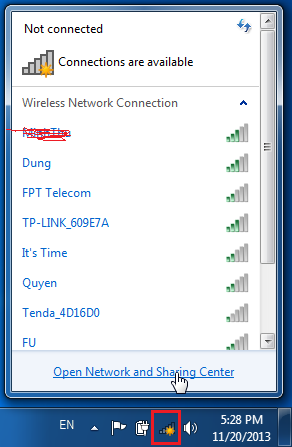
Then select the Wi-Fi network you want to connect to and choose enter your password and click ok to connect.. Then a window will appear for you to enter the Wi-Fi password. After entering, click OK for the laptop to connect to the Wi-Fi.
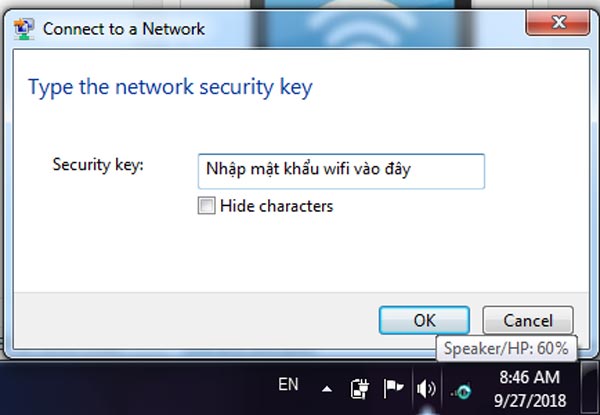
Then you can surf the internet freely. This is the simplest way to connect to Wi-Fi for a laptop that anyone can do. What if the Wi-Fi name is hidden? How to connect? Check out how to connect to a hidden Wi-Fi network with a laptop below.
First, click on the Wi-Fi icon on your laptop, then select Figure 2: Select set up a new connection network.
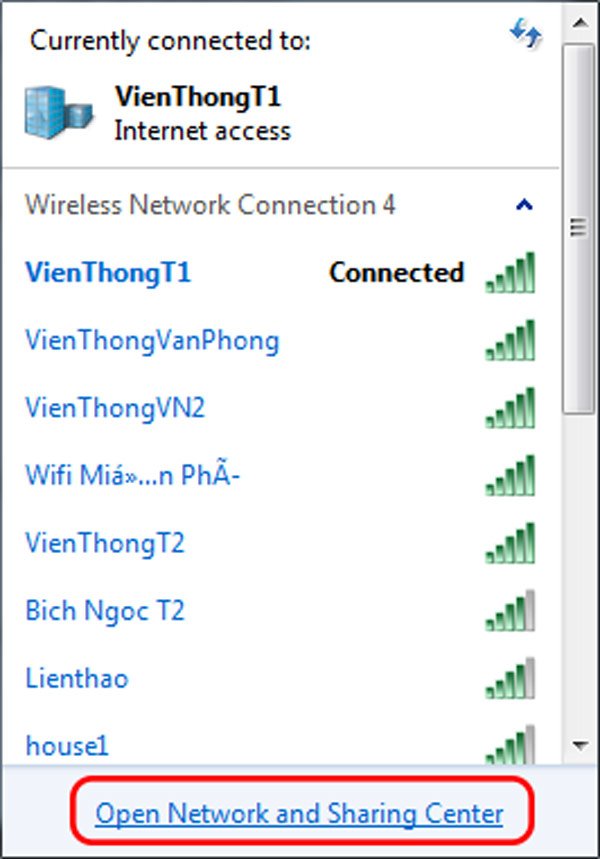
Next, select Set up a new connection or network to set up a wifi network for your laptop.
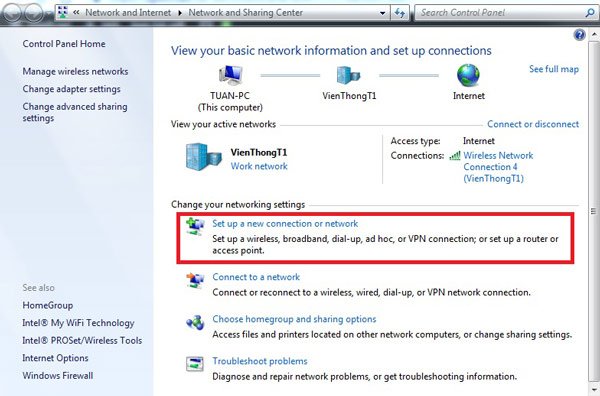
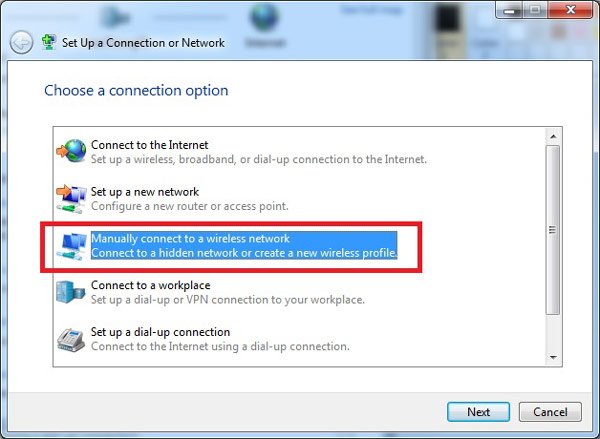
In the Set Up a Connection or Network section, select:Manually connect to a wireless network to connect to a hidden wifi network.
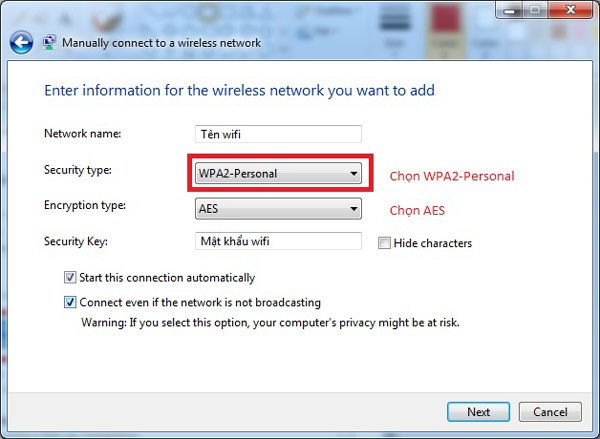
A table will appear for you to enter the wifi information you want to connect to. Enter it as shown in the image, then clickIf the program does not install automatically, follow the path: "My Computer" → " → "Double-click to run the program. Then, if the following line appears:Successfully added[Tên wifi], you have connected successfully. In which:
- Network name: Enter the correct name of the hidden wifi (including capitalization, numbers, etc.)
- Security type: Choose WPA2-Personal, which is the common standard for wifi modems.
- Encryption type: Choose AES. TKIP is outdated and used by few modems.
- Security Key: Simply enter the wifi password.
For Dell, HP, Sony Vaio, Asus laptops, this method can be used to connect to wifi.So now you know all the ways to connect to wifi for Windows 7, Windows 8, and Windows 10 laptops, right? You can use these methods for any Windows version.
>>> You can both provide internet to your laptop and broadcast wifi with: cheap 4G dcom
Khắc phục lỗi laptop không bắt được wifi
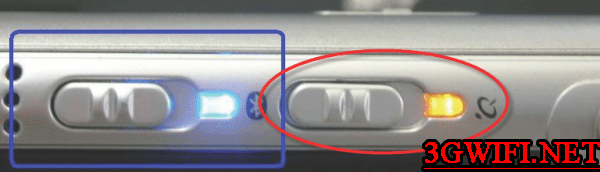
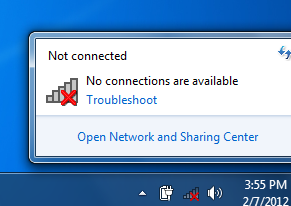 Look on your keyboard and around for a Wi-Fi icon or a switch labeled 'Wireless'. If present, try pressing it or toggling the switch to the 'On' position to see if Wi-Fi can be enabled.
If your laptop does not have a Wi-Fi switch like the one above, press the Fn + Fx key combination. Specifically for popular laptop models in Vietnam:
 For Asus or Dell laptops: Fn + F2.
For Lenovo, Acer laptops: Fn + F5.
For HP, Toshiba laptops: Fn + F12.
- Với dòng laptop Asus hoặc Dell: Fn + F2.
- Với dòng laptop Lenovo, Acer: Fn + F5.
- Với dòng laptop HP, Toshiba: Fn + F12.
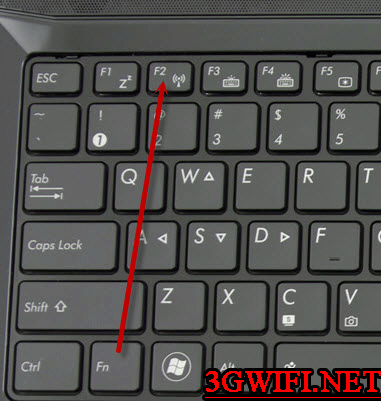 Shortcut to turn on wifi on laptop
If you want to see a more visual guide to fix wifi errors for laptops, watch the video:
>>> Want to use wifi faster than fiber optics? Check out: 4G Wi-Fi router
Nếu bạn đã bật wifi mà vẫn wifi vẫn bị biểu tượng gạch đỏ hãy kiểm tra driver của laptop to see if it's faulty. See how to check below.
 Check wifi driver
Bạn chọn biểu tượng icon → Right-click and select right-click and select Manage. Select System Tools -> Device Manager.
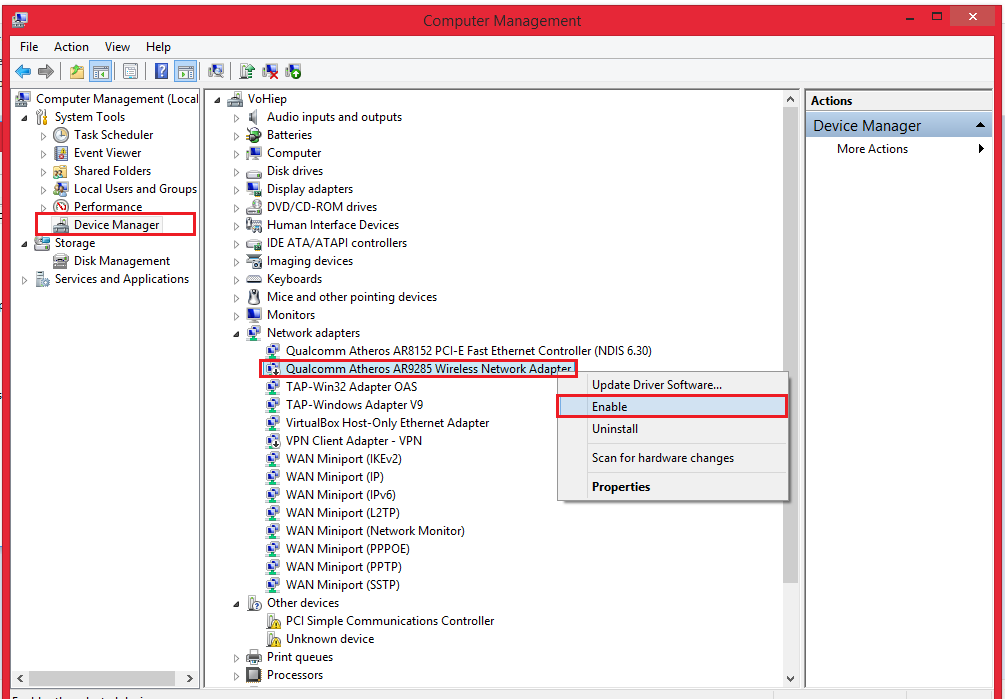 Turn on/off wifi drive
Select Device Manager select Network adapter and turn on the wifi drive. The wifi driver usually has the word wireless, if not, your wifi is lost. Please download the latest driver or insert the driver installation disk.
Hope you successfully connect wifi for your laptop on Windows 7, 8, 10. You can see related articles about wifi for laptops below.





