


 English
  Tiếng Việt
 How to change D-Link wifi password right after this3GWIFI.NET the guide will help you easily change the wifi password of Dlink models from all carriers. For each Modem model, the method of changing the name and password will differ.
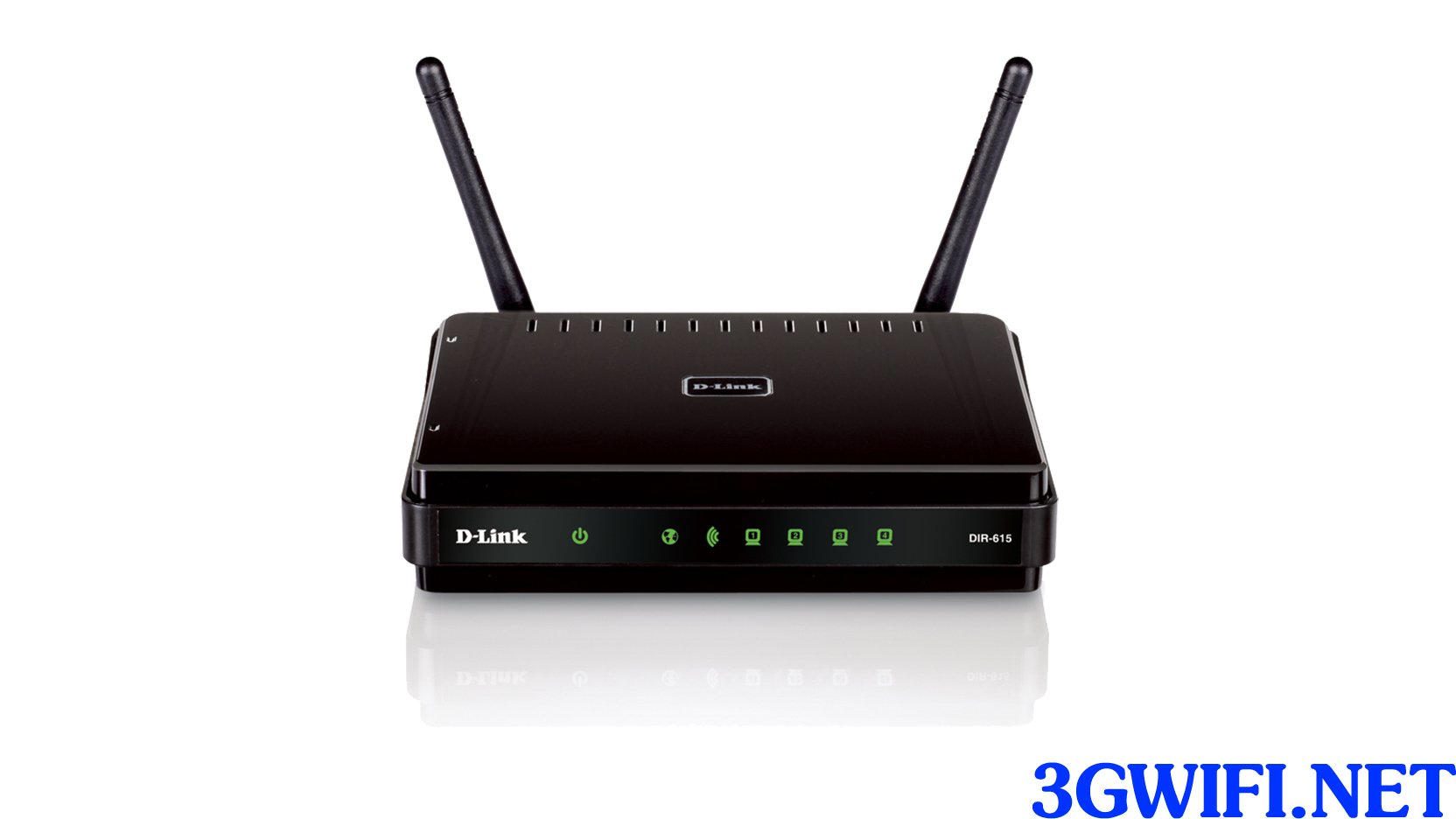
Benefits of learning how to change D-Link wifi password
Changing the wifi password will help you secure your home internet connection better, preventing others from using it excessively, which leads to a slow connection. Currently, all 3 carriers in Vietnam, VNPT, Viettel, and FPT, provide 2 Dlink modems, the D-link Dỉ 6051 and D-link 600, which are the most used by many people today.
>>>You might be interested: 4g sim wifi router
By applyingthis Dlink wifi password change methodis not only simple and easy to understand but also prevents your confidential personal information from leaking out or easily changing the Dlink wifi name to prevent others from knowing that wifi is yours.

Steps to change D-Link wifi password
Step 1: To change the Dlink wifi password, users usually need to access the IP address for the modem, and the IP address for the Dlink modem is: 192.168.1.1. However, if you cannot access it, follow these steps to get the IP address.
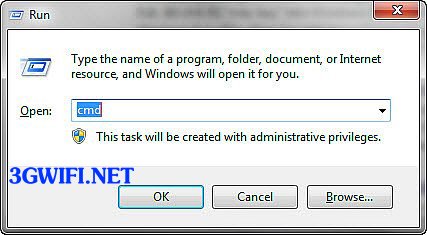
First, press the key combination Windows + R, then type "CMD" in the dialog box that appears to open the Command Line Prompt.
Once you have opened the Command Line Prompt, type the command "ipconfig" and press Enter.
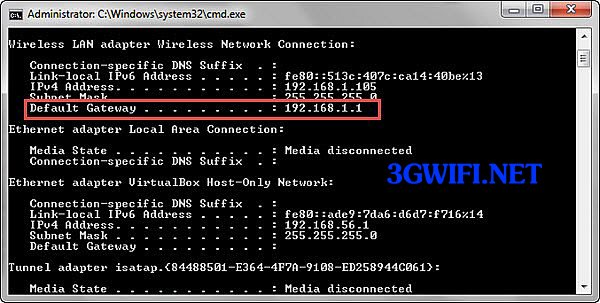
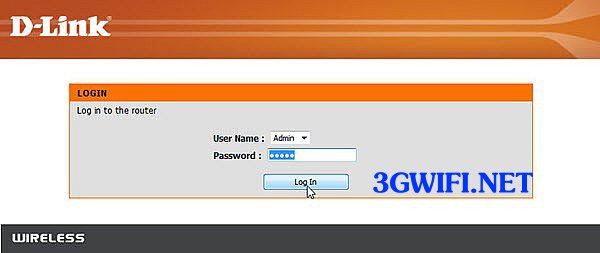
Step 2: After you have obtained all the IP information to access, enter that IP address into your web browser to log in.
User: admin
Password: admin
>>>Refer to more new modem wifi combinations at: cheap 4G USB
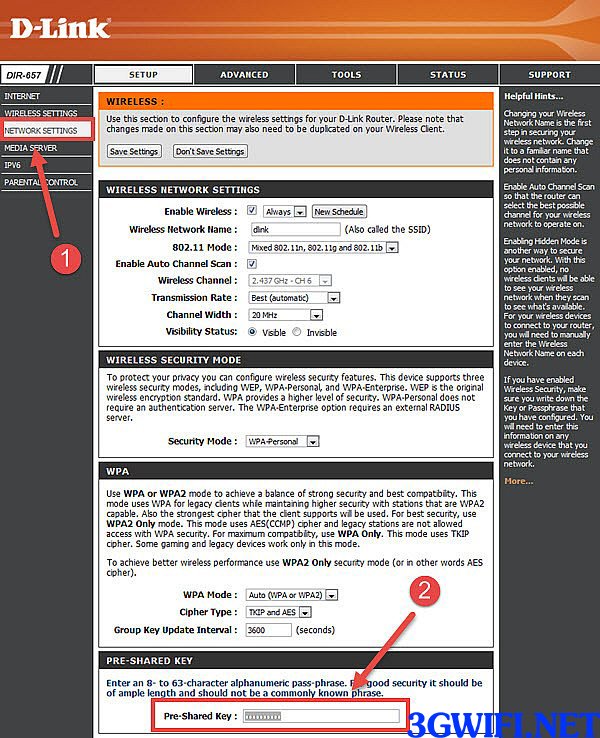
Step 3: Select the items one by one on the website after pasting the IP address: Setup > Network Settings > Pre-Shared Key, then set a new password for your Dlink wifi.
>>> Experience high-speed internet with the product:4G modem
These are all simple steps for you to easily change your Dlink wifi password. After reading this article, you can easily change the password yourself without needing anyone's help. Wish you success and see you again.
See more video tutorials for changing Dlink wifi password





