


 English
  Tiếng Việt
 Wifi có vai trò vô cùng quan trọng trong đời sống con ngước hiện tại, điều đó cũng đồng nghĩa với một điều mà hầu như những ai sử dụng wifi mà không để pass Word đó là nhiều người sử dụng chùa dẫn tới tốc độ Internet bị chậm làm cho chủ nhân của wifi đó cảm thấy khó chịu. Bởi vậy trong bài viết này 3GWIFI.NET xin chia sẻ tới bạn how to change TP-Link wifi password simple and takes the least amount of time for you to secure your home wifi, helping to prevent neighbors from using it for free, or to change the TP Link wifi name so they don't know you have wifi.
AttentionBefore you proceed with changing the TP Link wifi password, you need to connect the TP Link wifi device with a LAN cable to create a stable connection. Make sure you enter the correct wifi password because it requires accurate entry once. If it fails, you will have to reset the device and reconfigure it, which will take a lot of time.
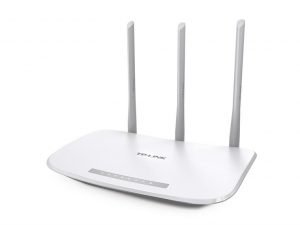
Hướng dẫn cách đổi pass wifi TP Link
Bước đầu tiên bạn cần làm là kết nối wifi với máy tính nếu như không dùng dây cắm trực tiếp hay bạn cũng có thể sử dụng điện thoại kết nối với wifi hoặc laptop để đổi pass wifi TP Link the fastest.
Bước tiếp theo: Từ máy tính hoặc thiết bị di động của bạn chỉ cần mở bất cứ trình duyệt nào lên như: Laban, Opera, Chrome, FrieFox… sau đó trên thanh nhập địa chỉ bạn ấn: 192.168.1.1 this is the default address for you to access the wifi settings. If you cannot connect to the wifi using the address above and have forgotten the address you previously set for your TP Link wifi, press and hold the Reset button to reset it.
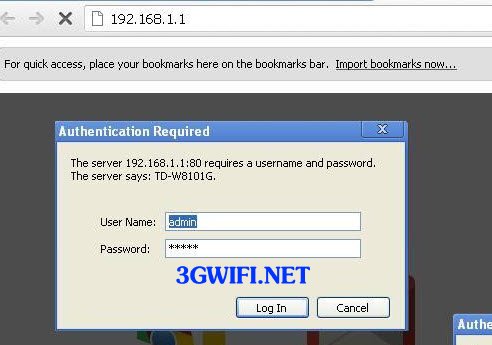
Step 3: When your phone and computer have successfully logged in, you will be prompted to enter the User and Pass for login. The default is 'Admin' for both User and Pass. If it's not, you should reset the modem.
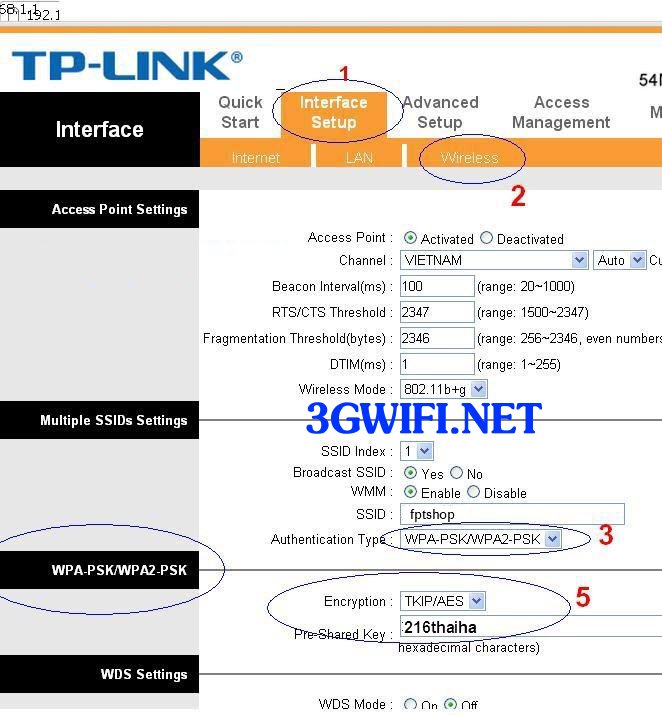
Khi đã đăng nhập thành công sẽ xuất hiện lên một bảng giao diện cài đặt các thông tin kĩ thuật cho wifi TP Link. Ở đó bao gồm cả cài đặt cấu hình, mạng Internet, Lan. Để tiến hành đổi mật khẩu wifi TP Link you select Inter Face Setup >> Wireless.
>>> You might be interested in: cheap 4g usb
This can avoid the prying eyes and unauthorized use of wifi from neighbors, but for : This is the name of the wifi you want to set, you can change it as you like.
Authentication Type: WPA-PSK/WPA2-PSK, this is understood as a security algorithm that makes the wifi harder to crack.
Pre SharedKey: This is where you set and change your home wifi password. Note that to make your wifi password difficult to find, you should combine letters and numbers, which will increase the difficulty for others to guess your home wifi password.
After completing the how to change TP Link wifi password and name, save it. The wifi will automatically disconnect and restart. When the wifi has finished restarting, try connecting to the wifi with the name and password you changed earlier to see if it was successful.
Attention: If you are in the process of completing the wifi password change operations, do not close the browser immediately after pressing Save, as the installation process will not be saved. Wait until Save is complete and the browser loses connection to the internet. That means it's done.

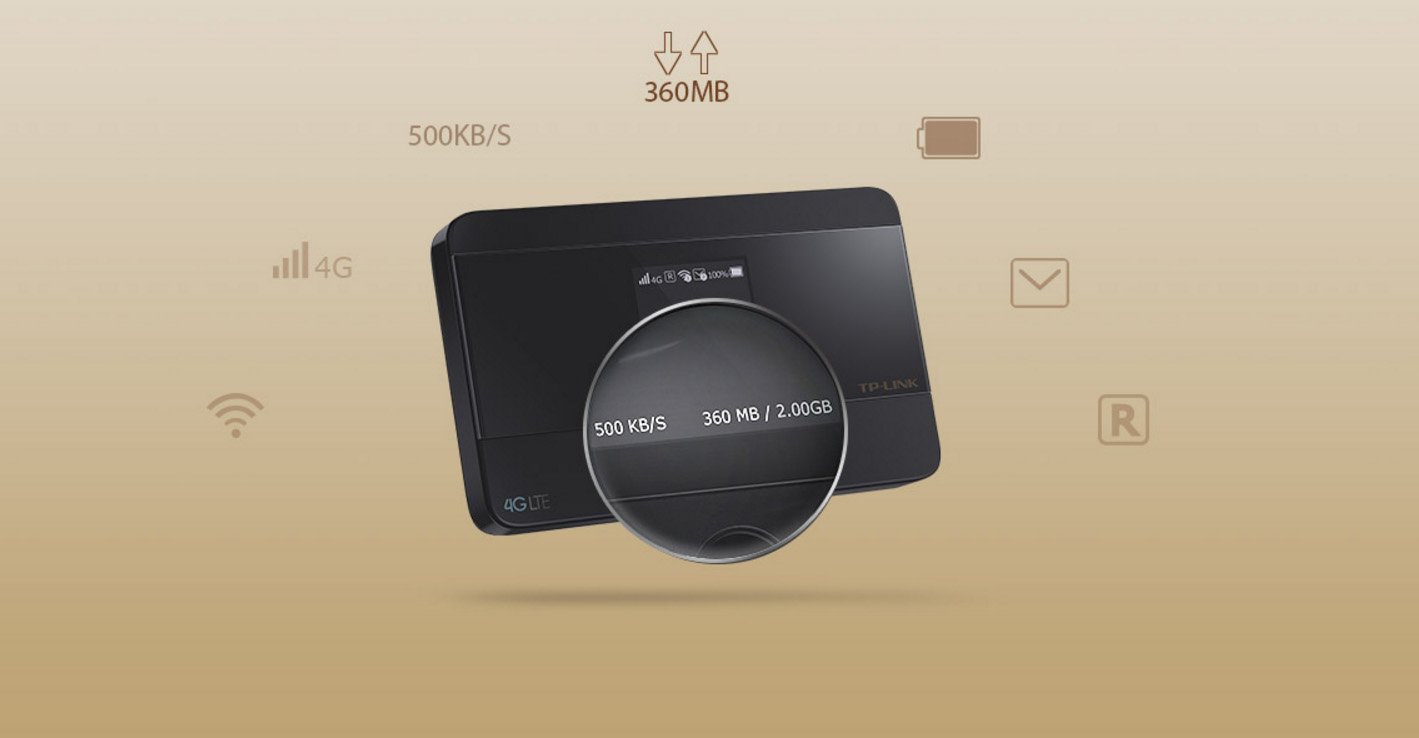
>>> No need to change password or worry about being hacked when you have: portable 4g wifi device
You can learn a little more about wifi settings to prevent problems from occurring, so you will know how to fix them immediately. You should change the default login address of the TP Link wifi from 192.168.1.1 to 192.168.x.x. This will help you avoid curious wifi users or home wifi thieves. If you encounter problems logging into the network or want to configure everything back to default, press the Reset button on the device for about 5s.
So with the how to change TP Link wifi passwordavoiding the theft of home wifi which slows down the internet connection causing frustration. If you have any further questions, please leave a comment below. Good luck.





