


 English
  Tiếng Việt
 When using VNPT wifi network, users will surely want to change their wifi password at some point to increase security, preventing others from using it for free without asking the wifi owner. But most people hardly knowhow to change VNPT wifi password because each modem has different setup methods, so here3GWIFI.NET shares with everyone the simplest guide on how to change the password for the VNPT network.

Almost everyone using the Internet today uses the carrier's modem to broadcast wifi, but to increase security and prevent others from using free wifi, users need to change their wifi immediately.
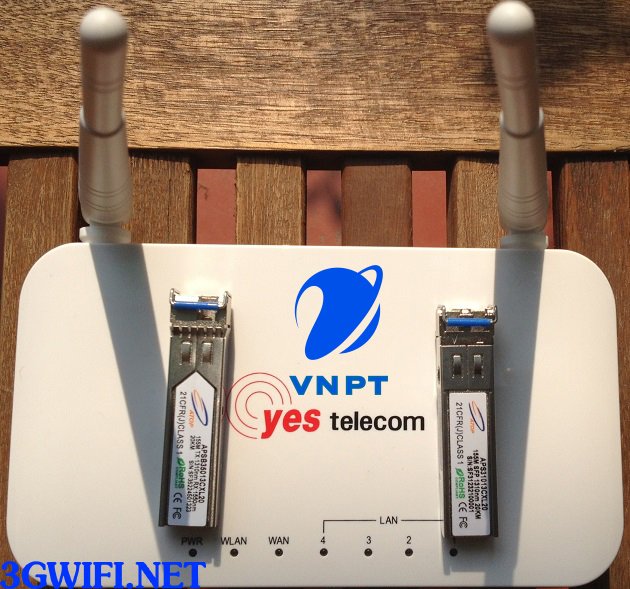
If you are using the VNPT network, most likely you will be provided with and familiar withYes Telecom, this is the modem provided and distributed by VNPT to customers when they register for their network, so if you want tochange VNPT wifi passwordyou need to set it up through this modem.

>>> You might be interested in: Huawei 4g wifi router
How to change Yes telecom modem wifi password for VNPT network
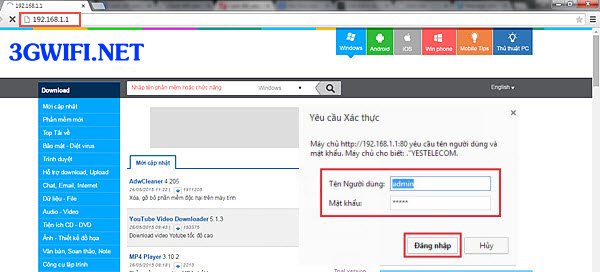
Step 1: First, before changing the password, regardless of the modem, you need to access the management page with the default information. You can refer to the back of the modem. Usually, the address to access the setup page is192.168.1.1and there are two pieces of login information you can try:
| User | Pass |
| admin | admin |
| megavnn | megavnn |
>>> Refer to more high-speed 3G SIM wifi routers at: 4g sim wifi hotspot
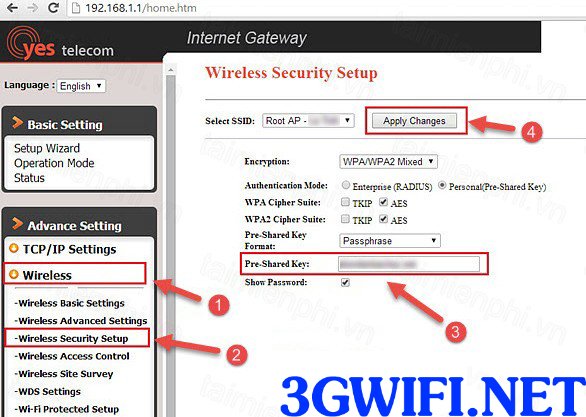
Step 2: After you click login, the browser will automatically take you to the interface to manage the Yes Telecom modem. At this point, click on Wireless > Wireless Security Setup > Pre-Shared Key > Show Password and then proceed to change the VNPT wifi password as you wish.After confirming the password change is complete, the network will be interrupted for a short while for the modem to update information, which takes about 5 to 10 seconds before reconnecting.
Note: To make the wifi password difficult to break or guess, you should combine characters and numbers in the password, making it highly complex and difficult even for hackers to break.

How to change VNPT network wifi passwordIt's really simple, not difficult, right? But this is only for the Yes Telecom modem. If you are using modems from other brands, I have also suggested the link to detailed instructions above. Wish you success with this detailed guide.





