


 English
  Tiếng Việt
 - 1. Top effective ways to increase Wi-Fi speed
- 1.1. Adjust the Wi-Fi transmitting and receiving antennas of the router
- 1.2. Place the modem in the center of the house
- 1.3. Set up your Wi-Fi device
- 1.4. Connect to the network via electrical wiring
- 1.5. Use a Wi-Fi heat map
- 1.6. Switch to a less congested wifi channel
- 1.7. Buy a higher-speed wifi router
- 1.8. Convert router to Wi-Fi Repeater
Nowadays, Wi-Fi devices have become extremely common in our daily lives. Owning modern routers with wide coverage is very simple. But a paradox occurs when you go to choose a product, you have chosen a machine with the right speed and wide coverage suitable for your home space, but when you install it at home, you find that the internet access speed is not up to standard, some places in your home have no signal, or the Wi-Fi signal is too weak. If you encounter the above situation, you have definitely not used the ways to increase Wi-Fi speed to optimize your router.
Top effective ways to increase Wi-Fi speed
Adjust the Wi-Fi transmitting and receiving antennas of the router
The first way is very simple: if your router has 2 antennas, try adjusting one vertically and one horizontally. If it has more than 2, adjust the antennas in different directions.
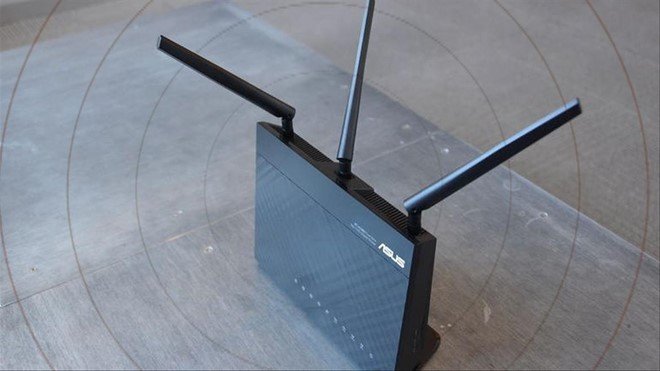
Wireless communication technology experts state that setting the two router antennas perpendicular to each other will maximize Wi-Fi signal reception.
Place the modem in the center of the house
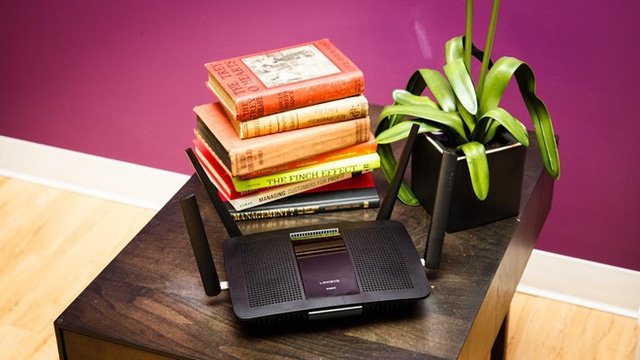
The placement of the Wi-Fi device in the house is very important. You should place it in the center of the house, away from obstacles, in well-ventilated areas, calculated appropriately because obstacles, walls, cabinets, tables, chairs... are things that will weaken the Wi-Fi signal. Another notable point is the trend of Wi-Fi signals propagating downwards, so you need to place the router in a place with a suitable height to optimize the Wi-Fi coverage.
>>>No need for a fixed router when you have: mobile 4G Wi-Fi hotspot
Set up your Wi-Fi device
Many users activate and use the product immediately after purchasing without reconfiguring the device. This leads to exploitation by criminals "stealing" your Wi-Fi. Resulting in internet speeds as slow as a turtle when someone is downloading data, watching movies... Right now, you should reconfigure the device's security and change the password.
Connect to the network via electrical wiring
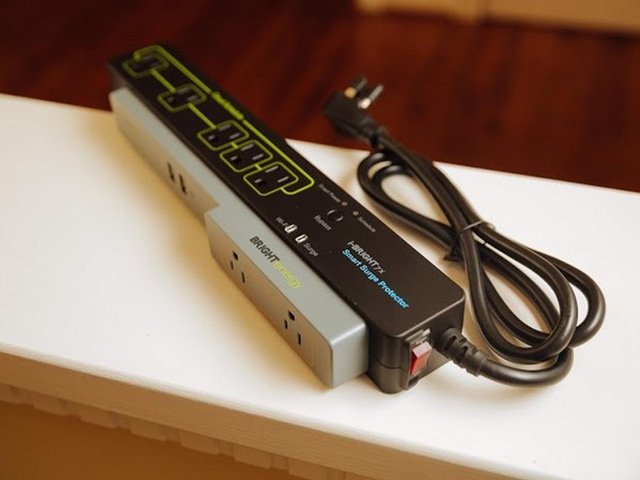
If your house is too large to place the router in a central location. Then use a Powerline Network Adapter to turn electrical wiring into network cables. First, plug the adapter next to the router and connect the two devices. Plug the second adapter into the room or area where the Wi-Fi signal cannot reach. However, this device does not emit a very strong Wi-Fi signal.
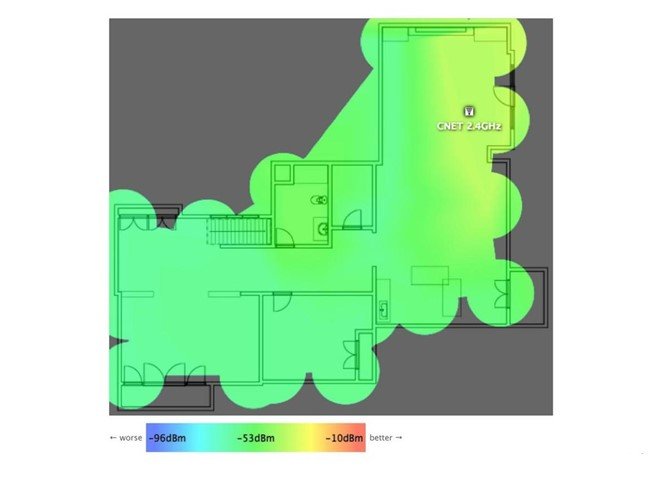
Use a Wi-Fi heat map
This way you will identify the Wi-Fi signal problems you encounter in your home. From there, you can take different directional measures such as adjusting antennas, repositioning... to improve the Wi-Fi signal. However, to implement this method, users must have certain knowledge.
Switch to a less congested wifi channel
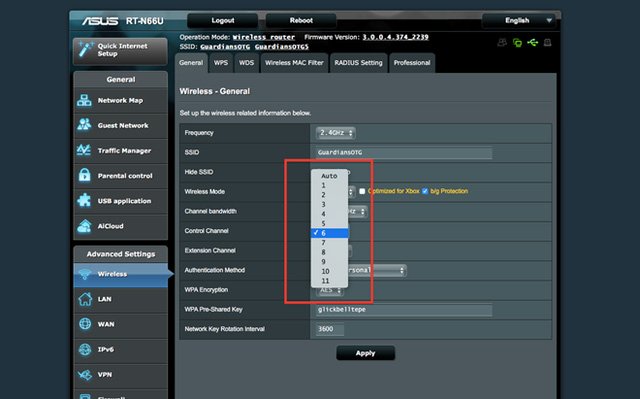
If too many people are accessing your wifi network, try switching to a different channel to increase network speed. Usually channels 1, 3, and 11 are the most used because they have a frequency of 2.4MHz and do not overlap with other channels.
You can use software like Wifi InfoView on Windows or Wifi Analyzer to analyze the wifi signals you receive to see which frequency channels are most used, allowing you to make the best decisions for your wifi router.
Buy a higher-speed wifi router
>>>Secure with WPA 2.0 standard, no worries about being hacked while using: 4G SIM wifi router at a low price
You can also upgrade your router to a new level. This doesn't mean buying a more advanced router or adding auxiliary devices to your wifi router. It means upgrading the firmware. However, if you don't have certain skills and knowledge, this task is quite difficult. It's best to take your router to a product distribution center to have them upgrade it for you.
Convert router to Wi-Fi Repeater
There is a method that few users utilize, which is to turn the router into a wifi bridge. This method is quite complex and requires installing firmware for the router. However, this method will reduce network speed but will increase wifi coverage.
The article has been edited and updated on 01/14/2020





