


 English
  Tiếng Việt
 You are blocked from wifi with the inconvenience of using it. So, follow these suggestions from us. Read the following information carefully before proceeding. This information will give you an overview of how to fix wifi blocking.When you are blocked from wifiHow to check wifi blocking

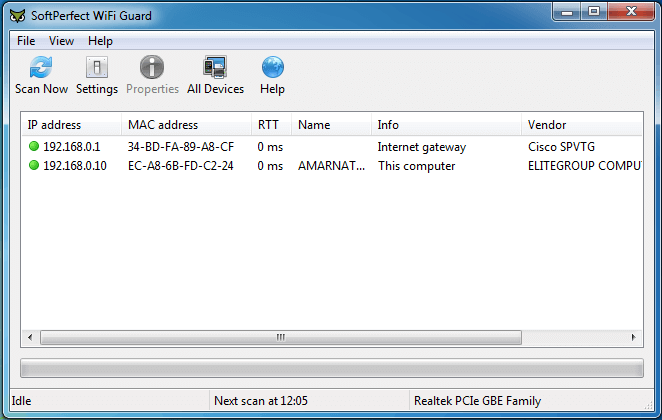
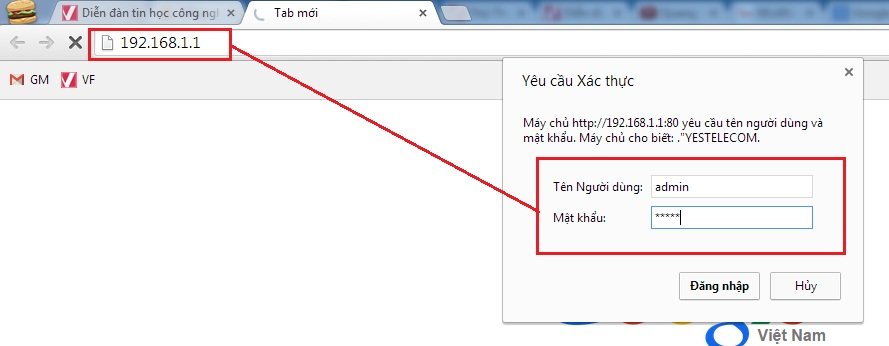
The first thing you need to do is access your wifi router. Access 192.168.0.1 or 192.168.1.1 to check your device's access.
After logging in, find the IP & MAC Binding > ARP List section to check how many devices have accessed your wifi. (including laptops, phones, etc.)
Here, review which MAC addresses are not related to you :D. Check the connected devices of your siblings to see if they are the same. If you find an unrelated address, copy it and follow the steps below.
How to access available wifi
Check the number of wifi network users
Access Wireless and select Wireless MAC Filtering.
Here, click to enable. Since I have already enabled it, it shows Disable
How to set up MAC address blocking on the modem
After enabling, you need to pay attention to the "Filtering Rules" section
+ Deny the stations specified by any enabled entries in the list to access
Network administration settings
This means that if you tick this option, the MAC addresses you enter will be disabled and cannot access the wifi network.
+ Allow the stations specified by any enabled entries in the list to access
» If you tick this option, only the MAC addresses you enter can access your wifi.
It is exactly the same for TP-Link as I instructed you at the beginning of the article. To block a MAC address, to block any device, click on Network > select Wireless > MAC Filter > select Deny > click Add > then add the MAC addresses you want to block and click Save to save and you are done.
""If you tick this option, only the MAC addresses you enter can access your wifi."
""It is exactly the same for TP-Link as I instructed you at the beginning of the article. To block a MAC address, to block any device, click on Network > select Wireless > MAC Filter > select Deny > click Add > then add the MAC addresses you want to block and click Save to save and you are done."
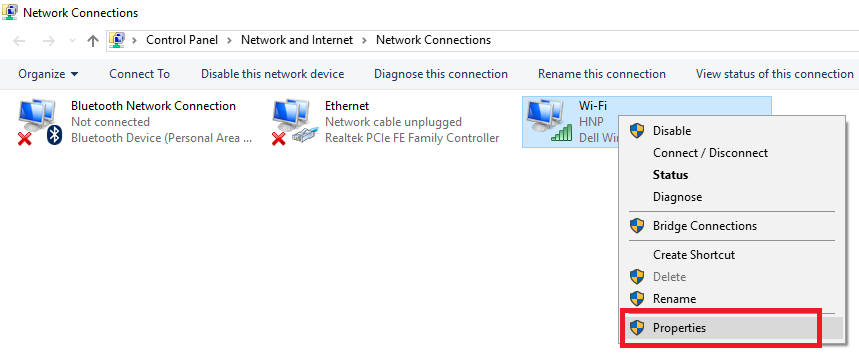
Access the MCA address
Hope the information we provided above has answered your question on how to fix blocked wifi. Good luck





