


 English
  Tiếng Việt
 - 1. Reasons for iPhone's fast battery drain and how to fix it
- 1.1. iPhone automatically updates apps in the background
- 1.2. Automatic notification feature on iPhone
- 1.3. Công cụ tìm kiếm Spotlight
- 1.4. Không tắt dịch vụ định vị GPS
- 1.5. Hộp thư Mail liên tục hoạt động
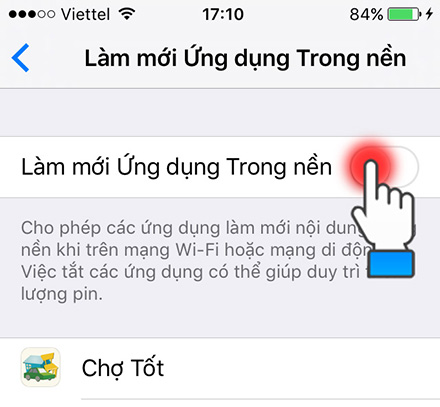
- 1.6. Làm mới ứng dụng trong nền (Background App Refresh)
- 1.7. Chia sẻ dữ liệu AirDrop
- 1.8. Tắt giảm chuyển động trên iPhone
- 1.9. Bật Bluetooth liên tục
- 2. Replace your iPhone's degraded battery
iOS is the best operating system currently. Everyone agrees that iPhones are very durable. However, there is one problem: iPhone batteries drain very quickly. Take a look at the reasons why iPhone battery drains quickly to understand the causes and how to fix them.
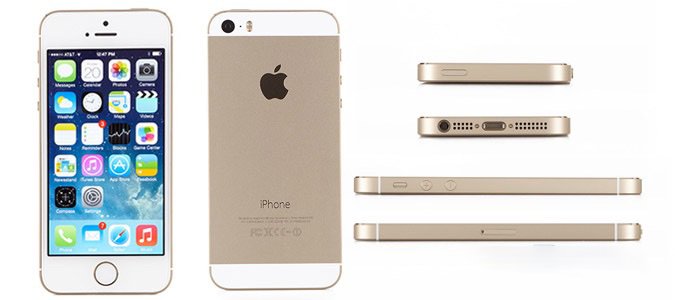
Những nguyên nhân làm cho iPhone nhanh hết pin và cách khắc phục
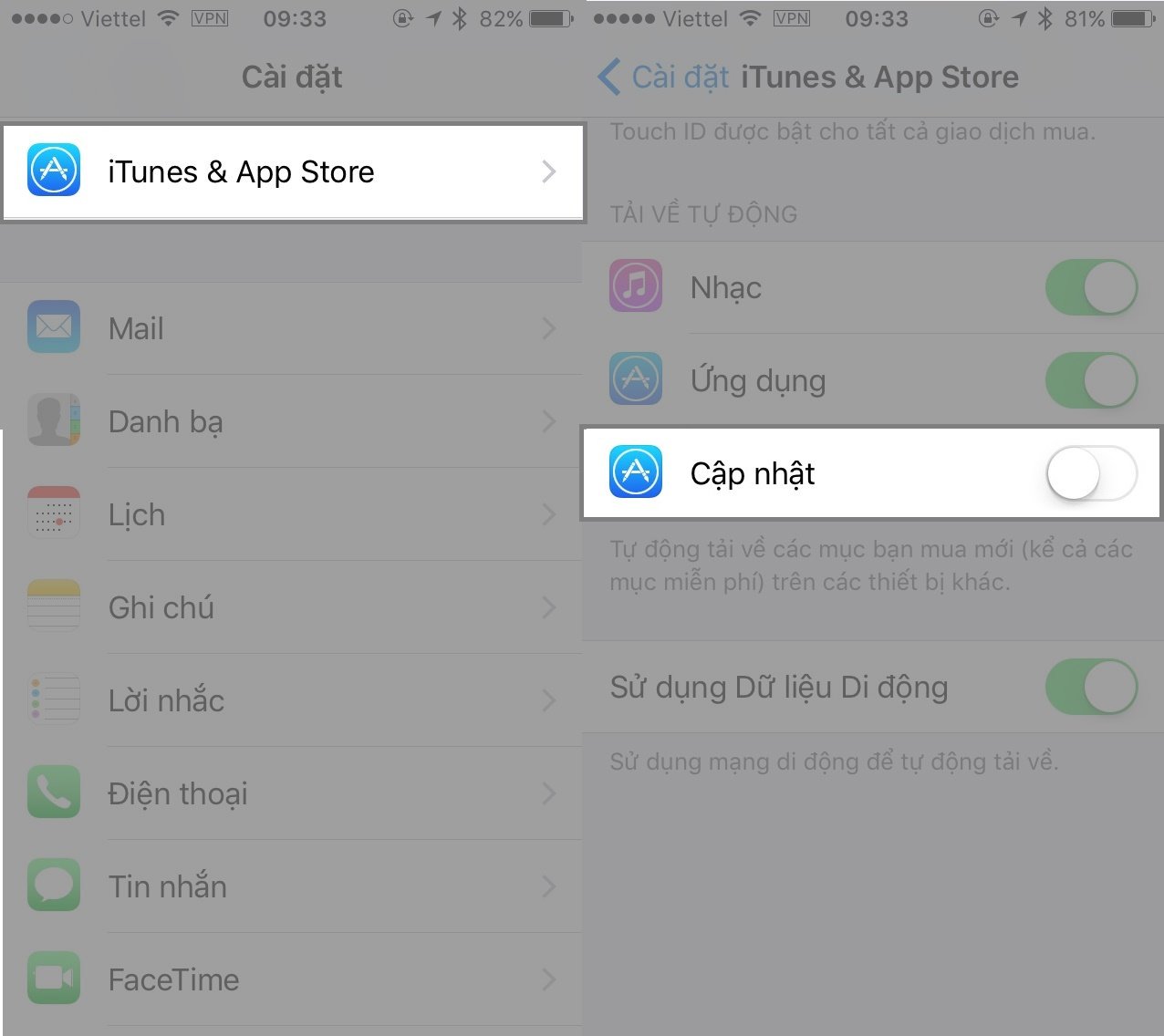
iPhone tự động cập nhập ứng dụng ngầm
Although users are experiencing the latest updates from applications, this feature will constantly check. However, this will truly threaten the battery life of the iPhone. Therefore, it is best to turn off this function and get into the habit of updating applications manually.
Bằng việc truy cập vào phần Settings rồi vào Itunes & Appstore sau đó tắt đi phần cập nhật để giúp vô hiệu hóa tự động việc cập nhật các ứng dụng đó.
>>> See more Wi-Fi routers designed like iPhones: portable wifi transmitter
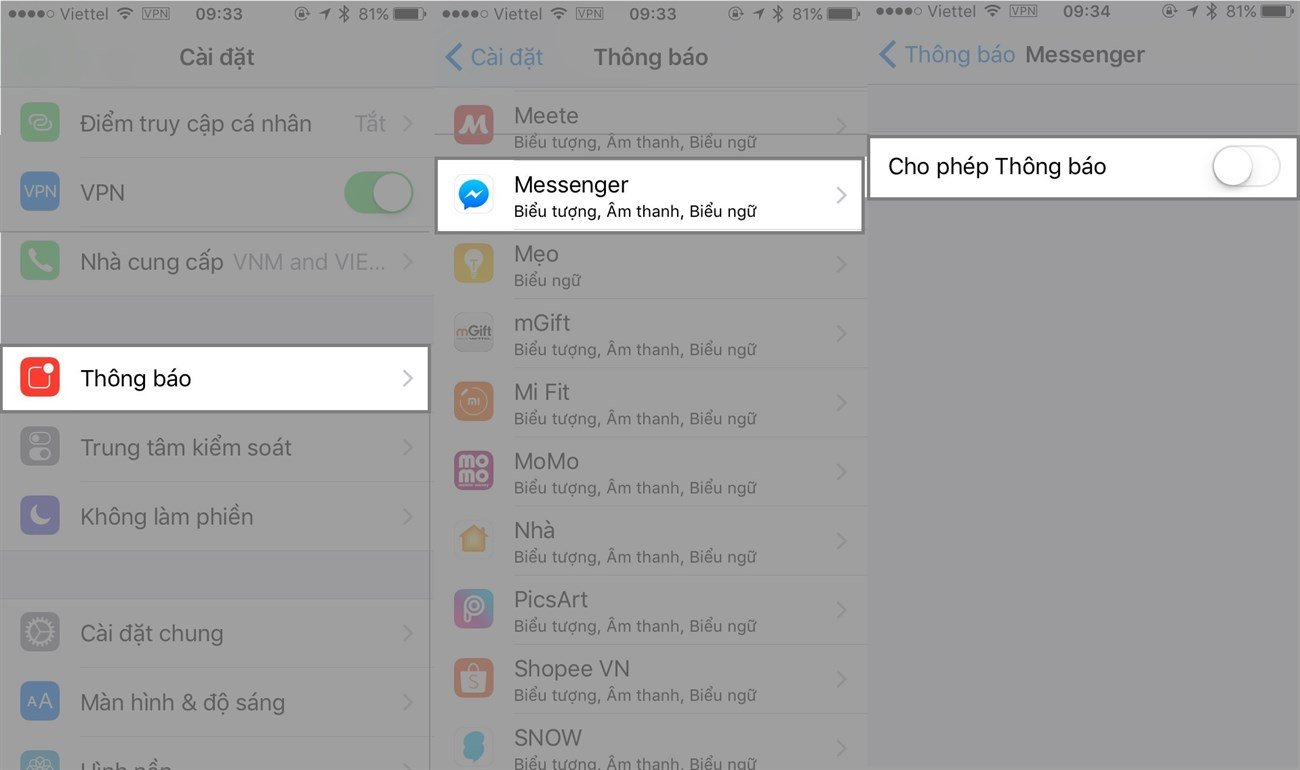
Tính năng tự động thông báo trên iPhone
iPhone của bạn ngay lập tức màn hình sẽ sáng lên ngay khi xuất hiện những thông báo mới. Đôi khi là tin nhắn quảng cáo, thông báo ứng dụng... Những thông báo hiện làm màn hình sáng lên và tốn pin. Đặc biệt những tin nhắn sẽ làm màn hình iPhone sáng lên 2 lần liền.
Therefore, you should only allow necessary applications to send notifications. To reconfigure notifications for applications, you should go to Settings > Notifications. Then select the software you need to turn off notifications for and then toggle off notifications.
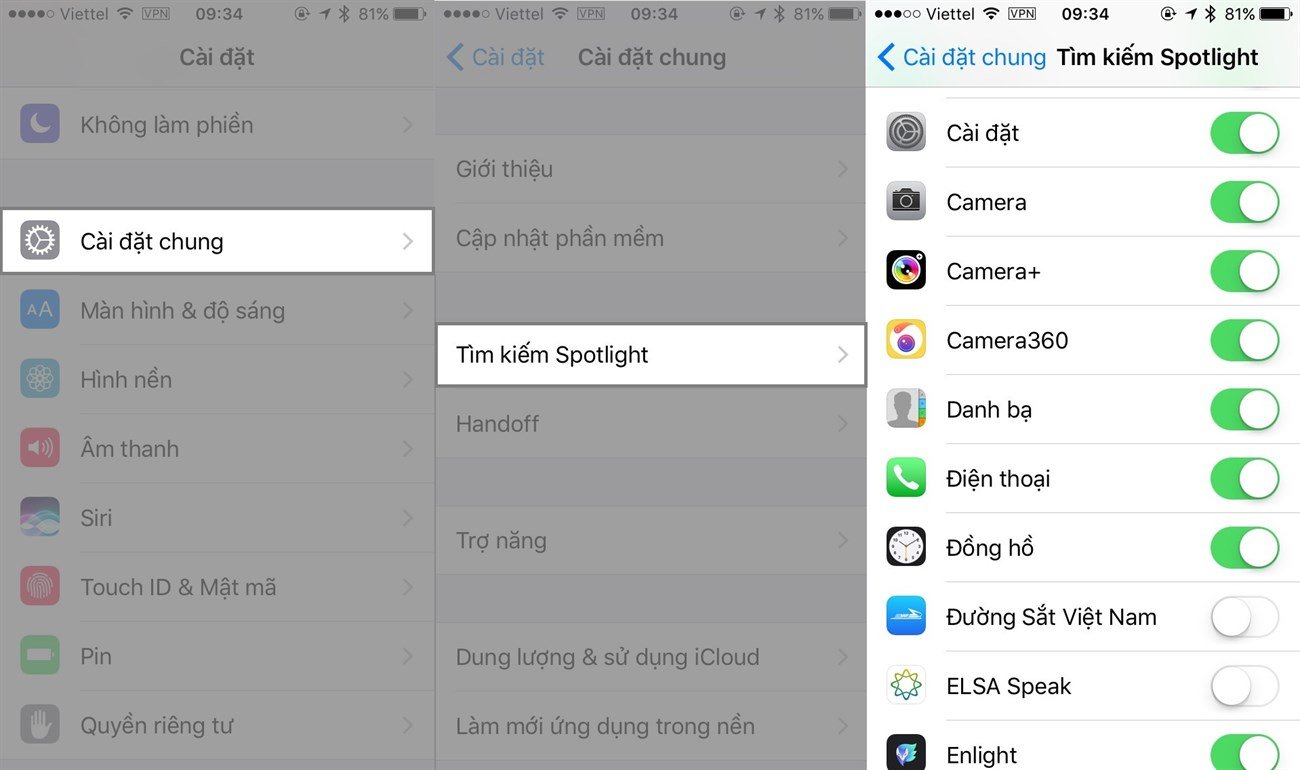
Công cụ tìm kiếm Spotlight
Siri suggestions will allow users to quickly access any application, website, or make phone calls... But besides compromising privacy, how many people know that this is one of the features that drains battery on the user's device because it has to constantly update the latest data.
Therefore, you need to limit Spotlight searches to prevent functions that consume a lot of battery by: Go to Settings > General > Select Spotlight search. Here you need to find and turn off unnecessary items and applications.
Không tắt dịch vụ định vị GPS
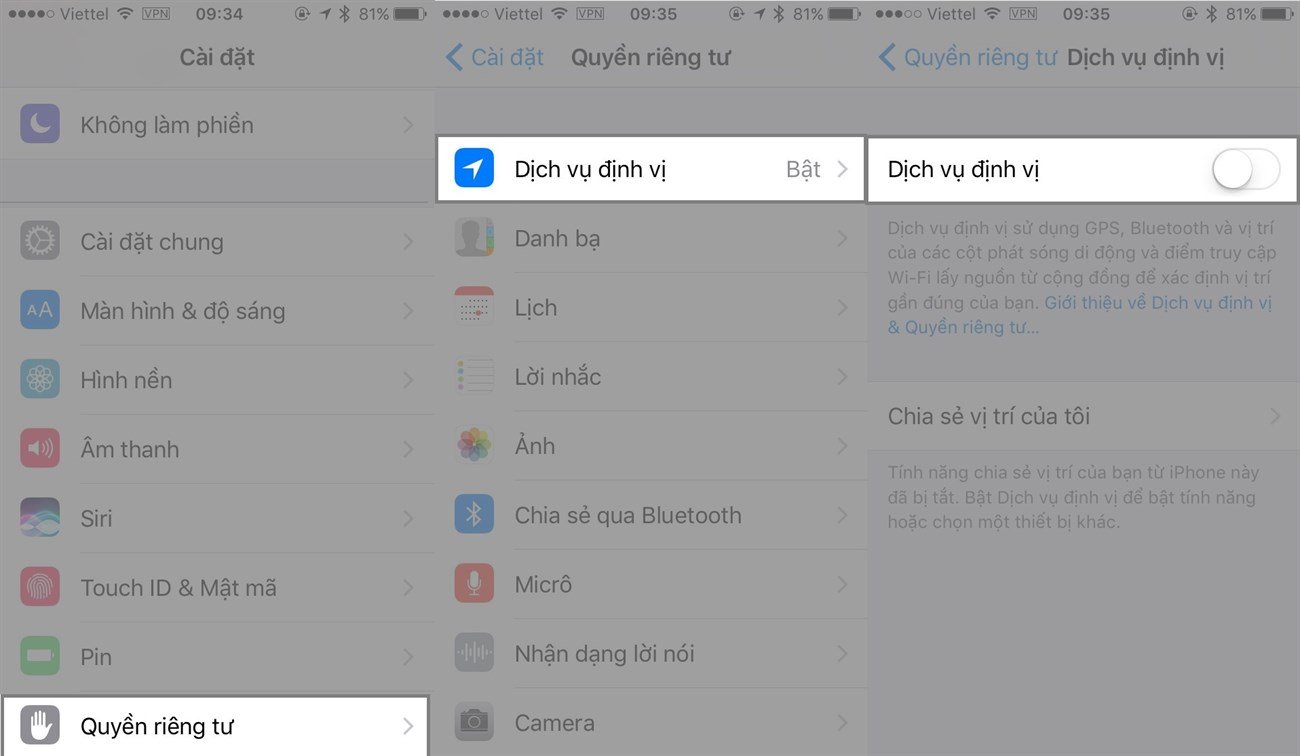
Constantly determining the user's location and the positioning function will make you lose more control over the battery life on your iPhone. Therefore, if you don't really need to use these features, you need to turn them off immediately by going to Settings > Privacy > Location Services and toggle to turn them off.
Hộp thư Mail liên tục hoạt động
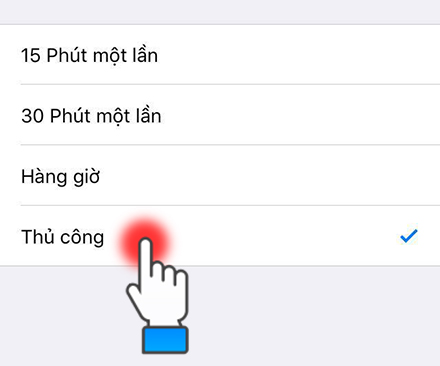
Constantly checking mail servers for the earliest notifications for users, the mail client will consume a lot of device resources as well as network data and battery... Therefore, you need to set a time limit for checking and only allow checking upon mail startup.
>>> 4G portable Wi-Fi router, no setup required, runs continuously for 6 hours: 4g wifi hotspot
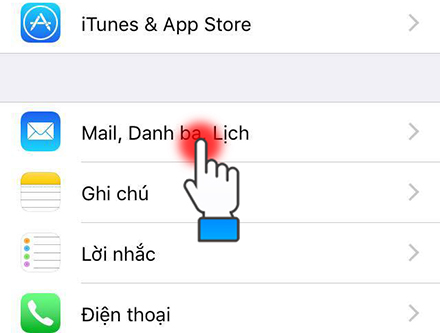
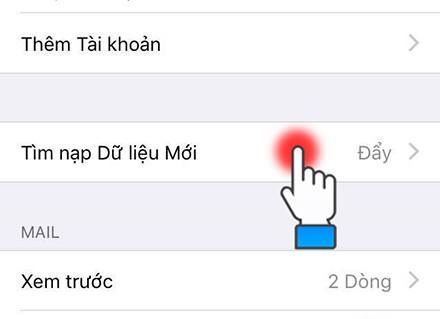
To do this, go to Settings > Mail > Accounts > Then find the Fetch New Data option. There, users will be provided with many options by Apple, such as checking every 1 minute, every hour, or manually.
Làm mới ứng dụng trong nền (Background App Refresh)
If you find this application redundant and don't need notifications or continuous operation, disable that function.
Làm mới ứng dụng trong nền rất tiện dụng lợi. Nó sẽ hiển thị những phiên bản mới nhất nhưng lại làm tốn pin. Bởi nó hoạt động ngầm và liên tục trong máy iPhone.

Nếu như không cần tới tính năng đó bạn nên vào phần cài đặt > Cài đặt chung > Làm mới ứng dụng trong nền > Và tắt đi các ứng dụng không cần tới.
Chia sẻ dữ liệu AirDrop
Airdrop chính là chức năng sẽ cho phép người sử dụng iPhone được kết nối để giúp chia sẻ được các dữ liệu như là hình ảnh cùng với video và chức năng ghi âm… dành cho những thiết bị IOS gần đó. Airdrop sẽ chỉ được hoạt động thông qua mạng wifi hoặc là sóng Bluetooth.
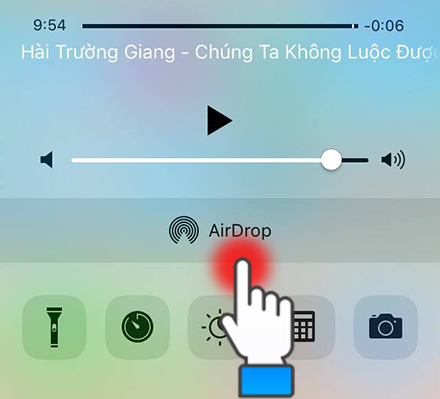
Bởi vì thường xuyên rà soát những thiết bị xung quanh bởi vậy mà tính năng đó sẽ làm tiêu hao một lượng pin rất cao của người sử dụng. Vì vậy mà bạn cần phải cân nhắc việc nên tắt Airdrop khi không cần sử dụng: Truy cập vào trung tâm kiểm soát > Chọn Airdrop sau đó nhấn vào phần không nhận.
Tắt giảm chuyển động trên iPhone
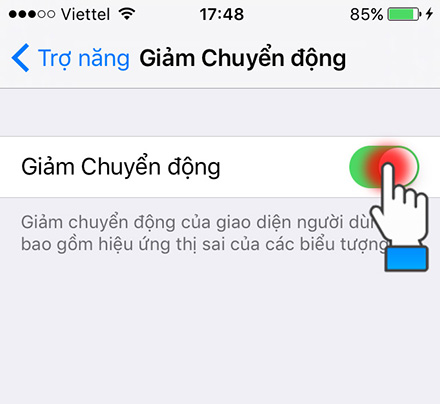
Cho dù tính năng đó sẽ làm cho iPhone của bạn trở nên mượt mà hơn nhờ vào việc tắt đi toàn bộ các hiệu ứng nhưng bạn nhớ cần phải cân nhắc bởi vì chuyển động có thể sẽ làm cho Iphone bị giới hạn đi một số các chức năng hay ho, tiêu biểu là không dùng được các tính năng mới ở trên iMessage của iOS 10.
Nếu như quan trọng dung lượng pin hơn là những tính năng như vậy bạn nên vào phần Cài đặt > Cài đặt chung > Trợ năng và sau đó gạt để bật giảm chuyển động.

Bật Bluetooth liên tục
Bluetooth bây giờ là chức năng không còn có quá nhiều hữu ích trên iPhone. Cho dù việc kết nối Bluetooh không tiêu hao quá nhiều điện năng nhưng việc tắt nó đi sẽ làm cho iPhone tiết kiệm được rất nhiều pin trong một khoảng thời gian khá là dài.
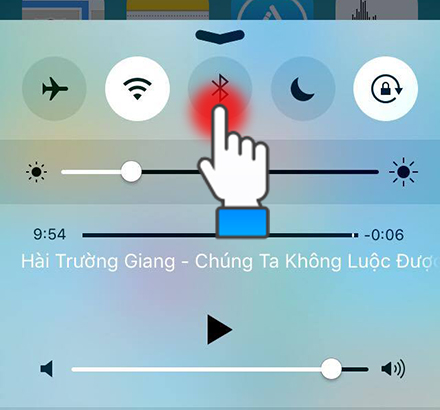
Để tắt việc kết nối Bluetooth bạn cần phải truy cập Cài đặt > Bluetooth và gạt để tắt, ngoài ra bạn cần phải bật tắt nhanh chóng tính năng đó thông qua trung tâm kiểm soát.
Hãy thay pin mới cho iPhone bị chai pin
Nếu áp dụng tất cả các cách trên mà iPhone của bạn vẫn tụt pin không phanh thì đó là do pin của máy đã bị chai. Bạn cần phải thay pin mới nếu không muốn dùng 1 lúc đã hết pin. Giá pin iPhone hiện nay khoảng vài trăm và có nhiều nơi bán như Thế giới di động, Cellphone... Để dùng pin được lâu thì bạn hãy dùng những bản iPhone đời mới nhất để có dung lượng pin khủng.
Đến đây là kết thúc bài hướng dẫn khắc phục nguyên nhân khiến iPhone nhanh hết pin. Nếu bạn còn thắc mắc gì hãy để lại bình luận ở bên dưới nhé.





