


 English
  Tiếng Việt
If you don't know how to configure data saving, Android applications will also consume a lot of 3G data, causing your 3G data package to run out quickly in a short period of time. Therefore, you need applications to help youmanage 3Gnetwork data easily.
3 3G data management apps widely used
Internet Speed Meter Lite
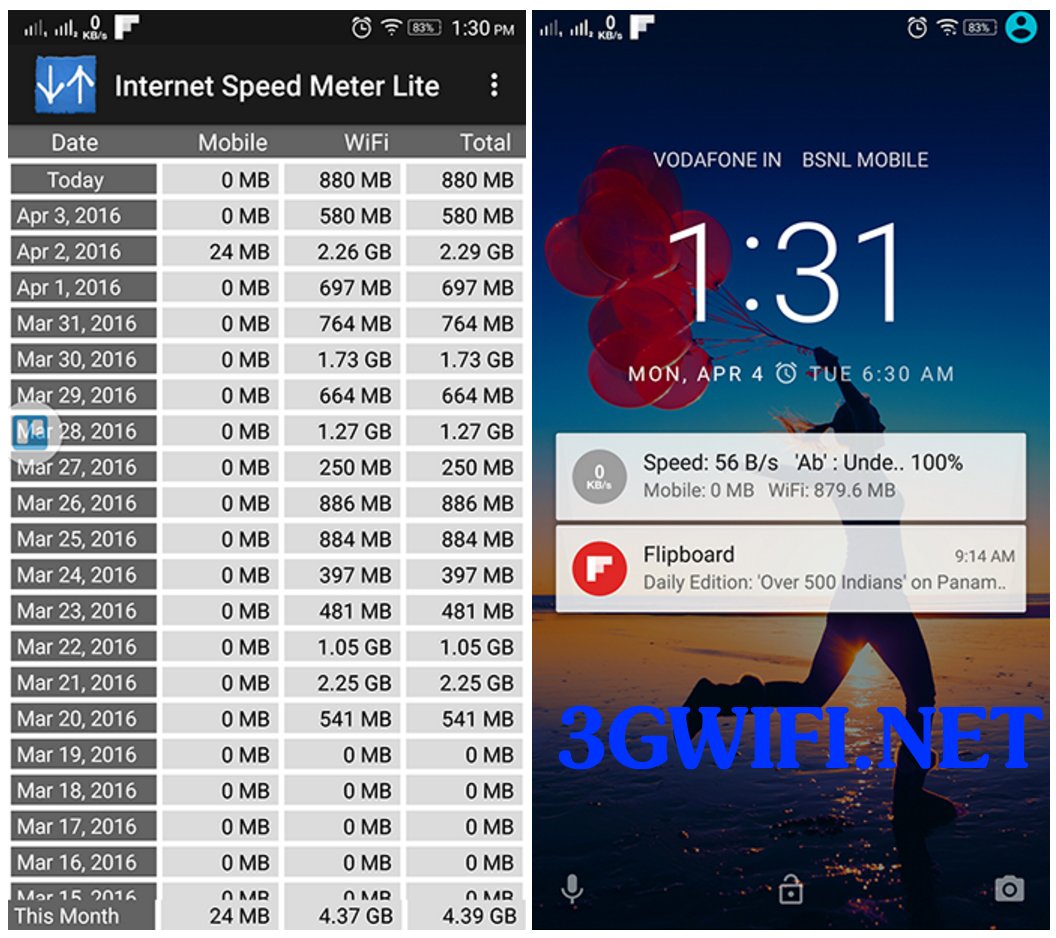
Internet Speed Meter Lite will show you the download and upload speeds on the status bar of your Android phone. And at the same time, it's also an app that tells you how much data you've used all day. It also displays mobile data along with wifi usage data.
Free 3G management app Internet Speed Meter Lite
>>>Refer to wide-range 4G wifi hotspots at: cheap 4g sim wifi hotspot device
You can even view the measurement speed on the lock screen. If you use a lot of mobile data, you should choose to limit your data usage. And when you reach that limit, you will receive notifications. And when you want to add custom options like displaying a clock for when you connect to the Internet or themes for the app, you need to buy the pro version. The noteworthy point is that this app has no ads.
Internet Speed Meter
If you want to better control the apps that consume data, you should use the Internet Speed Meter app right away. It's not just a speed meter, but a complete package to help you track your Internet data usage across the best app platforms.
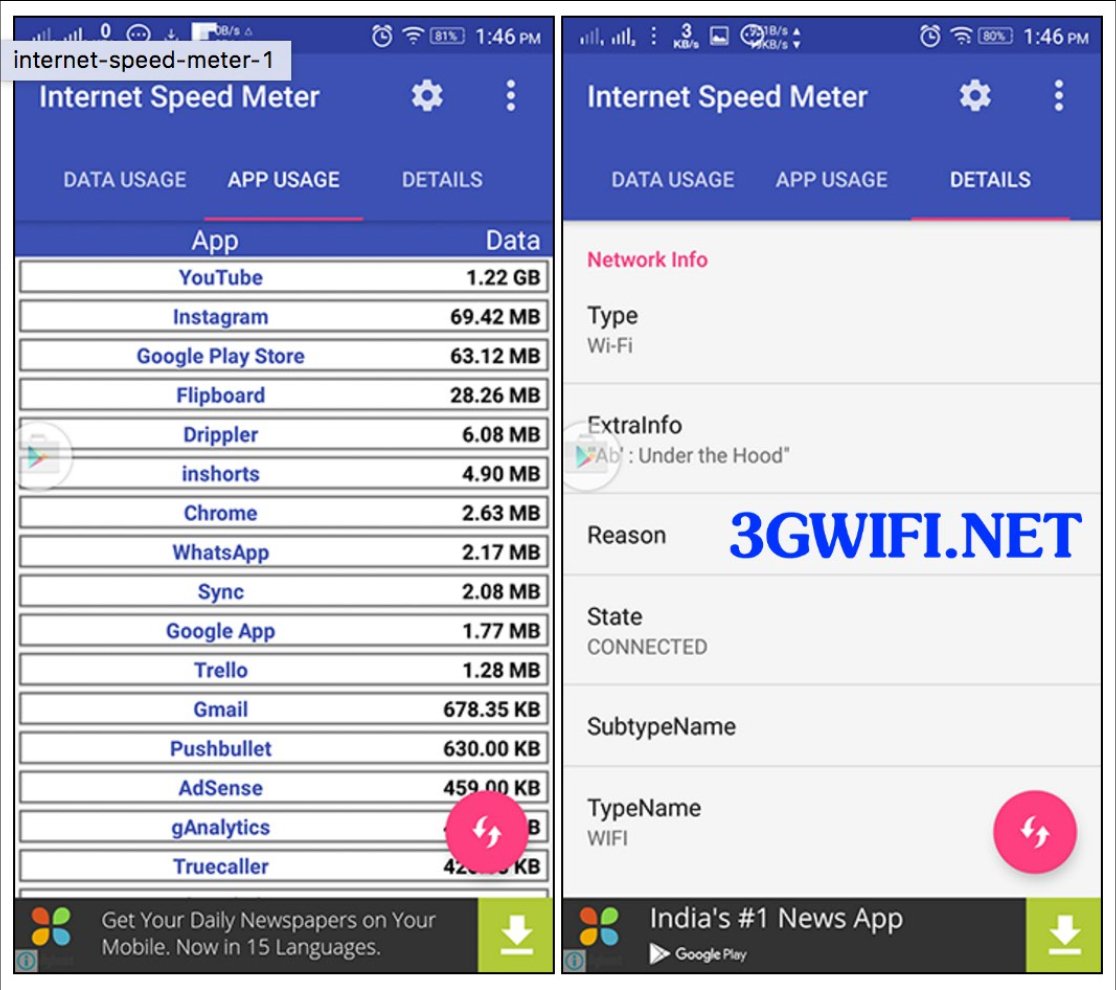
You will also receive reports on daily Internet usage. In addition, you will get full information about the Wi-Fi connection you are connected to, including Wi-Fi frequency, IP address, Link Speed, SSID, and much more.
In this software, you can freely customize features according to your requirements and you can also set the position of tools and clocks to measure speed on the status bar and even choose to display when not connected to the Internet. Meanwhile, with the first app above, you need an additional Pro version to do the above.

Internet Speed Meter – by PersianGeek
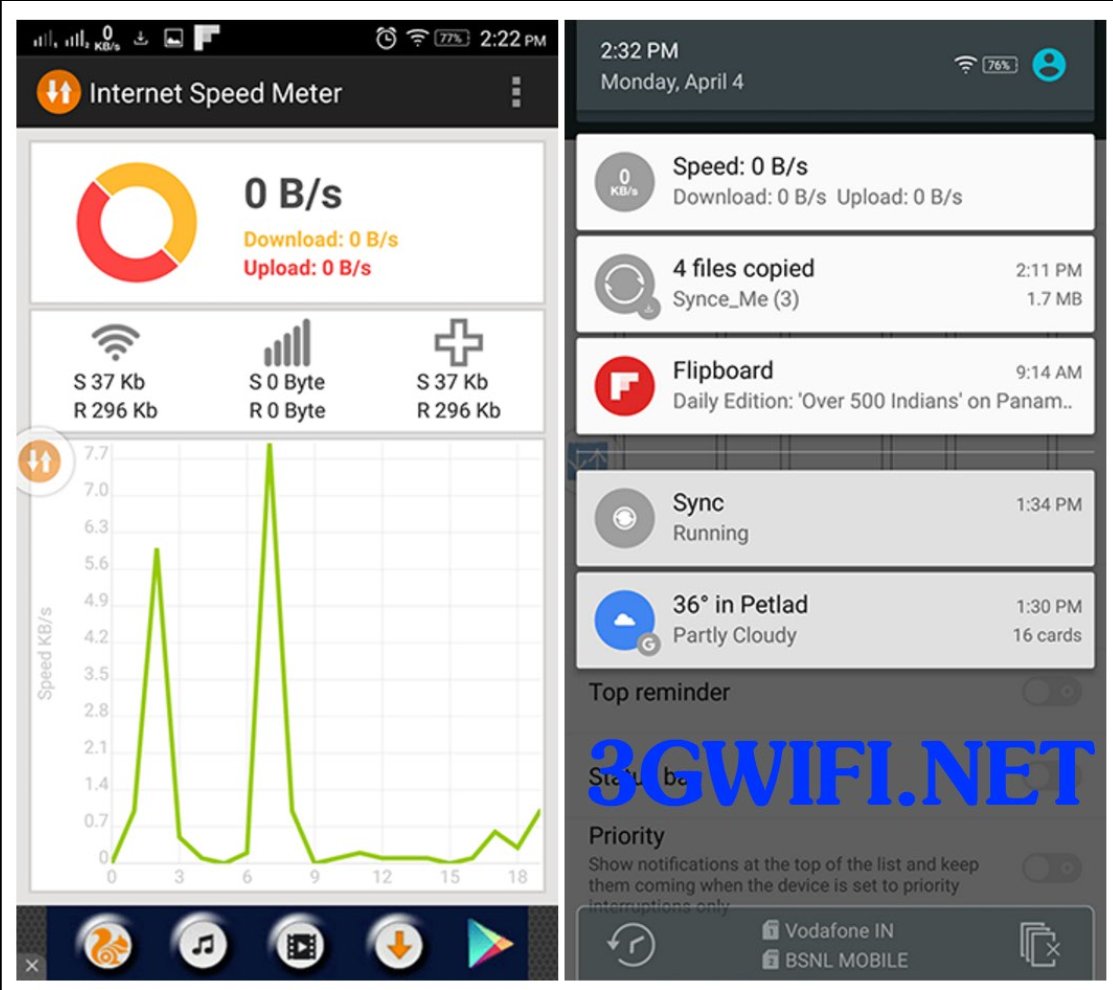
Free 3G management app Internet Speed Meter by PersianGeek
>>> See more:cheap 4g usbhigh-quality genuine
If you do not want any features for tracking Internet usage and customization, but only a widget on the status bar with a speed meter to let you know how to use Internet Speed Meter by PersianGeeks. This is an extremely simple application, in the application you will immediately see a graph showing different speeds each time you use it.

On the other hand, there are many Android OS phones currently that support displaying network speed on the status bar, along with some users using the OTA Marshmallow update, and it also integrates these features. Therefore, if you have updated to Marshmallow, you just need to search in the settings for the Network Speed function.

The above are applications that help increase your home 3G speed. Although it doesn't increase the speed too much, it will certainly improve the current internet access speed. Wish you success, if you find 3G too slow, you should use 4G.





