


 English
  Tiếng Việt
 - 1. Clean the computer's USB port and the Dcom connector
- 1.1. This is the simplest way to fix the error. Because if you haven't used it for a long time, the device will accumulate dust, leading to poor contact.
- 1.2. Image of Device Manager
- 1.3. Thay thế thiết bị lỗi
- 2. Best 3G/4G Dcom devices you can refer to
- 2.1. Dcom 3G MF665C
- 2.2. Huawei E8372 4G USB
There is a common error when customers use USB or 3G/4G Dcoms, which is that the computer does not recognize the device. This is a common problem that anyone who uses a USB has encountered at least once. Many people online ask about this issue, and not everyone knows how to fix it. If you are experiencing the above situation, check out the fix for computer not recognizing dcom How to fix computer not recognizing 3G/4G Dcom
Clean the computer's USB port and the Dcom connector
This is the simplest way to fix the error. Because if you haven't used it for a long time, the device will accumulate dust, leading to poor contact.
The solution is to use a cotton swab to clean both the USB/Dcom and the USB port on your laptop. Wipe off the dust once. Then, put a little bit of Phật Linh oil or Trường Sơn oil on the cotton swab and wipe it again. Then wait about 10 to 15 minutes for the oil to dry before trying to plug in the USB again to see if it connects. If this doesn't fix it, try the method below.
Install and update the computer's USB driver
Image of Device Manager
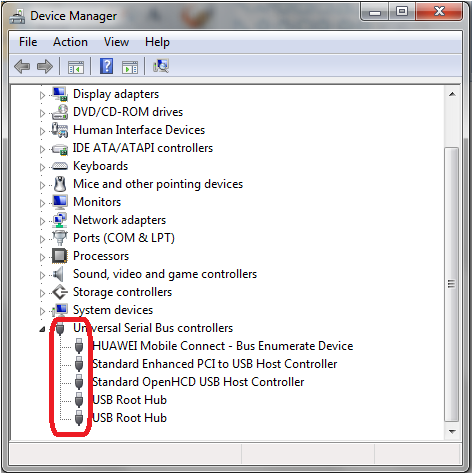 Go as follows:
Select the icon → Right-click and select icon → Right-click and select → Select → Select Device Manager.Above are the USB drivers that have been connected. To identify your USB driver, simply unplug and plug in the USB, and you will know which driver corresponds to your USB.
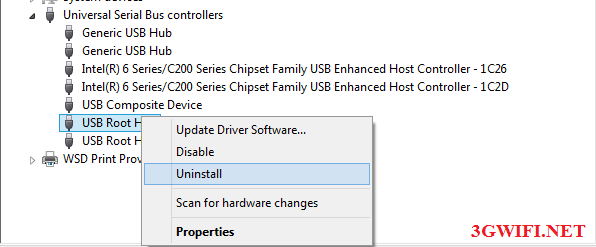
Once the driver is identified, right-click and uninstall that USB driver, then restart your computer and reinstall the USB.
Replace the faulty device
Thay thế thiết bị lỗi
If the above 2 fixes do not work, try plugging your USB into another computer. If the other computer also does not recognize the USB, then I am sorry to inform you that your 3G/4G USB is broken. The only solution now is to buy a new one. Because 3G/4G USBs or Dcoms cannot be repaired.
Best 3G/4G Dcom devices you can refer to
Dcom 3G MF665C
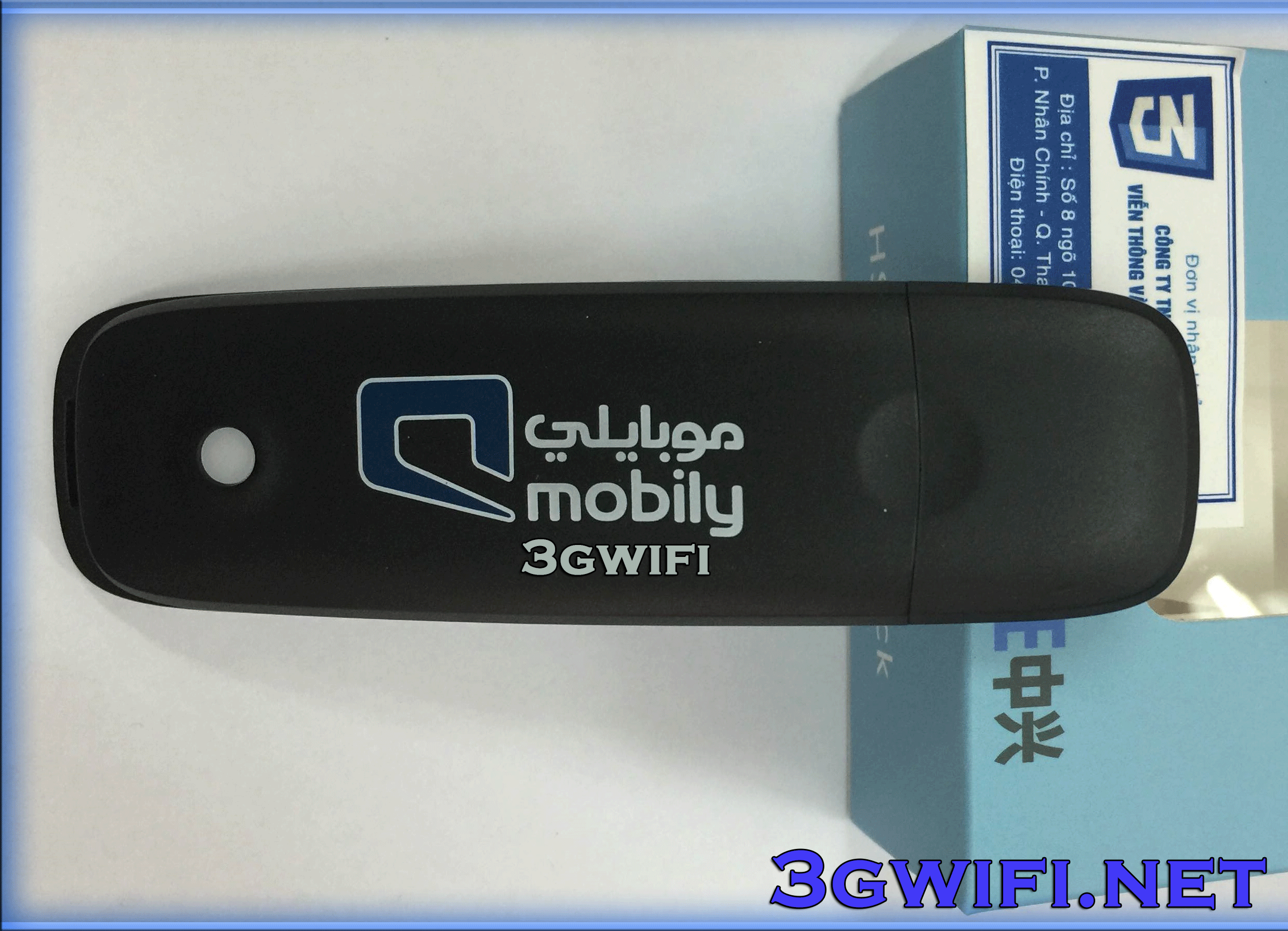
- Is the main product, can be used for multiple networks
- Supports multi-network use
- Supports speeds up to 21.6 mb/s
- 100% genuine product
>>> See more details at: USB 3G MF665C
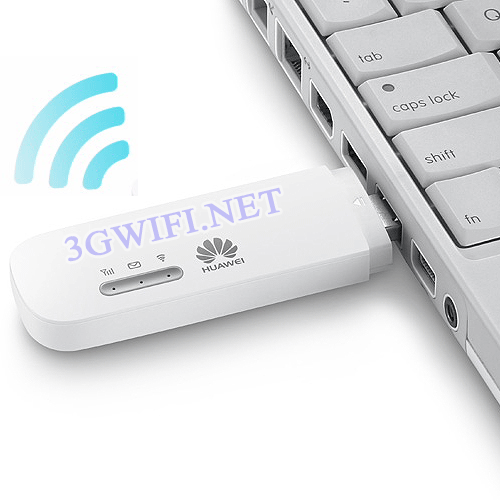
USB 4G Huawei E8372
https://youtu.be/H5-X2omUA_Q
- Wifi speed up to 150 MB/s, supports WPA-WPA2-WEP security
- Just insert the SIM card to use, no additional setup required
- Supports MicroSD card slot and antenna for boosting wifi signal
- Can broadcast to 10 devices connected at the same time
>>> See more at: https://youtu.be/H5-X2omUA_Q
Trên đây là cách sửa lỗi máy tính không nhận USB, Dcom 3G/4G. Hy vọng bạn có thể sửa thành công lỗi máy tính không nhận dcom mà không phải tốn tiền.





