


 English
  Tiếng Việt
 The three largest mobile carriers in Vietnam, Viettel, Vinaphone, and Mobifone, have allowed customers to experience 4G networks. Before this high-speed network officially goes into operation. But to use this type of network, the device must support 4G. So how to know ifa phone supports 4G ?
Although it is known that for major domestic carriers, 4G is not yet officially provided for users in Vietnam to experience this LTE technology in advance.
Because all 3 of these carriers have allowed customers to register and đổi SIM for 4G technology during that time to experience the superior power and speed of LTE Cat(X) network compared to 3G.

But you need to note that Cat (X) may be Cat9 or higher when the carriers in Vietnam officially operate. During the trial period, most carriers can choose LTE Cat 9 or Cat 11 or lower. Along with that, the carrier may also stop registering and đổi SIM for 4G and end the program earlier because the number of 4G subscribers has reached a certain amount.
>>> Refer to DCOM devices using 4G SIM at: 4g usb wifi
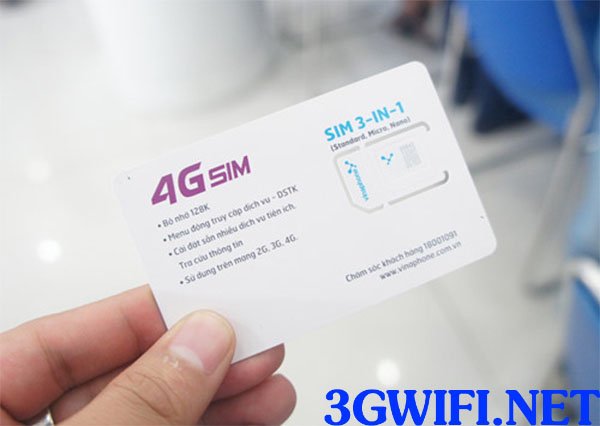 Vinaphone allows customers to switch to 4G SIM
Returning to the important content of this article, most current smartphone products almost all support 4G networks. Almost all phone models from 5 million VND and above will have 4G. But users also need to check if your phone supports 4G.
On the other hand, we need to check the information about product lines that support Cat standard 4G networks and what that Cat is. And since early 2016, most high-end devices have supported LTE Cat9 or higher to help speed up network connections.
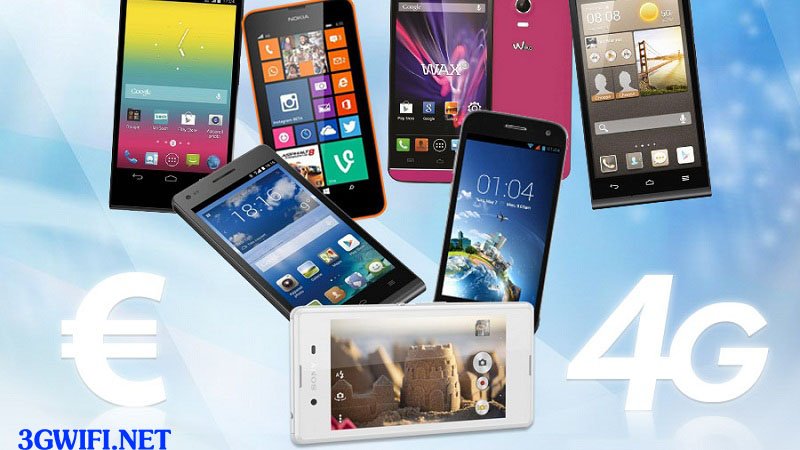 4G supported phones
>>> See more high-speed 4G devices at: 4g wireless wifi router
The simplest step is for users to access the website of famous mobile device brands in Vietnam. The next step is for users to find the product they are using to check general information such as product configuration to see if that phone supports 4G.

For direct checking methods on mobile devices like phones or on Android 6.0 operating systems with a pure Google interface, users just need to access Settings → More (Under Wireless & Networks) → Mobile networks → Preferred network type.
In cases where users only see options like 4G or LTE on their phones, it means the phone supports the 4G network, and conversely, if they only see 3G or 2G or other text, it means it does not support the 4G network.
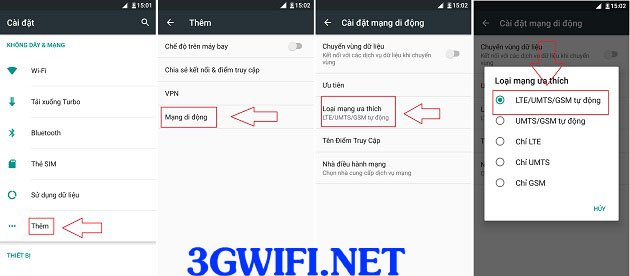
Set up 4G network on Android OS
For devices using the Windows Phone OS, there is a slight difference in the settings interface, users just need to tap mobile network selection along with SIM "," Settings "," Mobile network "," Highest connection speed.
If the phone screen displays 4G, that product will also support 4G. A limitation when checking information directly on the phone is that users can only confirm whether the mobile device supports 4G or not.





