


 English
  Tiếng Việt
 During the use of Laxgo wifi, you may encounter some unexpected issues. We will guide you on how to fix all Laxgo errors quickly and simply.
 Fix Laxgo wifi errors simply in an instant
>>> If you want to rent wifi for international travel at a low cost with high speed, please: Rent Laxgo wifi
Laxgo wifi router error not connecting to network
Depending on the network of each country, the Laxgo device connects quickly or slowly. However, the maximum connection time is only 15 minutes. If you see the Laxgo device taking too long to connect to the network, please restart the device. It's very simple, just hold the power button for 15 seconds to restart the device and rescan the network.
If restarting multiple times does not work, try moving to another location.
Laxgo wifi login error showing wrong password
This error may be due to you entering the wrong password or the device has had its password changed. Open the device screen to see the correct password.
If your group is using 2 devices, you should divide them to avoid confusion with wifi.
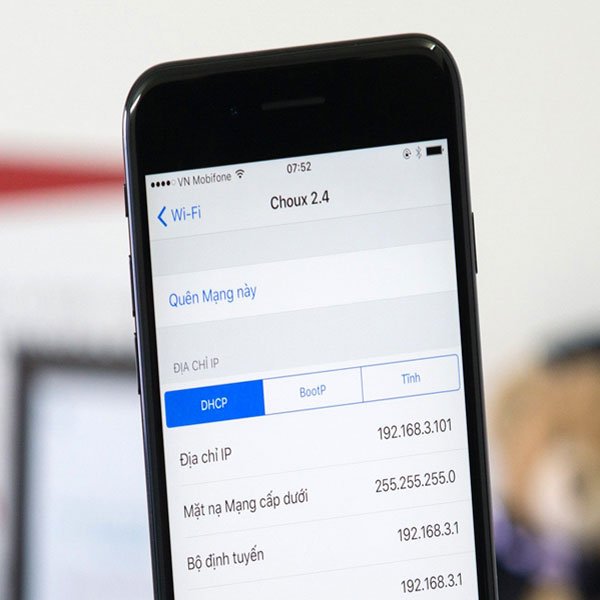 How to fix wifi errors very simply
>>> If you want to buy a wifi hotspot device, please see: International wifi hotspot
Phone cannot connect to Laxgo wifi
You may be trying to connect to the wifi from too far away. You can only connect to the wifi from the device within a 15-meter range.
Another cause of this error is exceeding the number of devices that can connect to the wifi. You should be able to see how many people are using it on the device's screen.
Laxgo screen error
It is very likely that your device has run out of battery. You should recharge the battery for the device. After plugging in the charger, just wait about 5 minutes and the screen will display again.
 Fix Laxgo errors easily in 5 minutes
Laxgo wifi speed is slow
We offer you 2 rental packages: Basic package 500MB/Day 4G speed, unlimited 3G data, and Advanced package unlimited 4G data. When you use the basic package, after using up the 4G data, the wifi speed will slow down.
Network speed depends on the number of people accessing and using it. If many people watch movies, download videos, or livestream at the same time, the network speed will slow down.
Above are all the Laxgo wifi errors you may encounter. We hope this article will be helpful to you if you encounter problems when using Laxgo. If you encounter difficulties, please call the Hotline: 19002106.





