


 English
  Tiếng Việt
 Ngày nay có rất nhiều người phải sử dụng always with you wherever you are cho công việc hàng ngày của mình. Đôi khi, lúc rảnh rỗi bạn muốn vào facebook để giải trí cho thoải mái tinh thân nhưng lại gặp rắc rối trong việc không thể vào được facebook mặc dù 3G vẫn đang trong tình trạng kết nối.
The article on how to access Facebook when using Dcom 3G will help you solve that trouble. Note that this article can be applied to all Dcom 3G from different carriers: Viettel 3G Dcom, Vinaphone 3G Dcom, Mobifone 3G Dcom all succeed.
Có 2 cách vào facebook khi sử dụng Dcom 3G
Method 1:
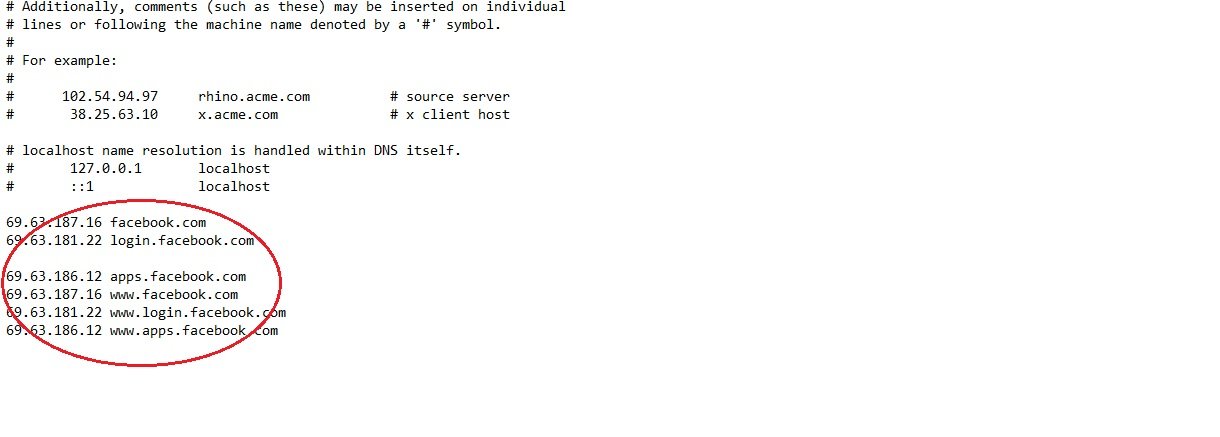
Open the fileC:\/windows\/system32\/drivers\/etchosts. Then add the following lines to the end of the host file:
69.63.187.16 facebook.com
69.63.181.22 login.facebook.com
69.63.186.12 apps.facebook.com
69.63.187.16 www.facebook.com
69.63.181.22 www.login.facebook.com
69.63.186.12 www.apps.facebook.com
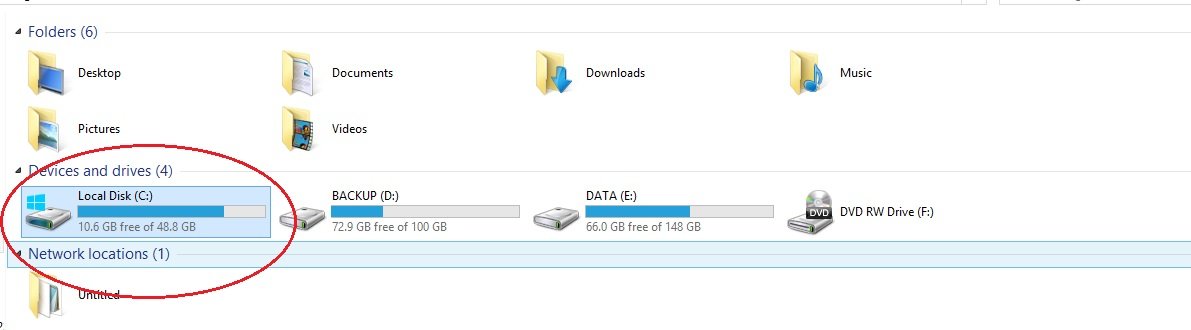
Vào Computer chọn Ổ C - Cách Vào Facebook Khi Sử Dụng Dcom 3G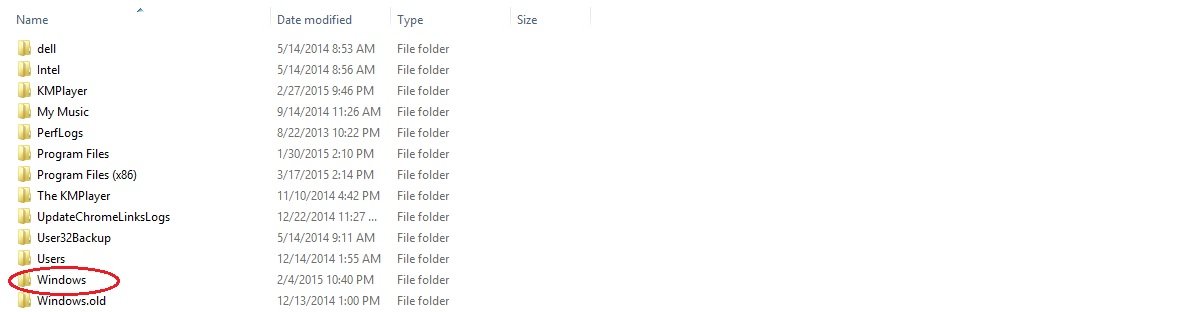
Trong ổ C chọn Window - Cách Vào Facebook Khi Sử Dụng Dcom 3G
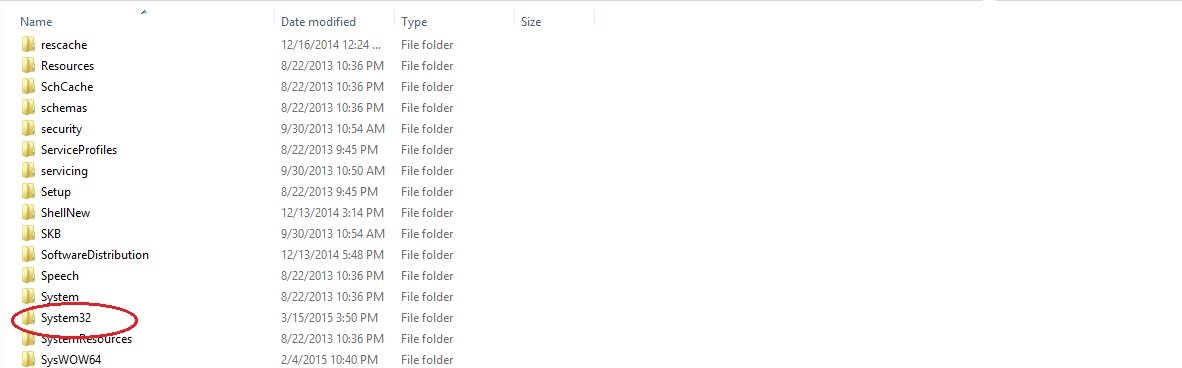
Trong Window chọn System 32 - Cách Vào Facebook Khi Sử Dụng Dcom 3G
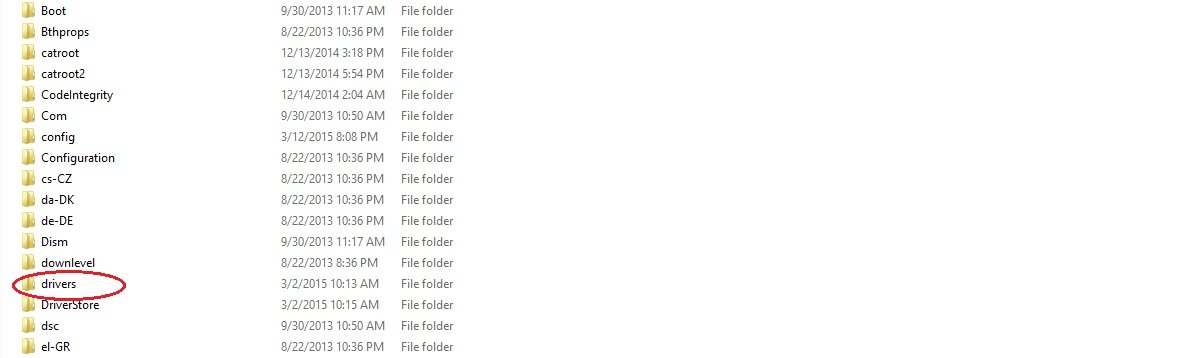
Chọn Drivers - Cách Vào Facebook Khi Sử Dụng Dcom 3G
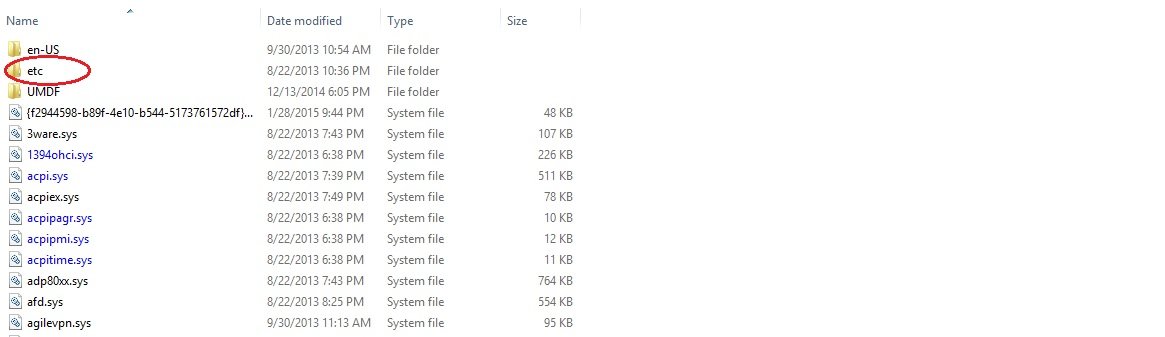
Trong Drivers chọn etc - Cách Vào Facebook Khi Sử Dụng Dcom 3G
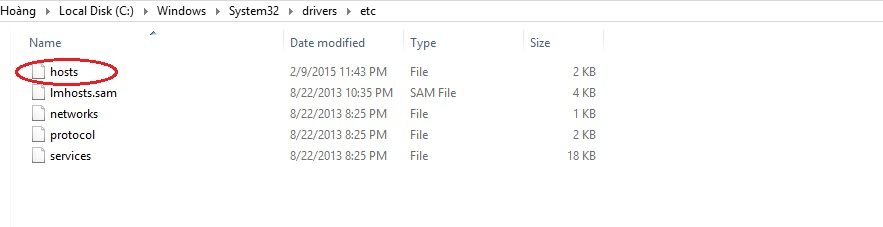
Continue selecting Hosts
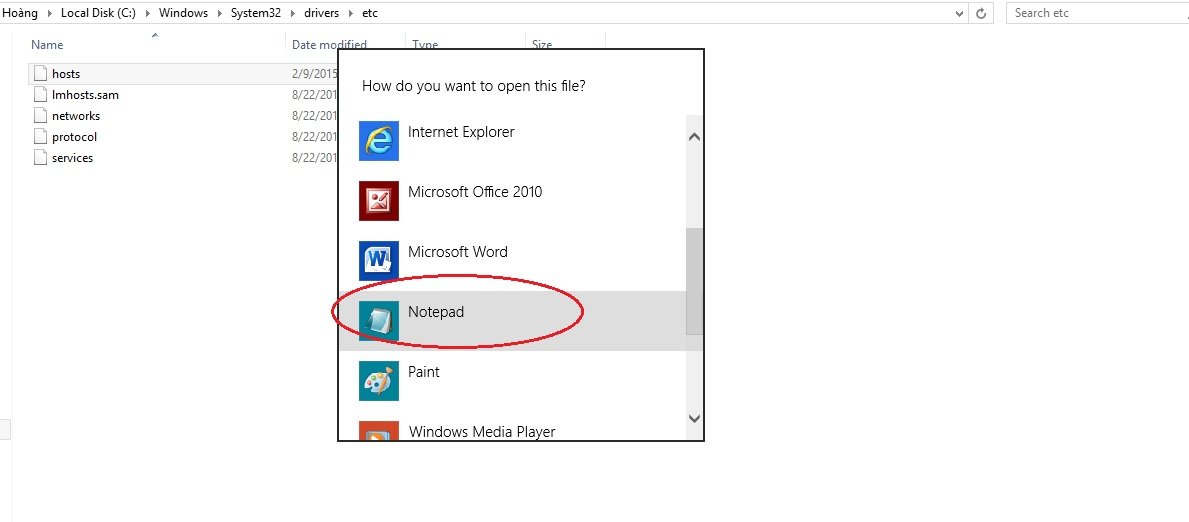
Select Notepad tool to open
>>> See more: A collection ofCheap 3G SIMs that you can't miss
Way 2:
Step 1:
- Remove Usb 3G settings installed on the computer after unplugging the USB 3G
- Plug in the new device and run the program. Wait for your computer to recognize all the drivers for the 3g usb
- After recognizing all the drivers, the computer will automatically display the 3g usb connection interface. You just need to click on the connect section on the interface to access the Internet.
Step 2:
- Open the D-COM 3G program (do not connect)
- Go to Settings->Add-> Configuration File: facebook ; dial number: *99#; use the following APN address: E-connect.
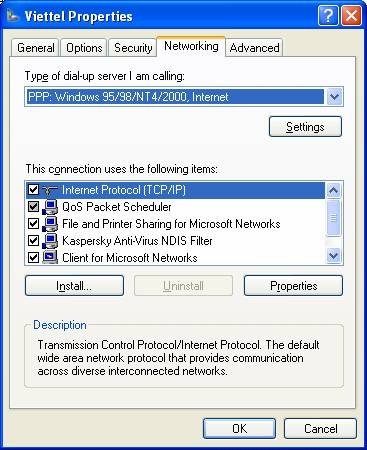
- Switch to the Details tab: Use the following DNS server address:
- DNS address select network: 8.8.8.8
- Next DNS: 8.8.4.4
- Then OK.
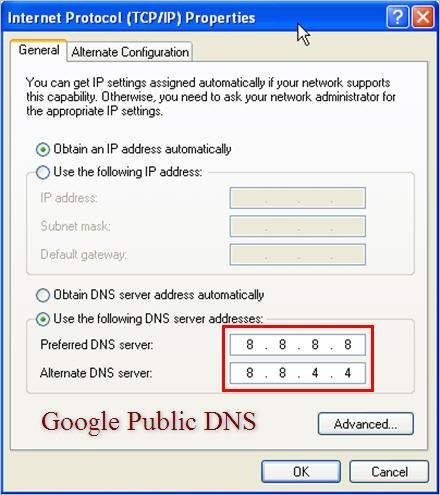
Then in the Dcom 3G interface, go to Save → Apply → Exit → Connect.
With the 2 ways above, we wish you successful Facebook access!





