English
  Tiếng Việt
 Viettel network operator has launched a high-speed, cheap 3G dcom. However, this device can only use Viettel SIM cards. Other network operators are locked and cannot be used. This is quite inconvenient when you are in a place with weak Viettel signal or want to use it abroad. Therefore, in this article, I will guide you tounlock Viettel 3G USB. After successful unlocking, your 3G USB will be able to use multi-network SIMs.
What is unlocking Viettel 3G USB?
Unlocking Viettel 3G USB is intervening in theViettel 3G USB software to turn your3G USB into a multi-network device. This means it can be used for different network operators that were previously locked by Viettel. Therefore, unlocking is recommended so you can use the device more comfortably and flexibly.
We have successfully unlocked the following Viettel 3G USB models:D6601; D6602; MF100; MF110;E1550; E1750; E173EU-1 (manufactured 2011, 2012, 2013, 2014); MF190s.
Contact us immediately if you need to unlock any of the above product models at our stores in Hanoi and Ho Chi Minh City. We will unlock it for you in just a few minutes at the cheapest price.
Instructions to successfully unlock Viettel 3G USB E173u-1 100%
This method only applies toViettel E173eu-1 3G Dcom starting with 86.First, download the following 4 software.
- https://www.fshare.vn/file/BTWRVUD1QEFQ
- https://www.fshare.vn/file/E6D1RK6XWHEA
- https://www.fshare.vn/file/BWAG68AIFEDF
- https://www.fshare.vn/file/YFWZ1VZ5D6FF
Unzip password: 3gwifi.net
Step 1: Plug in the Viettel 3G USB E173eu-1, install the Mobile Partner application → uninstall the Viettel manager and restart your computer, laptop.
Step 2: Right-click on My Computer → select → Select → select Device Manager → select Ports (COM & LPT) disable all Communications Port, ECP Printer Port and most importantly, Mobile Connect Application Interface only for installing Mobile Connect-PC UI Interface. The main purpose is to avoid errors when running the FW flashing software due to duplicate connection ports.
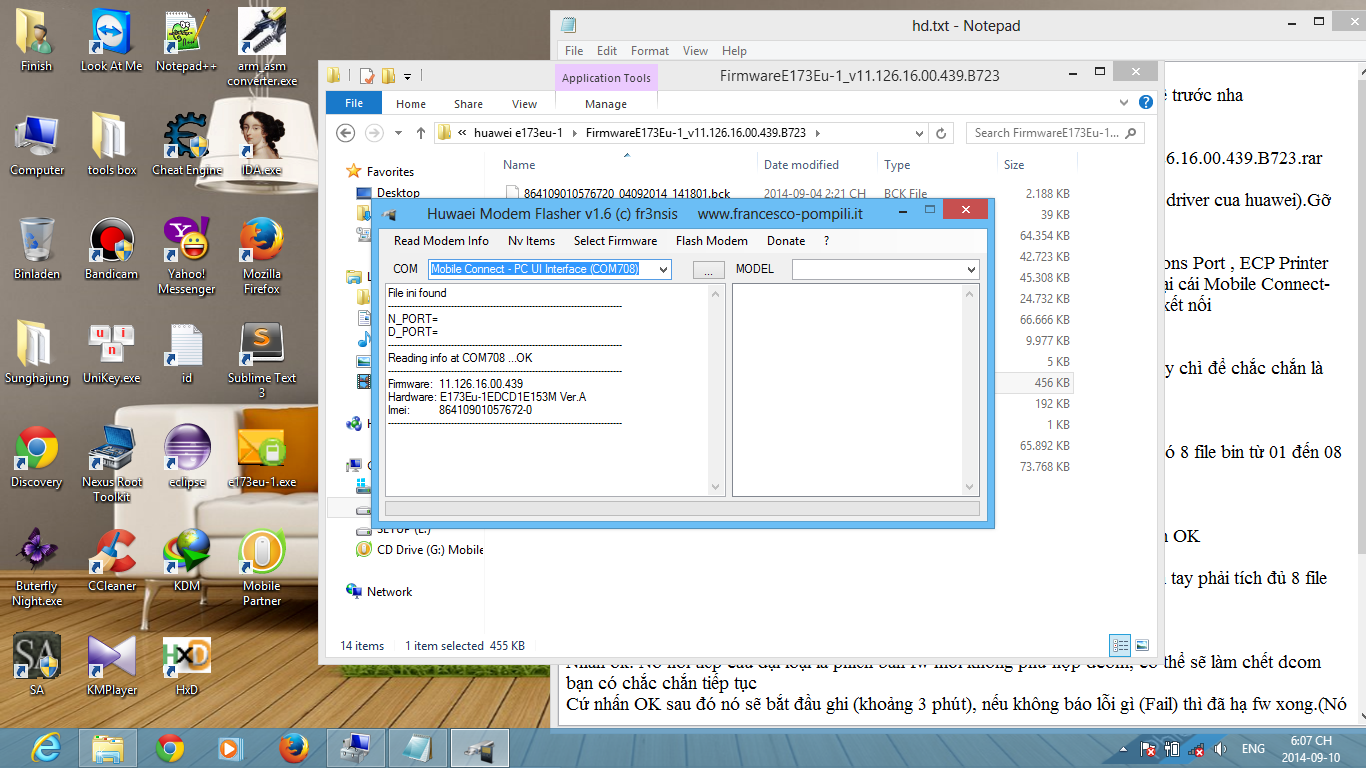 Viettel USB unlock process
Step 3: Run the software Huawei_flasher.exe → select Read Modem Info to display FW, chip, and hardware version information. (This step is just to ensure the software has recognized the modem port).
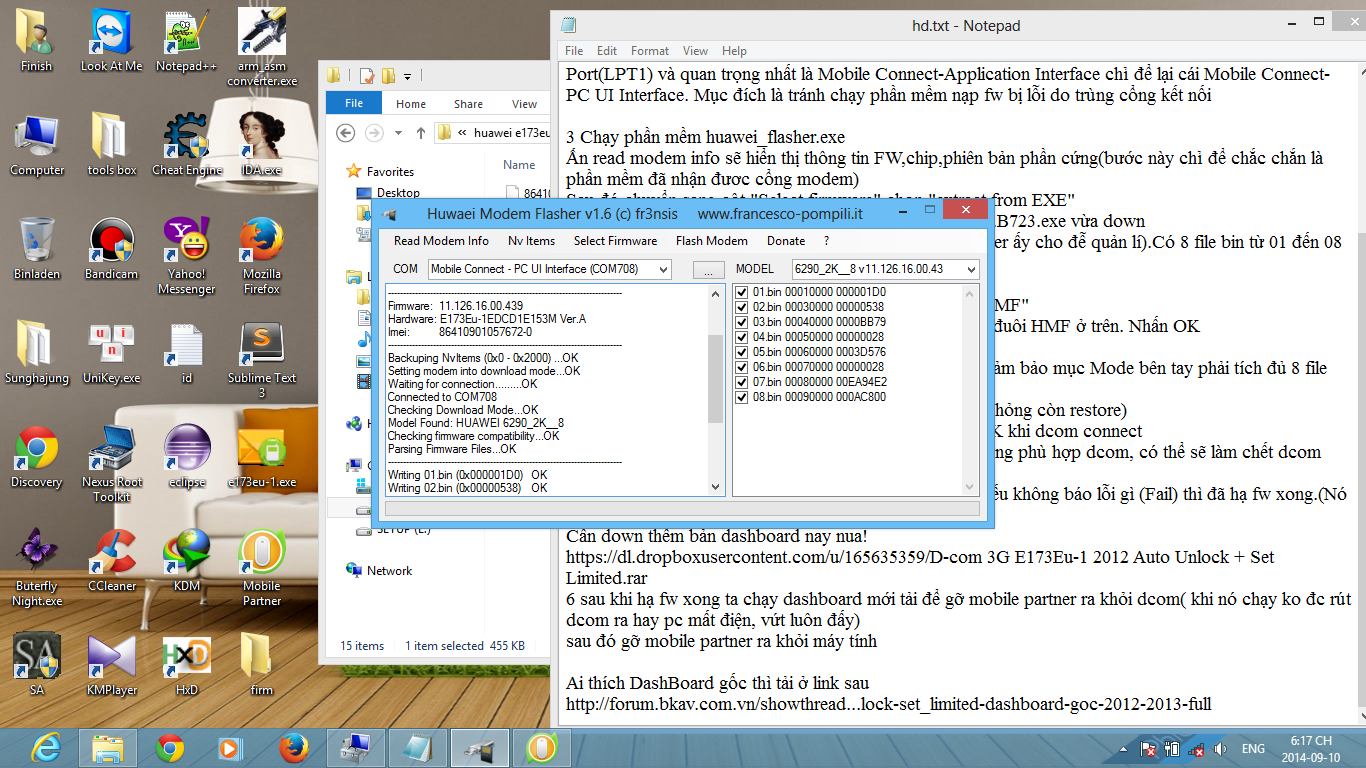 Run the Huawei_flasher.exe software
Step 4: Switch to the "Select Firmware" column, select "extract from EXE" → Choose a file location E173ue-1 Update_11.126.16.00.439.B723.exe vừa download → chọn OK (Nên tạo một thư mục (Folder) mới để nó sẽ giải nén ra thư mục đấy cho dễ tìm). Có 8 file bin từ 01 đến 08 và 1 file đuôi HMF => chọn Select Firmware => chọn Parse from HMF.
Step 5: Chọn đến thư mục chứa file vừa giải nén. Trong đó sẽ có file duy nhất có đuôi HMF ở trên. Nhấn OK.
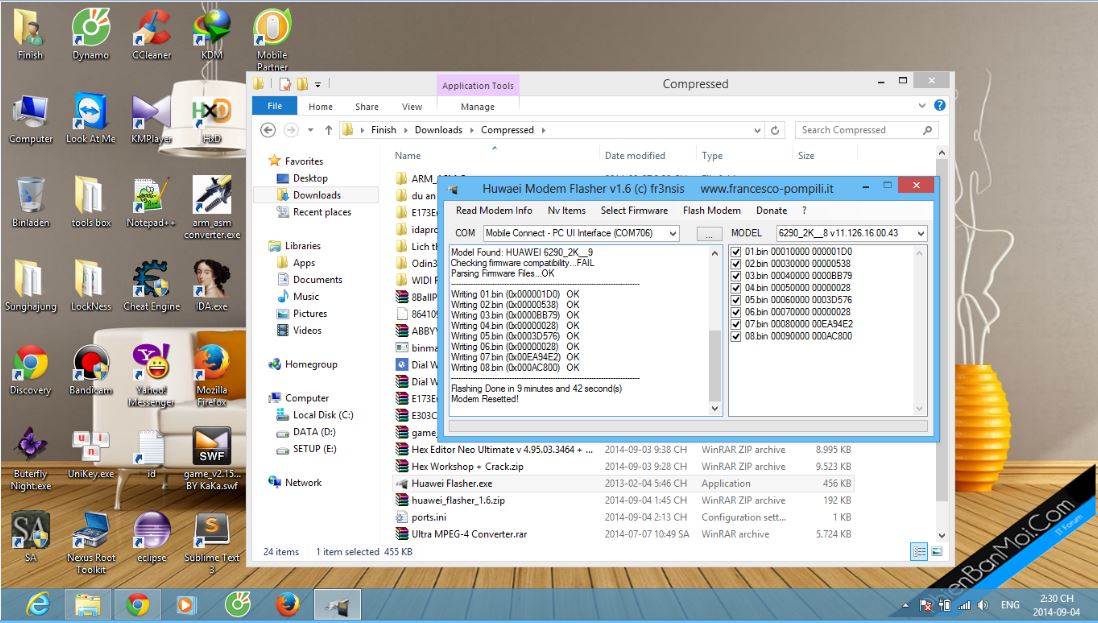 Chọn file để chạy unlock Dcom 3G
Bước 6: Chuyển đến mục Flash Modern chọn Normal Mode (Đảm bảo mục Mode bên tay phải tích đủ 8 file bin). Nó yêu cầu backup NVRam (Bạn nên nhấn OK để sau có hỏng còn khôi phục lại được).
Step 7: Sau khi Backup xong -> Xác nhận OK khi Dcom kết nối vào máy.
Step 8:Press OK. There will be a message meaning "New fw version is not compatible with dcom, it may cause dcom to malfunction, are you sure you want to continue". Just press OK and it will start writing (about 3 minutes). If there is no error message (Fail), the fw downgrade is complete. (It writes 8 bin files into the rom). You need to download this version as well:
D-com 3G E173Eu-1 2012 Auto Unlock + Set Limited.rar
After downgrading the software version, run the newly downloaded file to remove Mobile Partner from Dcom (Do not unplug the dcom while it is running, as it will damage the device permanently and cannot be repaired), then uninstall Mobile Partner from your computer.
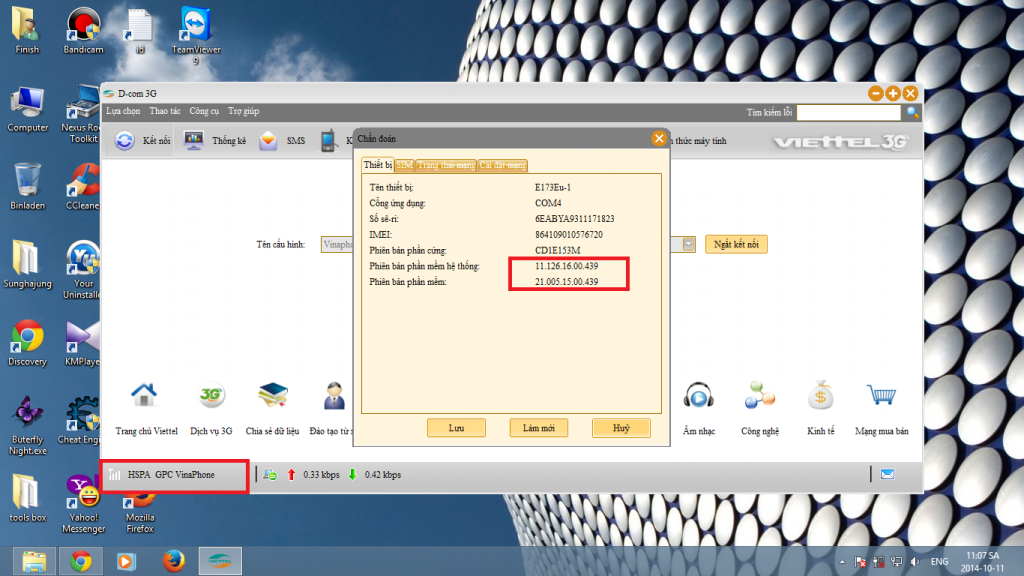 Unlock Viettel 3G USB E173eu-1 Permanently
DashBoard Auto Unlock: Temporary Unlock + Auto = Permanent Unlock. The above is a typical EXAMPLE. If you want to UNLOCK 3G USB for other models, please contact us immediately. We promise you:Fast and 100% successful 3G USB UNLOCKUnlock by code, so you can still enjoy warranty benefits
- No impact on the 3G USB or other devices
- Dedicated and thoughtful service.
- Other 3G USB models that we have successfully UNLOCKED can be viewed below:
- Phục vụ tận tình, chu đáo.
Các dòng USB 3G khác mà chúng tôi đã UNLOCK thành công bạn có thể xem ở bên dưới đây: