


 English
  Tiếng Việt
 Surely you are no stranger to modem wifi anymore. But not everyone knows how to change the wifi pass. Today 3Gwifi would like to guide you in detail how to change modem wifi password of Viettel, TP-Link and Tenda most completely.
Cách đăng nhập và đổi mật khẩu modem wifi
Bước 1: Đăng nhập modem
Bình thường thì hầu hết tất cả các loại wifi routers nhà mạng sẽ đặt mật khẩu và tài khoản mặc định là: admin.
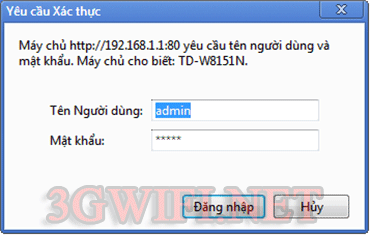 Log in to the modem wifi
If you cannot log in to your modem, you can contact the network operator to re-issue your modem login account. You just need to call the switchboard and they will provide you with the password. You just need to provide your home address or the phone number of the person who registered the network.
Bước 2: Tiến hành đổi mật khẩu
This section guides you depending on each modem and the settings to change the password will be different. Please follow the corresponding steps for your network modem.
Change Viettel modem wifi password
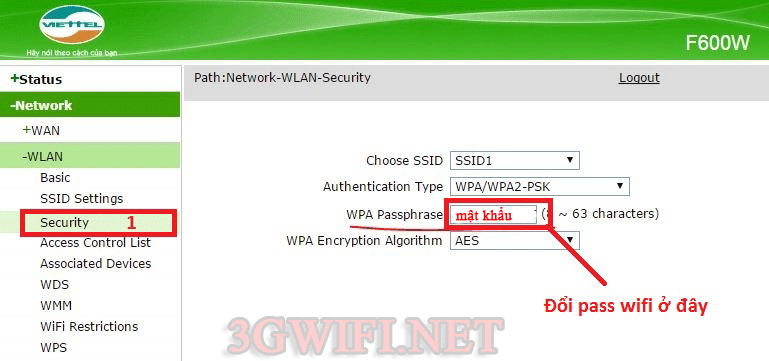
Log in to the Viettel wifi modem and follow these steps.Select WLAN >> Security sau đó chọn WPA Passphrase to change password
For TP-Link WiFi modem with blue interface
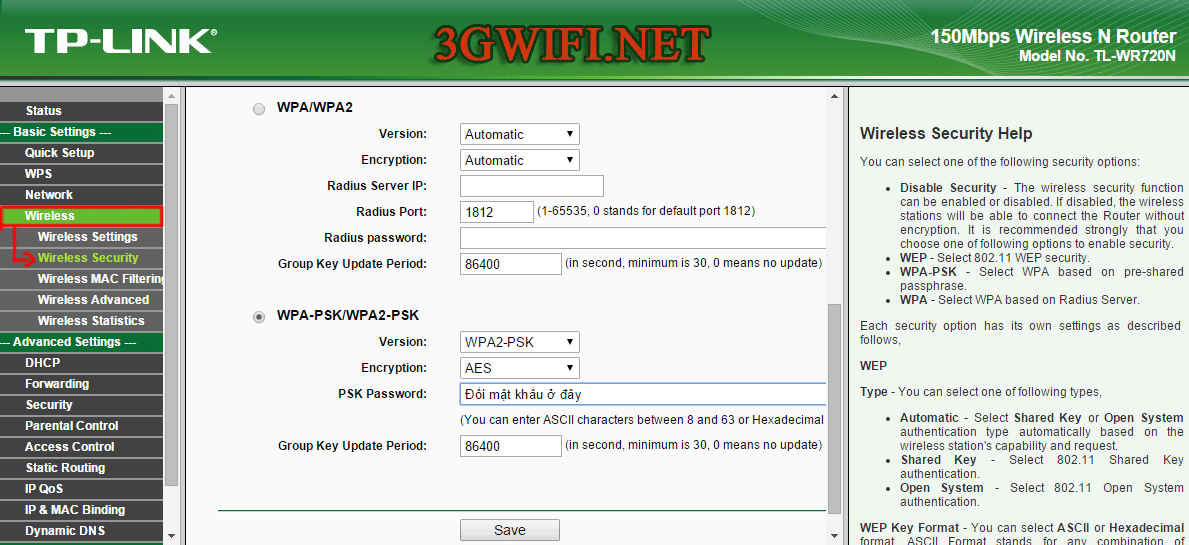
TP-Link WiFi modems usually come in 2 types: blue and yellow. The blue type has a vertical menu interface as shown, while the yellow type has a horizontal menu interface.Select WWireless >> Wireless Security >> select PSK Password to change the password as you wish.
For TP-Link WiFi modem with yellow interface
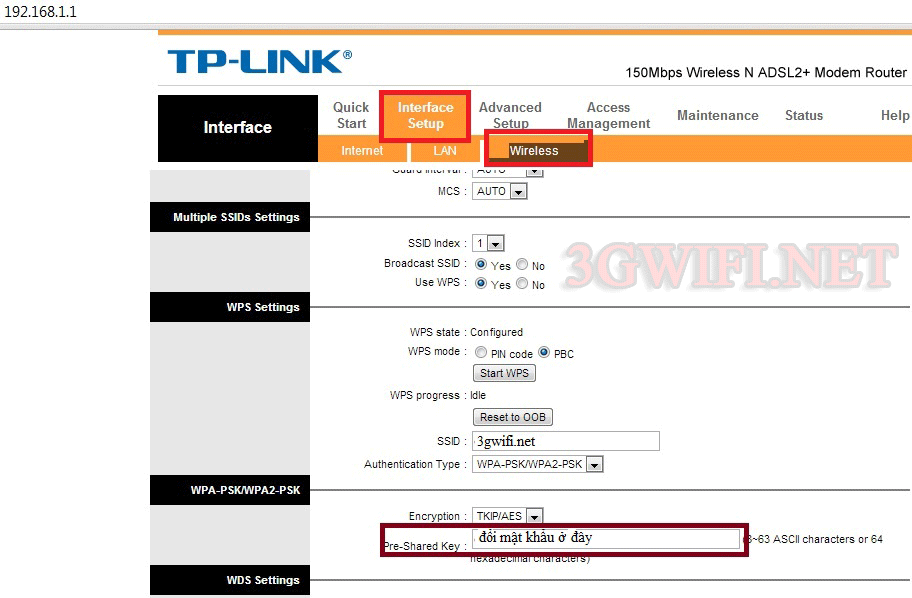
To change password on a yellow interface TP-Link modem, do the following:Select WWireless >> Wireless Security >> select Pre-Shareked Key to change the password as you wish.
>>> Do you want to use an easy-to-use, secure Wi-Fi hotspot? Check out: 4G SIM Wi-Fi hotspot device
Change Tenda Wi-Fi router password
For Tenda Wi-Fi modems, please watch the tutorial video below. Just follow the steps, and you'll successfully change your Tenda modem password.
Above are the instructions for changing modem passwords for some popular brands in Vietnam. We will update the password changing methods for other brands like Buffalo, Huawei...
This article was edited and updated on 14/01/2020





