English
  Tiếng Việt
 You already know that phones can translate images, so can we translate images on a computer? Let's see how to translate by image on computer in the article below.

How to translate by image on computer
>>> You want to translate into different languages, please refer to: translation machine
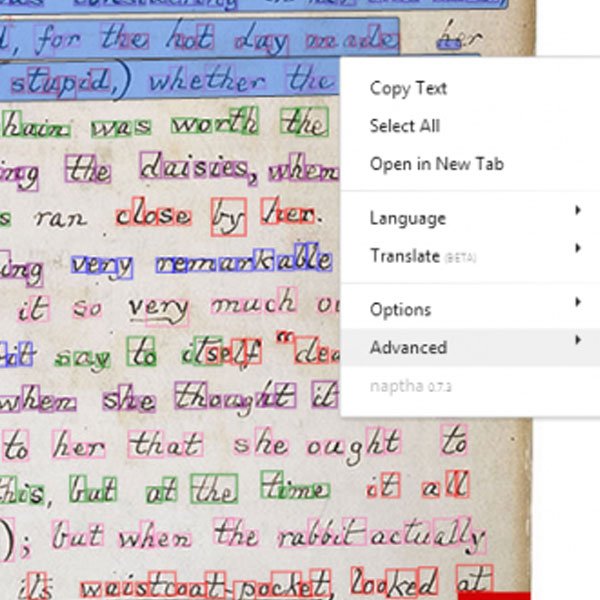
If translating images on a phone is very easy because you just need to scan the camera on your phone to translate, translating images on a computer is quite complicated. You cannot use Google translate images on a computer. Unless you download the Android emulator software Bluestack to turn your computer into a phone. However, this method is very inconvenient and complicated. Therefore, I will guide you to easily translate text in images using Chrome's utility.
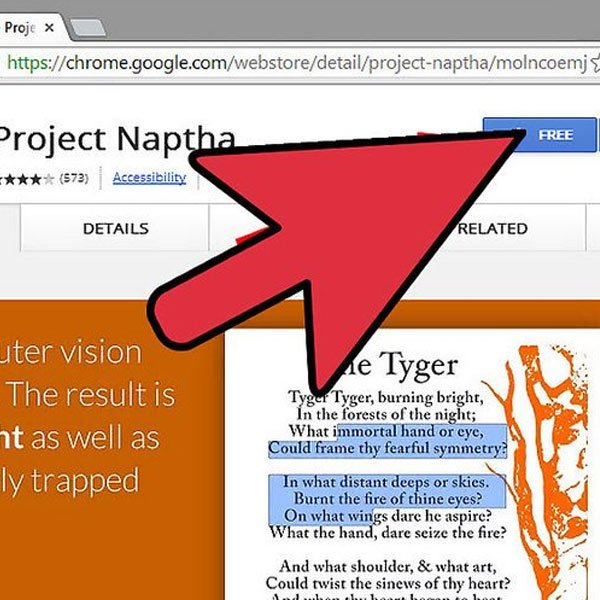
That is the Project Naptha utility on Chrome. You can easily copy, translate, edit, or even delete text directly on the image after installing this utility. Currently, this utility only supports Chrome. Go to the Chrome app store to install it on your browser.
How to translate by image on computer
>>> If you want to use the internet abroad, check out: international wifi rental
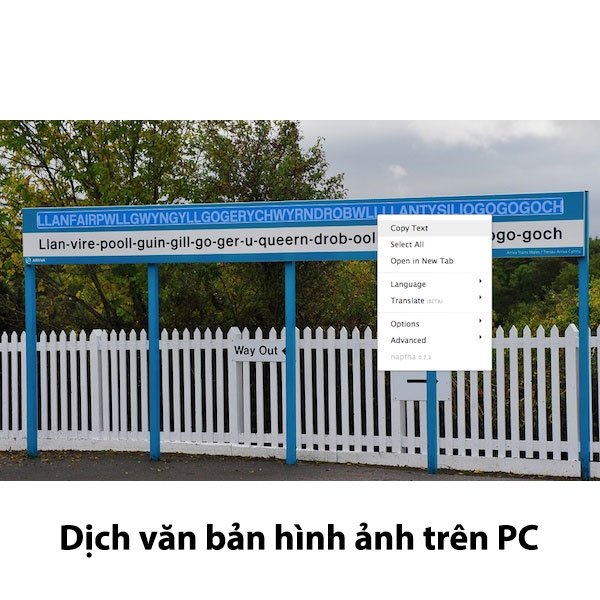
You just need to take a picture of it, then use Project Naptha to copy this notification and ask Google for help. Project Naptha can translate text from supported languages into the language you want. The menu has many features for you to choose from. Only the black text can be translated.
Currently, this utility can translate into many different languages. You can translate many languages into Vietnamese. However, the Vietnamese translation of this utility is not very accurate yet.
Another way is to use your phone to take a picture of the computer screen and then translate it directly with Google. This is also a way to translate images on a laptop or computer.

Above are the instructions for translating images on a computer. If you have any questions, please leave a comment below the article. Wish you success in translating text in images on your computer.