English
  Tiếng Việt
 - 1. How to use the Mobifone MF79S 3G/4G USB Unlock service?
- 2. Why customers choose our MF79S Unlock service
- 3. Guide to unlock USB 3G/4G MF79S phát wifi by Mobifone
- 3.1. Step 1: CHECK IMEI of USB MF79S MobiFone
- 3.2. Step 2: Get your USB 3G MF79S unlock code
- 3.3. Step 3: Log in to the USB 3G/4G MF79S system
- 3.4. Step 4: Right-click on the screen, select Inspect
- 3.5. Step 5: Change the code style="display: none" to style="display: yes"
- 3.6. Step 6: Enter the MF79S MobiFone unlock code that we just provided you
- 3.7. Step 7: Successfully unlock USB MF79S
- 4. Video about Huawei MF79S product
You are needing to unlock, crack, unlock for USB 3G/4G MF79S of Mobifone to use all kinds of sim dcom from different network providers? You've come to the right place! We specialize in unlocking all types of Dcoms from Vietnamese network providers. Especially unlocking Mobifone MF79S 3G/4G USB at a preferential price and the fastest speed.
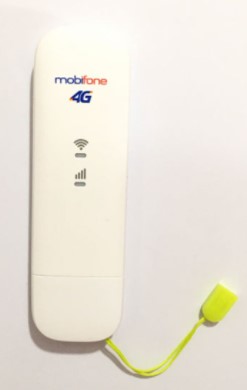
Mobifone MF79s 3G USB broadcasts 4G WiFi genuine
How to use the Mobifone MF79S 3G/4G USB Unlock service?
Using our service, you don't need to go anywhere, just call the Hotline from home. After calling, our staff will guide you and provide a quote from A to Z. If you agree, you just need to provide the IMEI code and we will send you the unlock code, it's very simple. No matter where you are, one phone call is all it takes.
Payment methods for remote service are bank transfer or phone scratch card payment. If you are nearby, you can bring it directly to our store at the address on the Website.
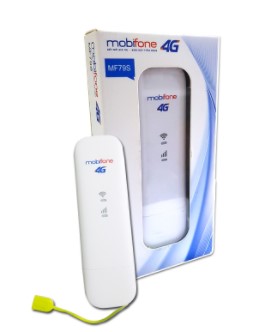
Why customers choose our MF79S Unlock service
- Simple and convenient service regardless of your location.
- Good prices and a commitment to 100% reputable quality.
- Lifetime warranty.
- Fast and efficient, not complicated.
>>> Check out our 3G SIMbest today
Guide to unlock USB 3G/4G MF79S phát wifi by Mobifone
Step 1: CHECK IMEI of USB MF79S MobiFone
The Imei of the MF79S USB is located on the body of the USB near the cap, next to the SIM slot. Please identify it carefully before proceeding to step 2.
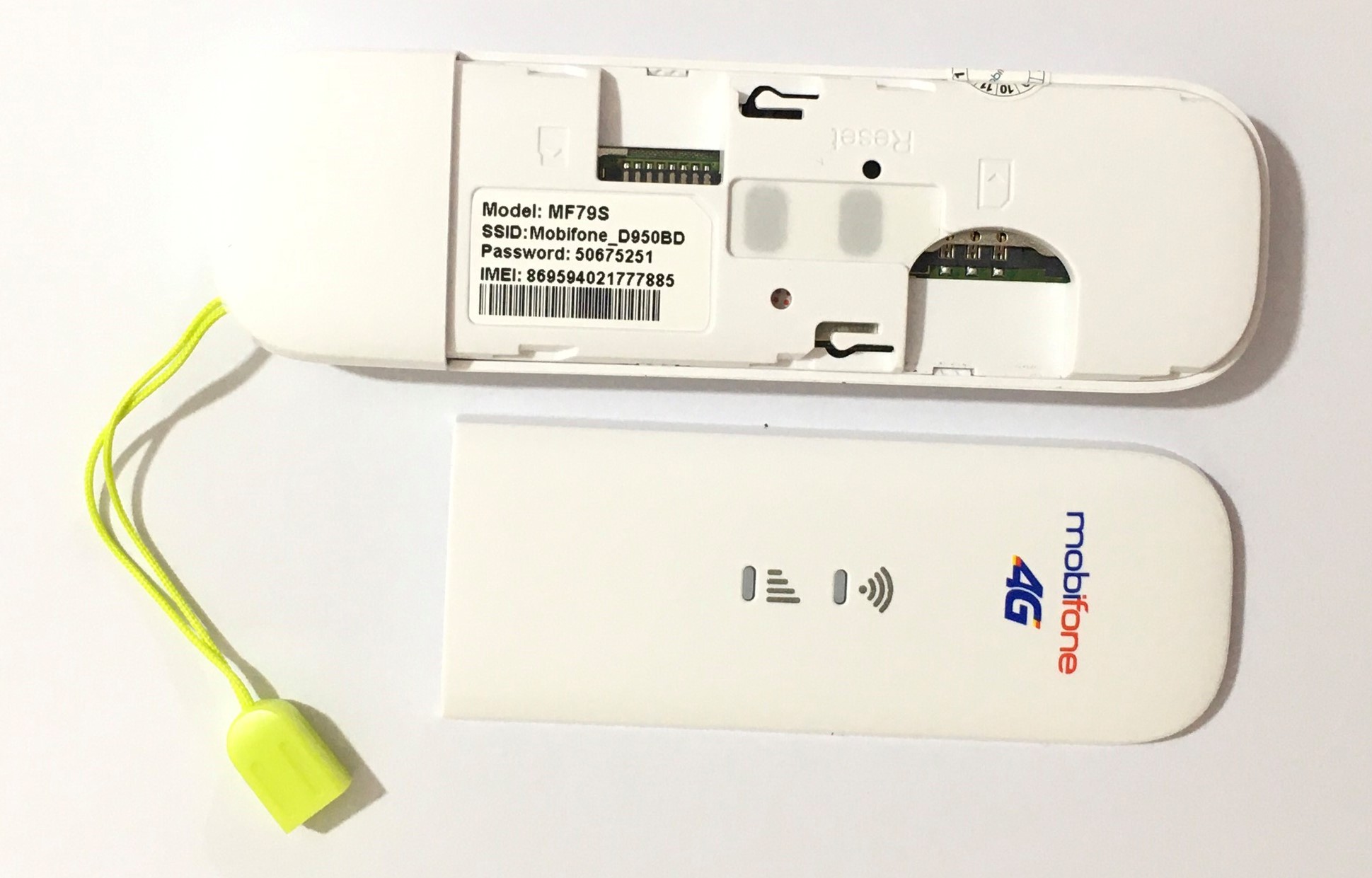
Unlock USB MF79S
>>> You can refer to faster devices at: 4G Dcom Mobifone
Step 2: Get your USB 3G MF79S unlock code
To get the code, please call Hotline 1900.2106 or 0386.001.001 to get the unlock code. When you call, please wait a few minutes, we will guide you to get the code and provide you with the unlock code.
Step 3: Log in to the USB 3G/4G MF79S system
- Insert a SIM card from a different network than Mobifone into the USB, such as Vinaphone or Viettel, as long as it's from a different network, to confirm successful unlocking.
Open a web browser (Internet Explorer, Firefox, or Google Chrome...). Type the address: 192.168.0.1
- Log in to the USB with Password : admin
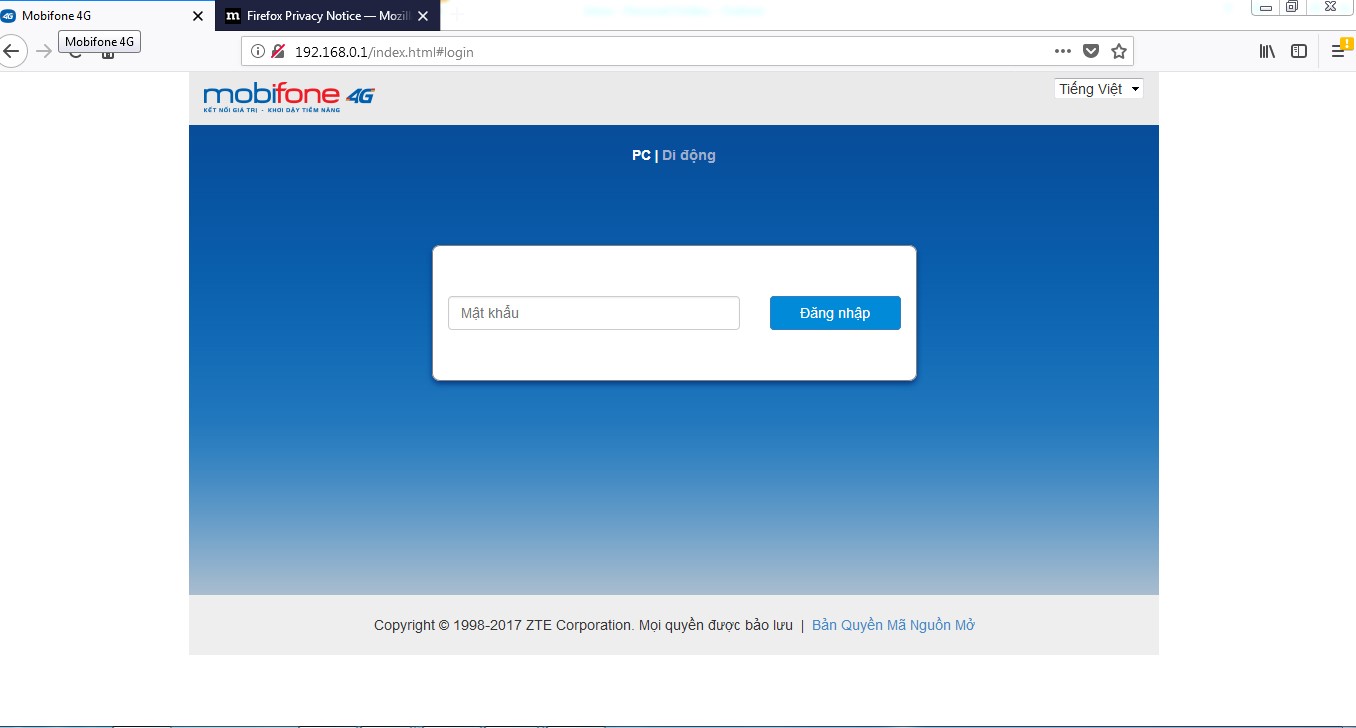
Login MF79S with password admin
Step 4: Right-click on the screen, select Inspect
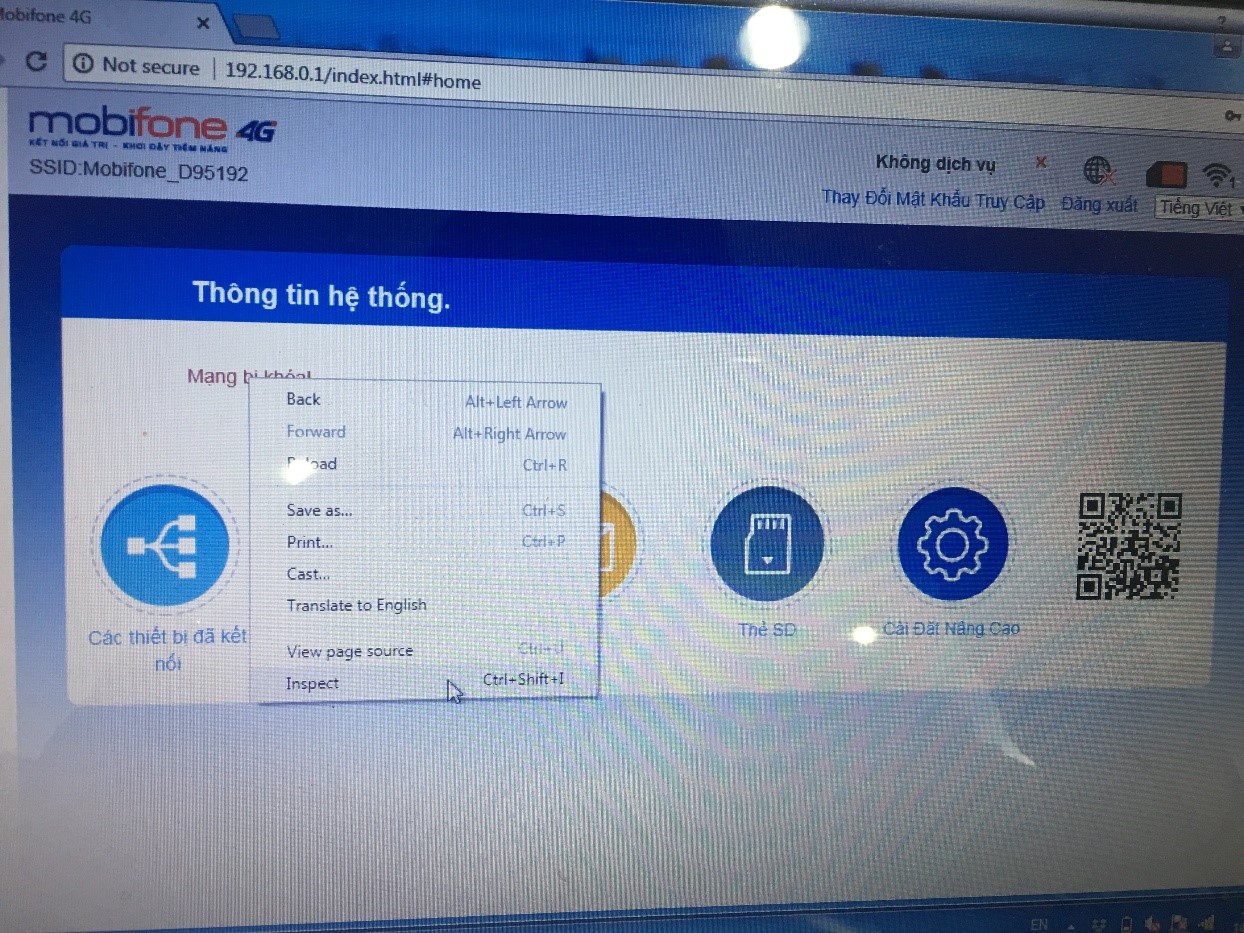
Step 5: Change the code style="display: none" to style="display: yes"
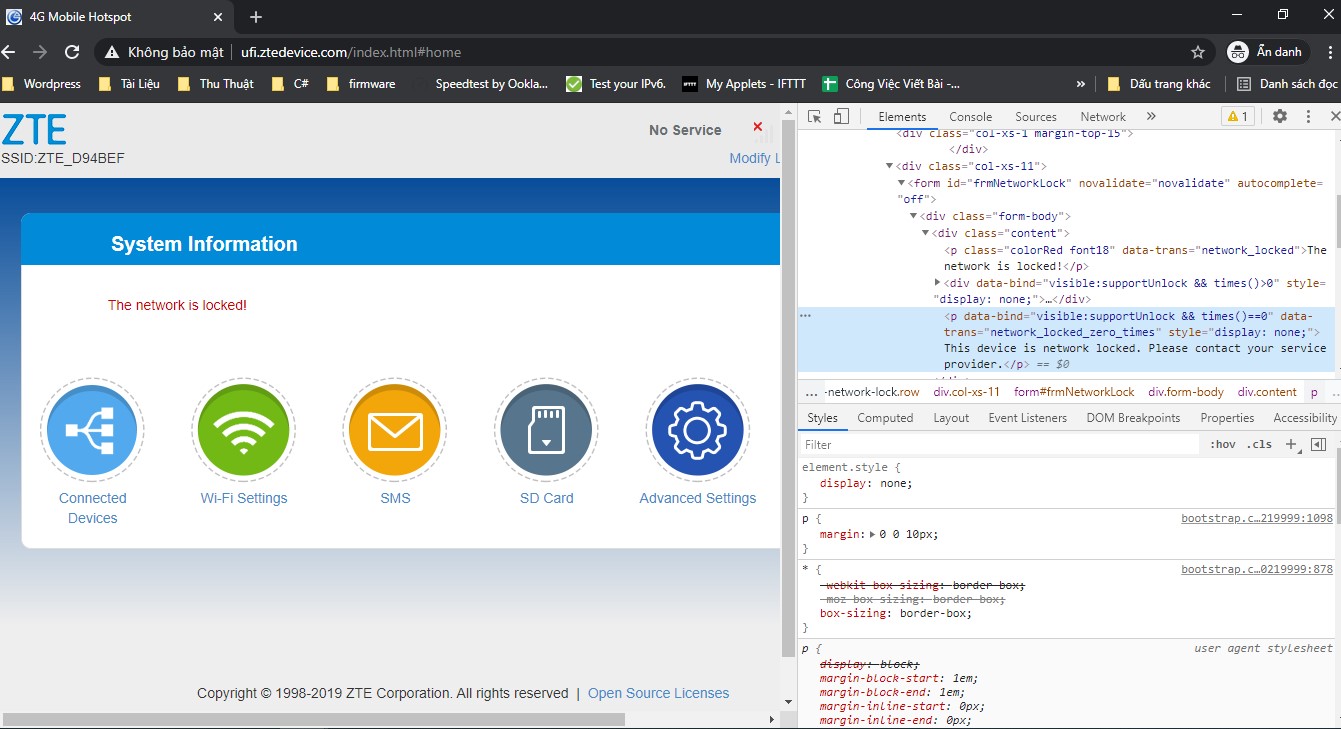
Step 6: Enter the MF79S MobiFone unlock code that we just provided you
- Enter the code we provided you as in step 2.
- After entering the code, click on Apply.
- Please note, if you enter incorrectly more than 10 times, it will be locked, so please enter the code we provided you correctly.
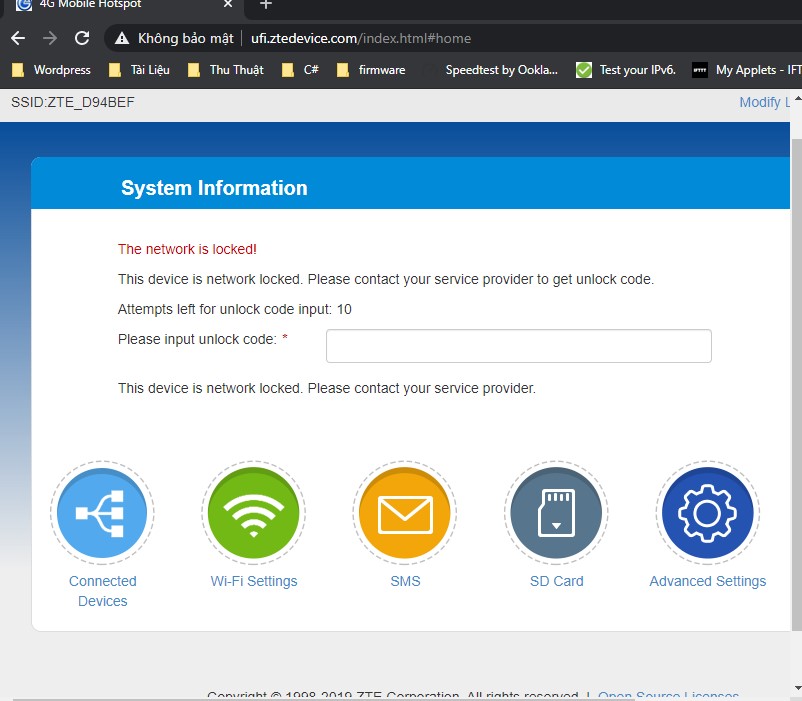
Enter unlock USB code MF79S
Step 7: Successfully unlock USB MF79S
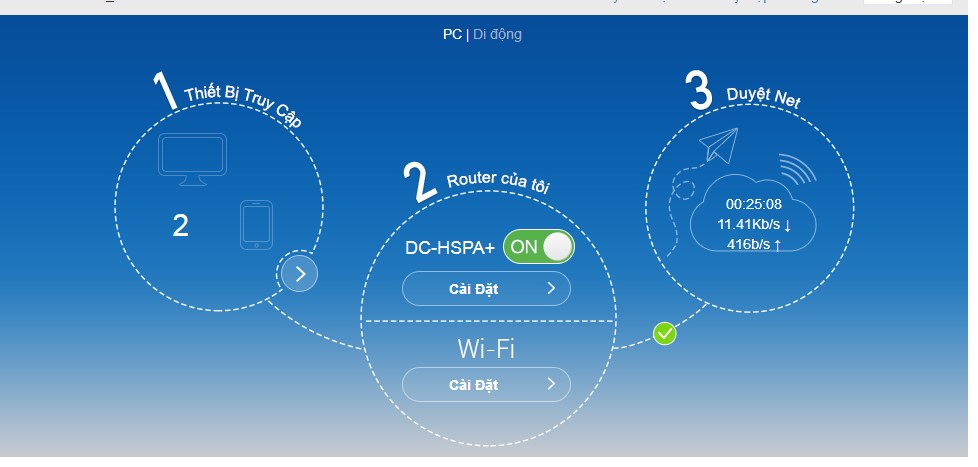
Successfully unlocked
Video about Huawei MF79S product
Above is the guide to unlock Mobifone dcom. If you encounter difficulties or cannot do it, you can come to the store for our support. Our unlock service only takes a few minutes and unlocks with a standard code. You only need to unlock once to be able to use multi-network SIMs.
4G USBMobifone MF79S is a trending product and is well received in the market. What are you waiting for, buy the 4G USB now Mobifone MF79S at Shop Sahaha. Contact now, Hotline: 19002106 or 0386.001.001 for more detailed advice.