


 English
  Tiếng Việt
 - 1. Ways to save 3G/4G on your iPhone
- 1.1. Turn off the auto-play video feature on Facebook
- 1.2. Consider disabling or deleting data-consuming apps
- 1.3. Turn off automatic downloads for updates, apps, and music
- 1.4. Take advantage of the page loading data saving feature on the Chrome browser
- 1.5. Reduce image quality on iMessage
- 1.6. Turn off background app refresh
As the end of the month approaches, many people struggle with excessive 3G/4G usage bills. Therefore, 3gwifi.net would like to share with you how to save 3G on iPhone.
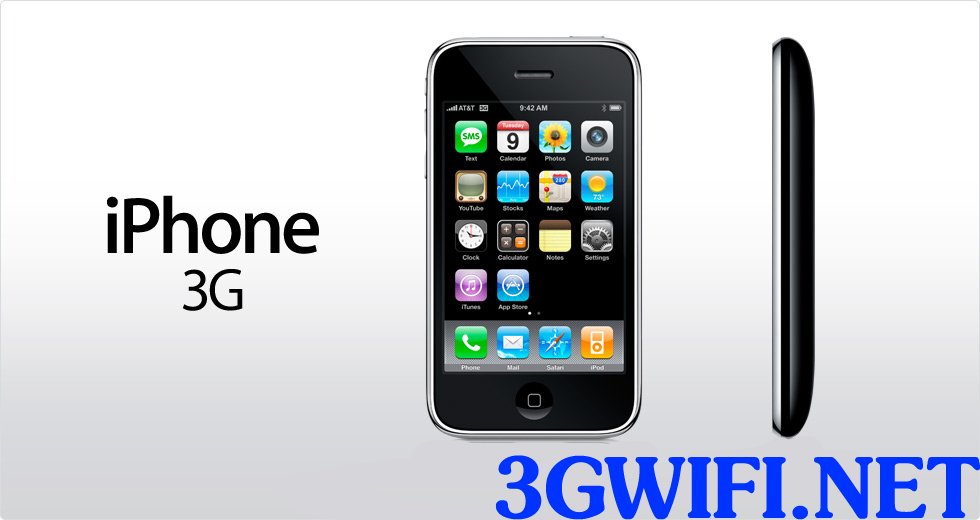
Ways to save 3G/4G on your iPhone
Turn off the auto-play video feature on Facebook
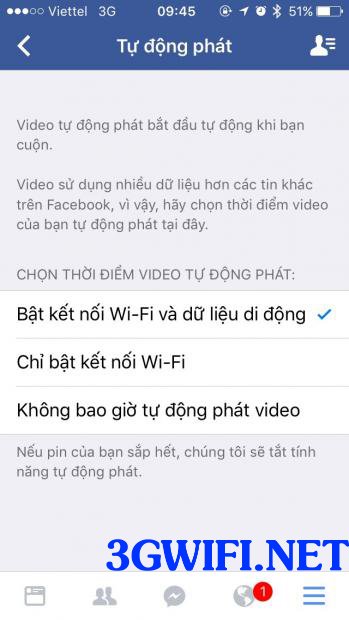
Facebook recently introduced a useful feature in its latest update: auto-playing videos. However, like anything, modern conveniences can have drawbacks. Sometimes, this feature is the reason users incur high 3G bills at the end of the month.
Before this feature impacts your 3G data usage, quickly adjust the settings as follows:
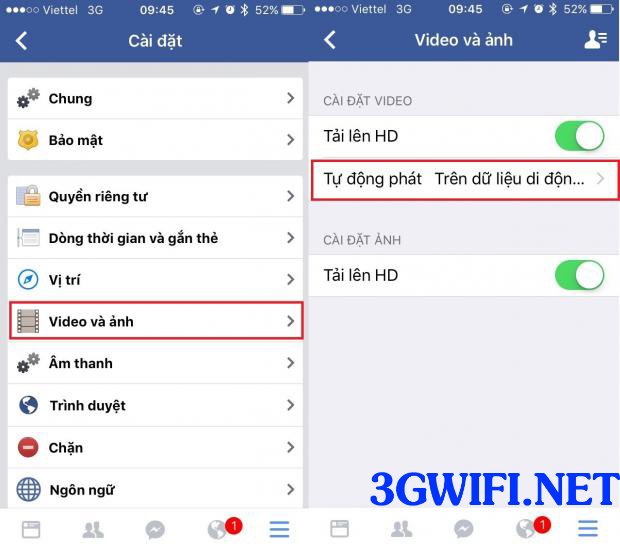
Go to the Facebook website on your phone, then select Account Settings > Videos and Photos > Always Show Captions and set it to Off.
>>> Browse the web freely with: 3G wireless wifi device
Consider disabling or deleting data-consuming apps
If you don't use apps that drain your 3G data, you should delete them to avoid high 3G/4G bills each month. Additionally, social media apps also run in the background, consuming data.
To check which apps are consuming mobile data, go to Settings > Cellular
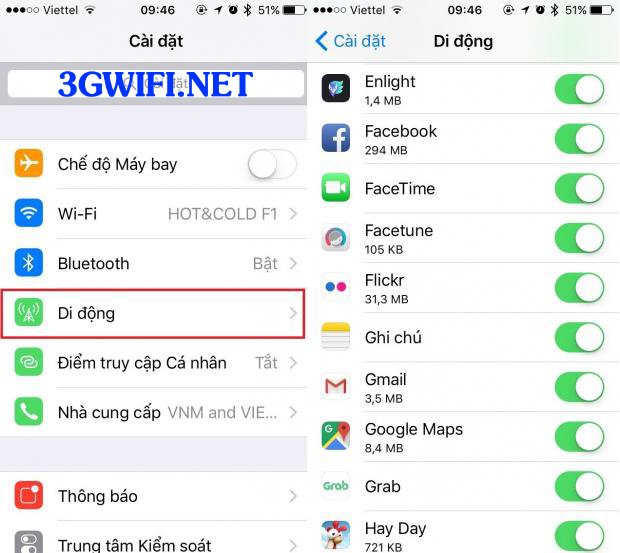
Delete apps that consume 3G/4G network data
A detailed list of apps consuming 3G/4G data will appear. You can then check which apps are consuming the most 3G/4G data, see the amount of data used, and disable them.
Turn off automatic downloads for updates, apps, and music
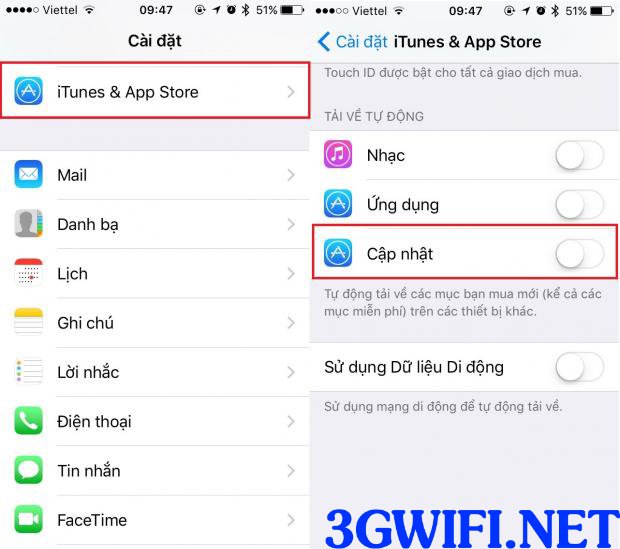
Turn off automatic download feature
For iPhone users, automatic updates and app downloads offer the best experience but can lead to many inconveniences, such as increased 3G charges and significant consumption of data and battery. Therefore, if you don't use these features, disable them immediately to save 3G/4G data.
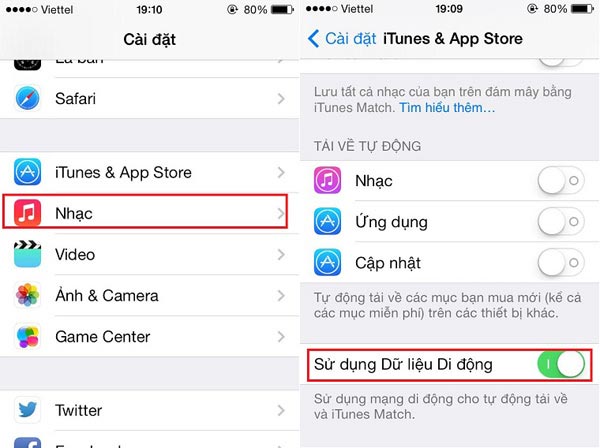
Proceed to turn off updates by going to settings > Itunes & App Store and turn off updates and subsequent updates will only update automatically on wifi.
Take advantage of the page loading data saving feature on the Chrome browser
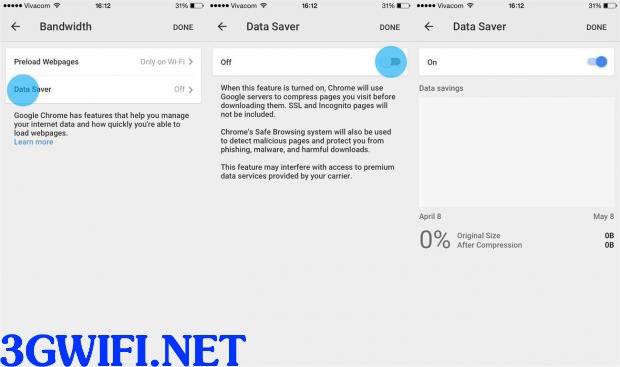 Chrome's data saving function when loading pages
Websites nowadays have more and more images and videos, not to mention advertisements. Therefore, when you surf the web using 3G/4G, it will cost you a considerable amount of money.
Understanding this, Google has added a function to save data when downloading web pages through their Chrome application. You can also download the application and then go to settings and enable additional features to save data above.
.png "tiết kiệm dung lượng khi dùng Chrome")
Reduce image quality on iMessage
If you don't have wifi around you and are forced to use 3G mobile network, you are surely thinking about sending photos via iMessage. Therefore, sending photos via iMessage using 3G will cause quite a few troubles when your 3G is slow, making image uploads take a long time and consume too much 3G data.
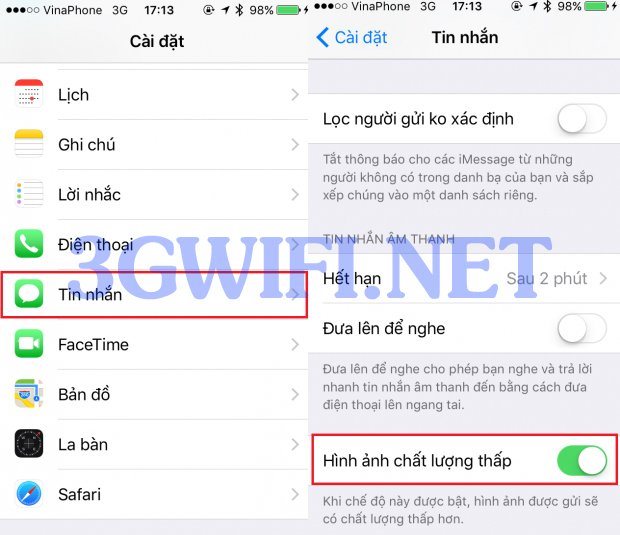
Reduce image quality on Imessage
IOS 10 will allow users to minimize image data when sending photos via iMessage. This article will show you how to save 3G by reducing image quality when sending. First, on the main screen, select Settings, then scroll down to select Messages.
In the message interface, scroll down and tap on the Low Quality Image Options, if this function is off, slide the toggle to enable it. Immediately, all images you want to send via iMessager will have their quality reduced.
>>> Buy a USB wifi to access the internet anywhere at: 4g modem
Turn off background app refresh
Launched since IOS 7, Background App Refresh is a very interesting feature if you want to see the latest information.
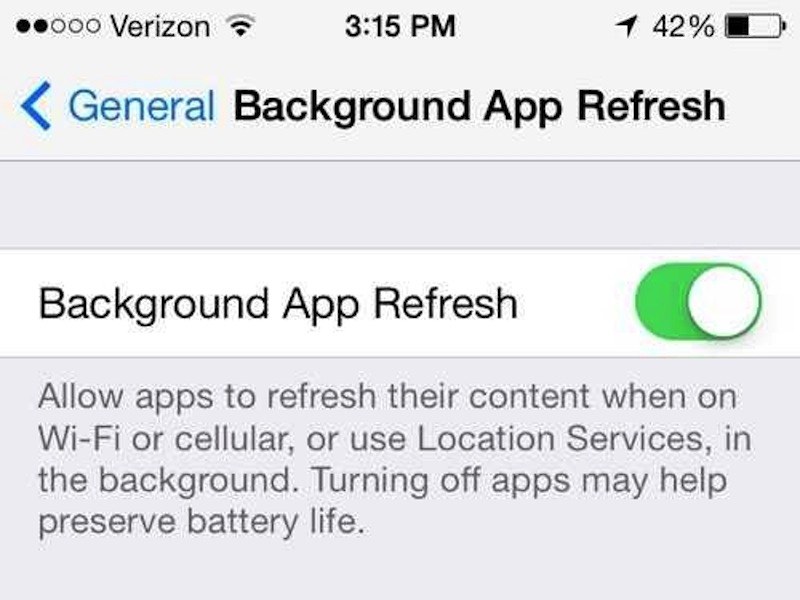
But this will affect the quality of 3G data and the device's battery life. If you don't open apps frequently and want to turn off that function, just go to: Settings > General > Background App Refresh.
Hopefully, the simple sharing above will help you control and maximize mobile data usage on your iPhone. And from there, it will also help save costs when using without worrying about mobile charges being deducted unknowingly.





