English
  Tiếng Việt
 - 1. Extremely harmful misconceptions about your home wifi router
- 1.1. 1. Nobody wants to attack "my" network
- 2. 2. Dual-band routers are unnecessary
- 2.1. 3. 2.4GHz frequency band is better than 5Ghz
- 2.2. 4. Do not change router configuration when it is set up by experts
- 2.3. 5. Hiding the SSID will prevent detection and avoid Hacker attacks
- 2.4. 6. Why upgrade your Router when it's still working well
- 2.5. 7. WEP security is safe at home
- 2.6. 8. Using WPA2 - AES security is absolutely safe
- 2.7. 9. Using WPA2-AES security will reduce transmission speed
- 2.8. 10. Network security is unnecessary when there is a firewall and antivirus software
As we know, the technology world is constantly developing, wifi signals cover almost the entire globe, and wifi routers are becoming more and more common in our lives. There are many issues surrounding this topic. Most of us, when buying a wifi router, either use it immediately or just set it up superficially and then use it. At the same time, there are views that we think are always true? So is that really the case when the methods of hackers and wifi routers are becoming more sophisticated? The following article will delve into analyzing these harmful misconceptions about home wifi routers.
Extremely harmful misconceptions about your home wifi router
1. Nobody wants to attack "my" network
There are two very common views today:
- Hackers only attack large corporations, banks, or celebrities, and people with no public profile like me won't gain anything from hacking.
- Small networks with fewer security vulnerabilities yield little reward, so no one would bother hacking my network.
The first thing I want to say is that these two views are completely wrong at present. In the past, perhaps that was partly true because wifi networks had a small coverage area, making it difficult for hackers to attack from a location outside the coverage range. But currently, there are many devices with high-power antennas that can detect your wifi from a greater distance than you might imagine.
"Nobody hacks your network because they won't gain much?" You will have to change this way of thinking immediately after reading this article. Because according to Vince Steckler, CEO of Avast Antivirus,
" The security vulnerabilities of wifi routers are being discovered more and more, while the methods of hackers are becoming more sophisticated. On the other hand, with most of users' important information currently stored on computers, this creates opportunities for hackers to attack."
Therefore, if you don't secure your network carefully, one day your bank account might disappear. Even worse, hackers could impersonate you to do terrible things, such as buying houses, taking out loans... using your personal information.
2. Dual-band routers are unnecessary
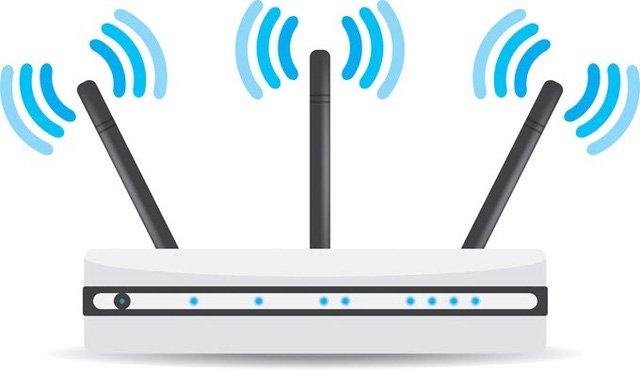 Should use a router with 2 to 3 bands
>>> You can see thehigh-speed 4g wifi routersmulti-band cheapest today
Many people think that using a multi-band wifi router is unnecessary, just one band is enough. But most of our usage needs to use 2 bands. For example, using a smart TV, computer on one band, smartphones, tablets, Kindles on another band will make your internet connection more stable and systematic.
3. 2.4GHz frequency band is better than 5Ghz
This may be true, but in some cases when there are too many devices accessing the network on the 2.4GHz frequency band, it leads to a slower and more unstable network. At this time, switching to the 5GHz frequency band will be more optimal. Meanwhile, the 2.4GHz frequency band has a wider coverage and better penetration through objects like walls, concrete... than 5GHz.
When you feel the internet is suddenly slow, try switching to the 5GHz band. But if you want to browse the web from further away, use the 2.4GHz frequency band.
4. Do not change router configuration when it is set up by experts
This happens when parents do not allow you to tamper with the wifi router after it has been set up by experts. In reality, learning and changing some basic settings to suit your living environment and circumstances is something you should do, of course, you should not tamper with the hardware of the device.
If you own a new router, switching from N to AC standard will bring significant improvements in speed and network stability. Another important thing is to change the security mode fromHow to Unlock 3G Wifi Hotspot toWPA2 with AES encryption will be safer. And changing the default password and username is a must.
5. Hiding the SSID will prevent detection and avoid Hacker attacks
This can avoid the prying eyes and wifi theft of neighbors, but forhackers it is easy to detectThis can avoid the prying eyes and unauthorized use of wifi from neighbors, but for is as easy as pie, and it might even make it easier for hackers to hack.
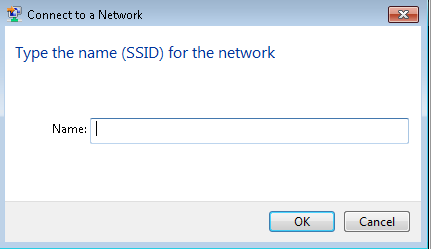
In reality, when you hide the SSID, devices tend to automatically connect when they are within range. Exploiting this, hackers can set up a Wi-Fi network similar to yours, and when your mobile devices automatically connect to that network, it opens the door for hackers to attack those devices.
6. Why upgrade your Router when it's still working well
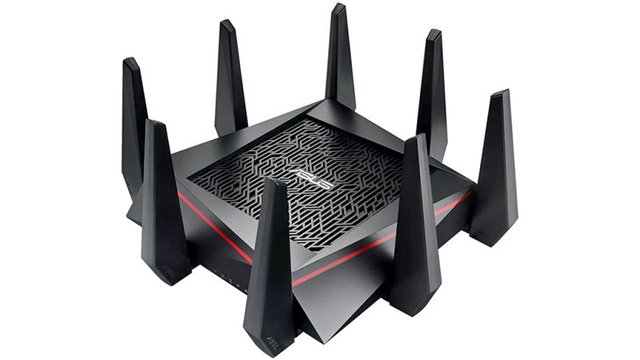
>>> You can refer to the devices that support the fastest data transmission at:best 4G wifi hotspot
Every few years, a Wi-Fi device with new technological standards is released to keep up with internet speeds. For example, standard N only supports networks with a maximum data transfer speed of 50Mbps, but your network is over 50Mbps, you won't be able to optimize the use of your current network, so you should switch to new routers with AC standard. Although it is not necessary for people with normal usage needs, it is for those who require high-speed internet.
7. WEP security is safe at home
With current advanced technology, How to Unlock 3G Wifi Hotspot security is considered the same as not using a security password, because with simple hacking software, anyone can access your network with ease. Therefore, you don't even need hackers; your neighbors can easily "steal" your Wi-Fi.
8. Using WPA2 - AES security is absolutely safe
Currently, no one has been able to break this security technology. It is estimated that it would take 1 billion years to break this security using brute-force algorithms.
However, the level of security also depends on the user, because careless people often set very simple Wi-Fi passwords like "abcdefgh" or "123456789" ... it is very easy to guess the password. Usually, a strong password must be over 8 characters with uppercase, lowercase, and numbers.
9. Using WPA2-AES security will reduce transmission speed
This will be true when you have not changed the settings to suit WPA-AES security. Usually, manufacturers will design functions to adapt toWPA-AES security so as not to affect the network transmission. If you are using old WiFi, you need to upgrade the firmware to be compatible with AES encryption.
10. Network security is unnecessary when there is a firewall and antivirus software
It must be understood that firewalls and antivirus software only protect you from malicious code on the network when you download data, which can steal your data... But neither can protect your computer when connecting to WiFi access points.
The above is a summary of 10 very common misconceptions at the present time. Hope this article will help you avoid dangers from hackers and bad guys outside.