


 English
  Tiếng Việt
 - 1. KWifi is connected but cannot access the internet, what does that mean?
- 2. This is the easiest thing you can do to restart your modem or wifi router. Restarting will help restart all the necessary processes to reopen your wifi. This is a simple method that achieves quite high efficiency and has been applied successfully by many people.
- 2.1. This is a condition that few people pay attention to. Modems can withstand heat well, but over time, wifi can also be faulty. Using it in a cramped, unventilated environment also causes your wifi to heat up. At this point, the lifespan of the wifi is gone, replace it with a new wifi for your wifi. Regularly clean the wifi router to prevent dust from falling and blocking the cooling system and air ducts of the modem. This greatly increases the lifespan of the device.
- 2.2. 2. Kiểm tra độ nóng của modem wifi
- 2.3. 3. Kiểm tra lại ăng ten và vị trí đặt modem wifi
- 2.4. 4. Check the modem connection cable
- 2.5. 5. Modem is damaged
Wifi is connected but cannot access the internetis a very common error when using a modem wifi device. The need to use the internet is quite necessary. This situation makes quite a lot of people feel uncomfortable when the internet connection is congested. So how to solve the above situation? Follow our article now.

why is there wifi but cannot access the internet
KWifi is connected but cannot access the internet, what does that mean?
When your wifi device encounters this problem, many people are confused in the processing. The first thing you should do is to find out the reason for this situation and find a solution. Here are some reasons we have compiled: - The first reason is to check if you have paid your internet bill, as many people encounter this situation. Sometimes this reason alone can cause the internet connection to be congested. No matter how you connect to the internet, you won't be able to access it. - Try using another device to connect to your home wifi modem to see if you can access it. Sometimes your own device is faulty and you don't know it. - Try accessing another social media page or website to see if it works. It is very possible that the network provider you are using blocks certain websites. - Turn off and on the modem device and the phone you are using and try accessing again to see what happens.
Many reasons lead to the above situation
How to fix Modem wifi error, cannot access the internet
Many people who find their wifi is faulty often call the technical support department of the network provider. But there is a problem that the implementation cannot be done immediately. It may take 1 to 2 days or even longer to be able to serve you. You can handle it with simple checks as follows:
There are many ways to fix wifi not connecting to the internet

1. Restart the modem, wifi Router
This is the easiest thing you can do to restart your modem or wifi router. Restarting will help restart all the necessary processes to reopen your wifi. This is a simple method that achieves quite high efficiency and has been applied successfully by many people.
Restart the router device
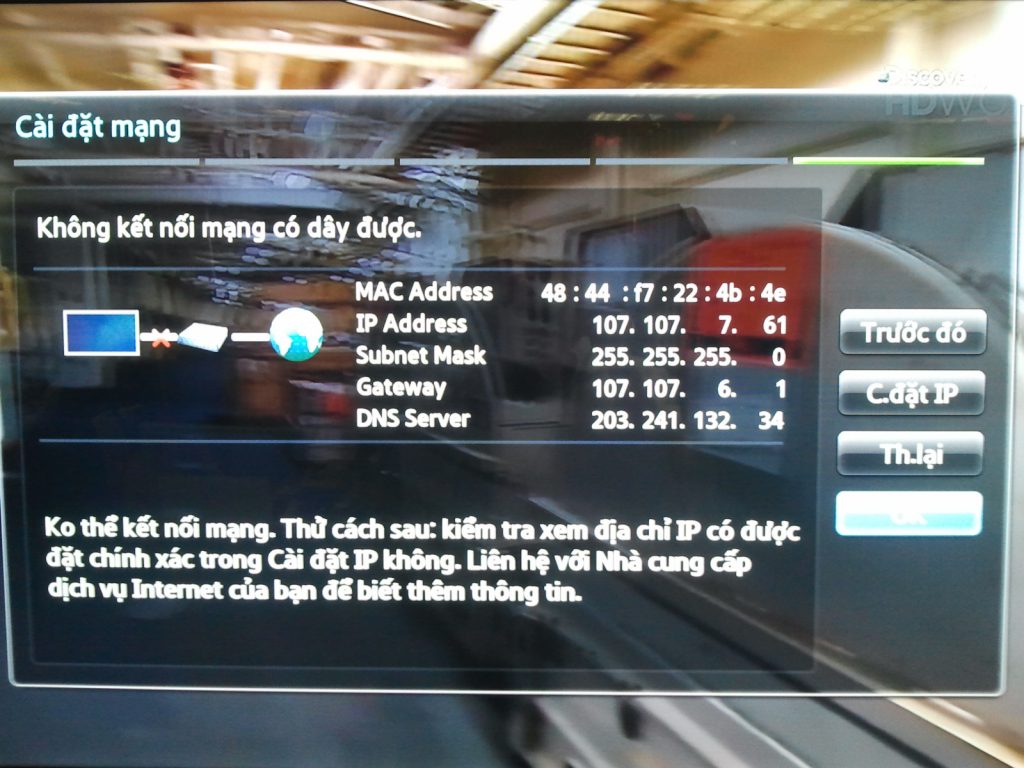
2. Check the temperature of the wifi modem
This is a condition that few people pay attention to. Modems can withstand heat well, but over time, wifi can also be faulty. Using it in a cramped, unventilated environment also causes your wifi to heat up. At this point, the lifespan of the wifi is gone, replace it with a new wifi for your wifi. Regularly clean the wifi router to prevent dust from falling and blocking the cooling system and air ducts of the modem. This greatly increases the lifespan of the device.
3. Check the antenna and the placement of the wifi modem
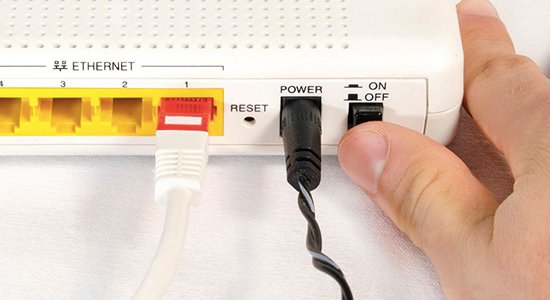
When placing the wifi modem in any position, make sure that nothing blocks the wireless signals. Some devices such as metal objects and some signal jamming devices will greatly interfere with your internet usage needs.
2. Kiểm tra độ nóng của modem wifi
Đây là tình trạng mà ít người để ý đến nhất. Modem có khả năng chịu nóng tốt nhưng trả qua thời gian cũng khiến wiri bị lỗi. Sửdujng trong môi trường chật hẹp, okhoong thoáng khí cũng khiến wifi của bạn nóng lên. Lúc này tuổi tho wifi đã không còn, hãy thay thế 1 wifi mới cho wifi của bạn. Thường xuyên vệ sinh cho router wifi để phòng các trường hợp bụi rơi làm tắt hệ thống tản nhiệt, các ống khí của modem. Việc này tăng tuổi thọ của thiết bị lên rất nhiều.
3. Kiểm tra lại ăng ten và vị trí đặt modem wifi
Khi đặt modem wifi ở bất cứ vị trí nào hãy đảm ảo rằng không có gì ngăn chặn được những tín hiệu không dây. Một số tiết bị như vật kim loại và một số thiết bị chèn sóng sẽ can thiệp rất lớn đến như cầu sử dụng internet của bạn.
4. Check the modem connection cable
The condition of your modem connection cable is a rather common problem when encountering this issue. But quite a lot of people overlook it. You need to check if the cable is plugged into the modem. On the other hand, see if the light is on and working to find a timely solution.
5. Modem is damaged
If all the above options do not help fix the Modem Wifi error and get it working again, then I'm sorry to say, it is very likely that your Modem Wifi is damaged and you should buy a replacement device. If it is a modem provided by the network provider, you should contact them to request a different modem because we have tried many methods but they did not work.
Here are the ways to fix a Modem Wifi error that prevents internet access. You can apply one of the methods above if you suspect your Modem is experiencing a similar issue. Otherwise, just try the simplest and easiest methods.
There are many other issues related to wifi connection that prevent internet access. If you have any questions about Modem errors or wifi errors, please leave your questions here. We will answer your Wifi and Modem errors as quickly as possible.
After fixing the damaged modem wifi error, everyone should regularly change their wifi password to protect their connection. You should choose a password with complex characters that is easy for you to remember to avoid forgetting the password and having to reset the modem.
.





