


 English
  Tiếng Việt
 After the successful connection procedure to a certain Wi-Fi hotspot, you do not save the information for easy automatic connection. The list of Wi-Fi networks used is displayed externally, which causes all your Wi-Fi networks to be leaked. Therefore, to review as well as check which Wi-Fi hotspots your phone has connected to, you need to know some tips. Today we will guide you on how to view Wi-Fi passwords on Android without rooting your device right here.

How to retrieve Wi-Fi passwords on Android
Guide on how to view Wi-Fi passwords on Android without rooting your device
Your device connected to Wi-Fi a long time ago and you haven't logged in again, which means you no longer remember the password. You want to share it with friends but don't know how. Follow the steps below to retrieve the password.
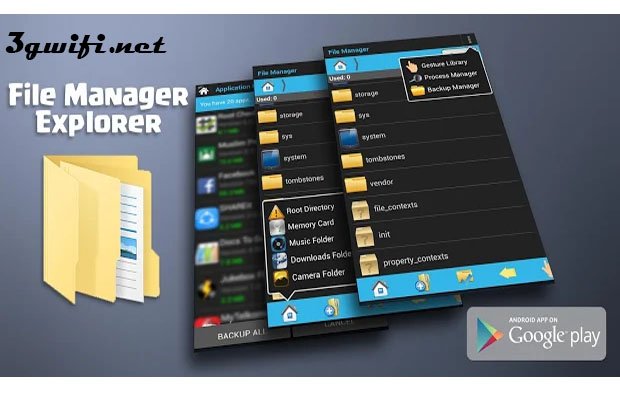
Step 1: First, download the Explorer app from the Play Store to your phone.
Step 2: On the phone screen, tap on settings. Then continue to backup and restore. Finally, at this step, tap on create new backup.

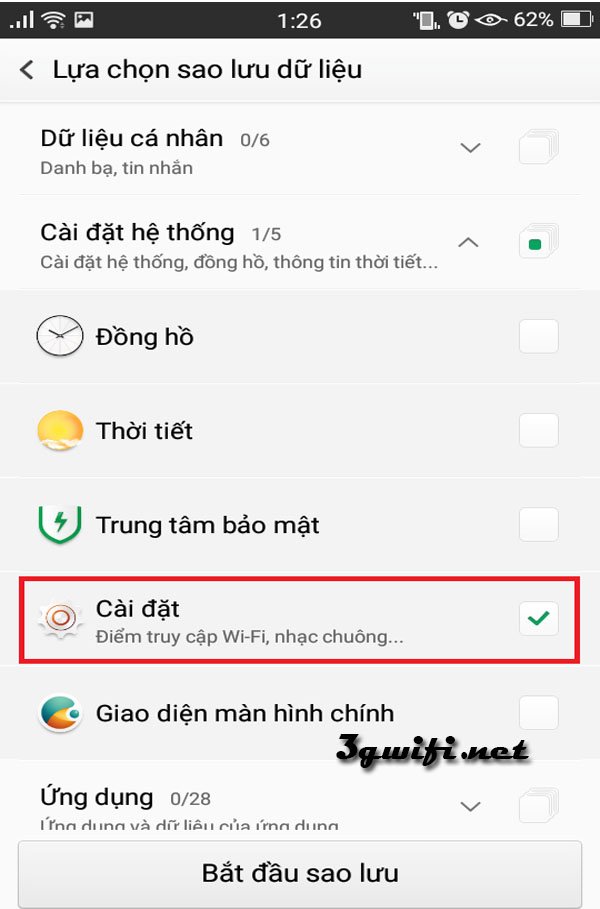
Step 3: In the new backup section, uncheck all lines, only select settings, and start backing up.
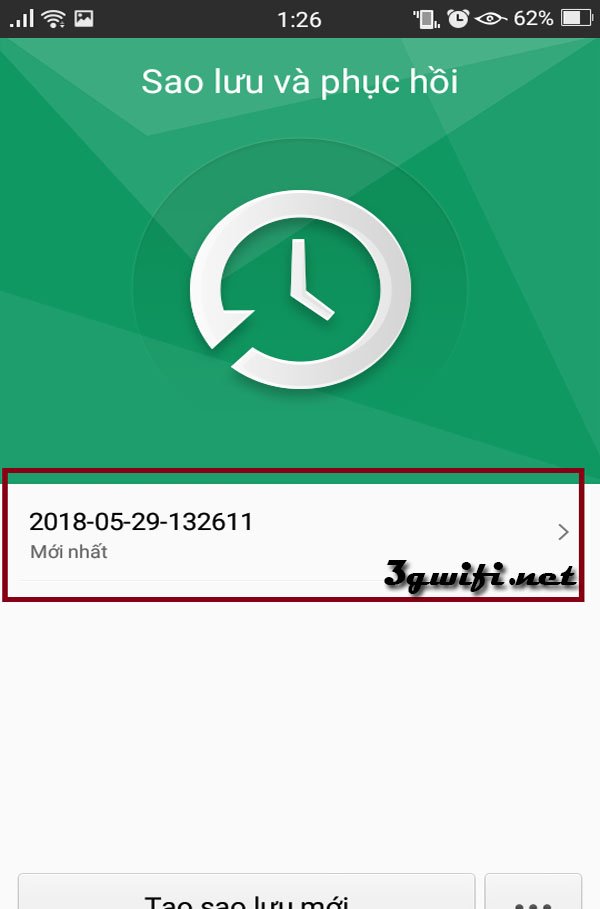
Step 4: After completing the above steps, you will have a backup file.
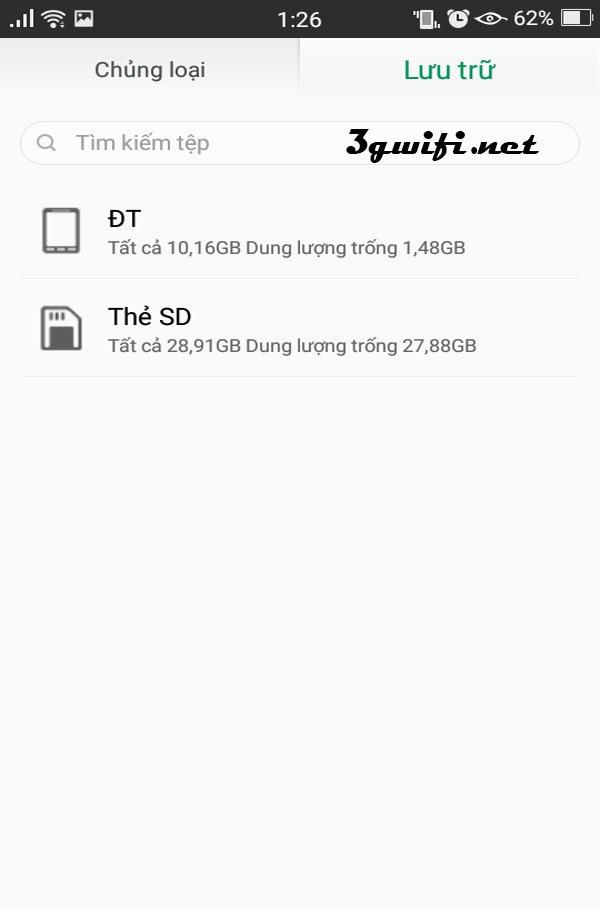
Step 5: Next, go to the file manager. Tap on storage, then tap on internal storage (DT)
Step 6: Continue to tap on Back up, then proceed to Data. You will find the file you just created.
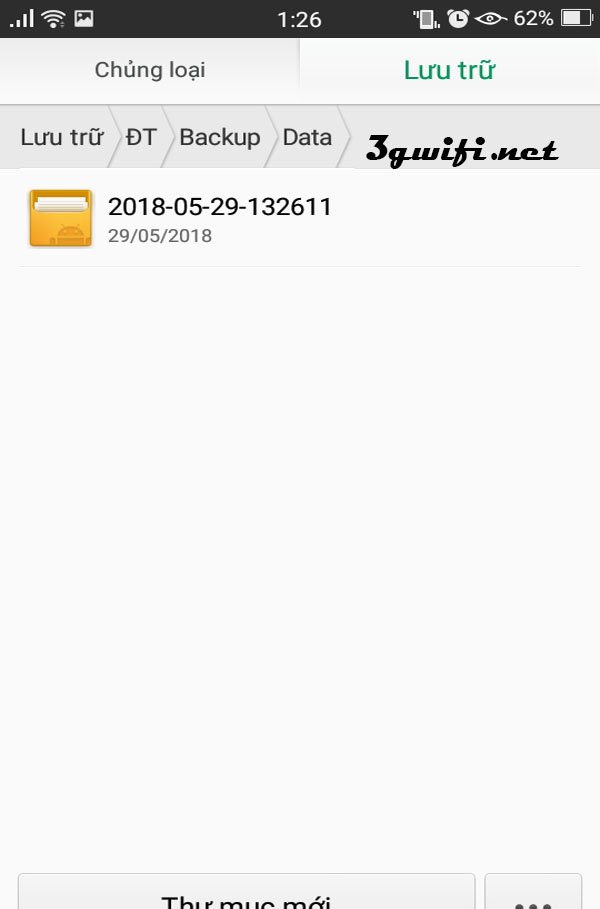
Step 7: Click on the file you just created, then click on Setting, and continue to wifiConfig.tar
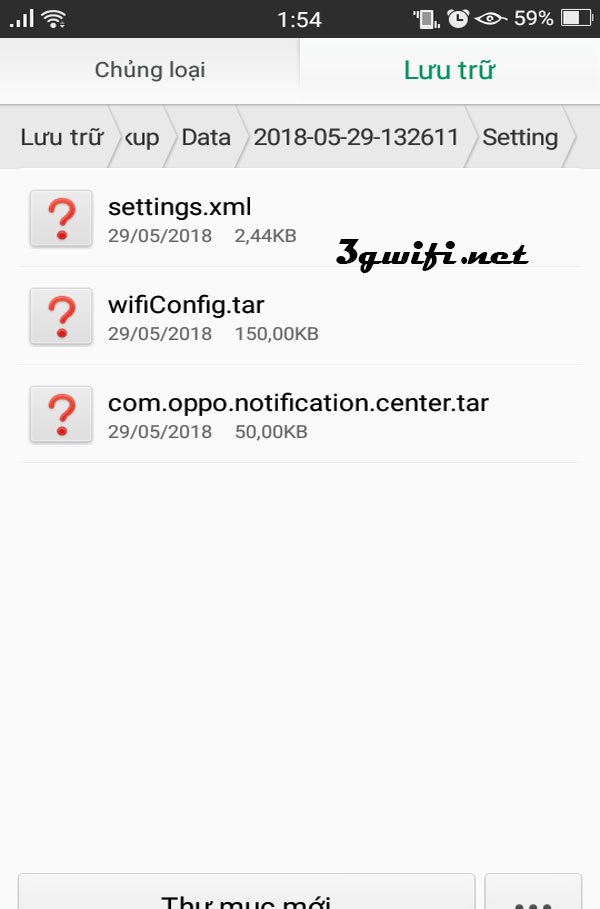
Step 8: The explorer application will open the file for you.
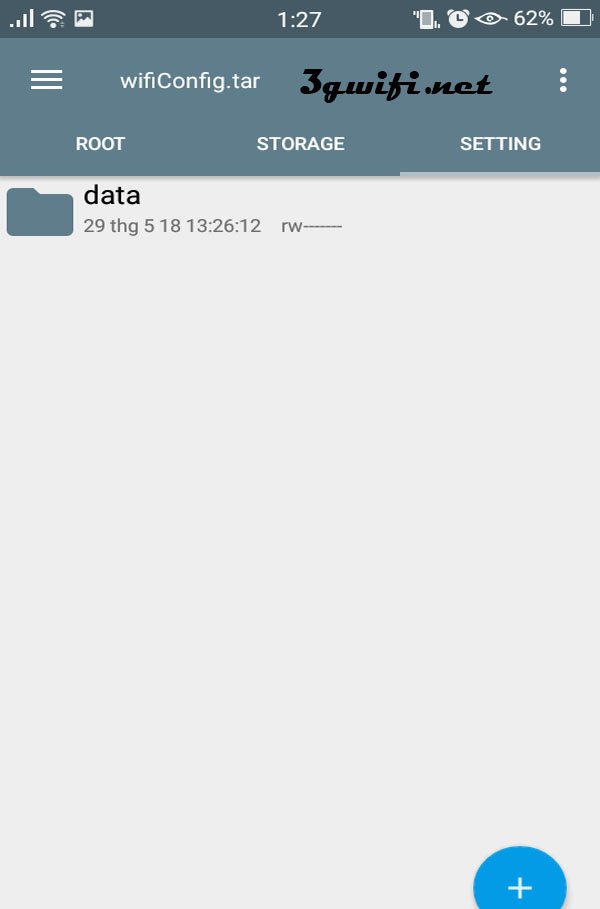
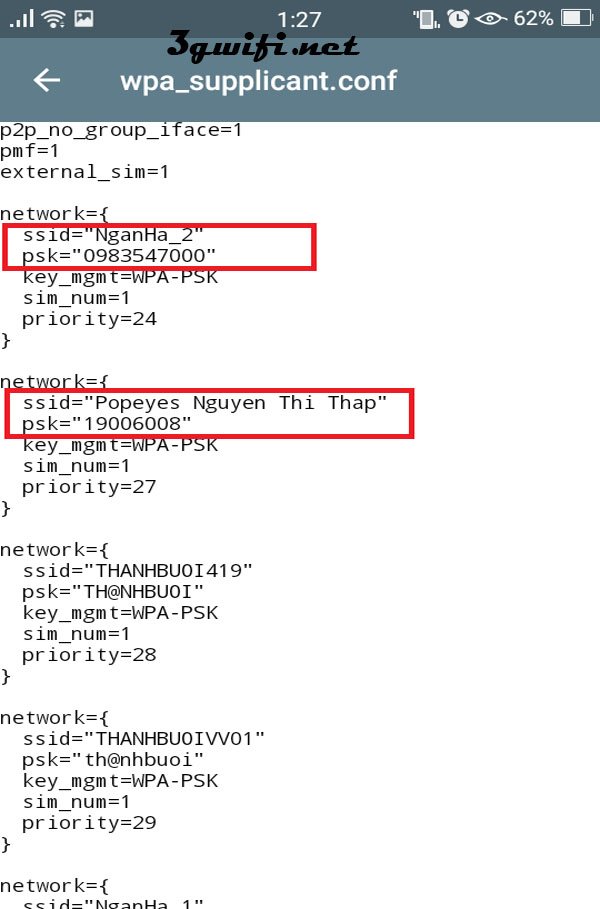
Step 9: Continue to Data, then wificonfig, and finally open the wpa_supplicant.conf file.
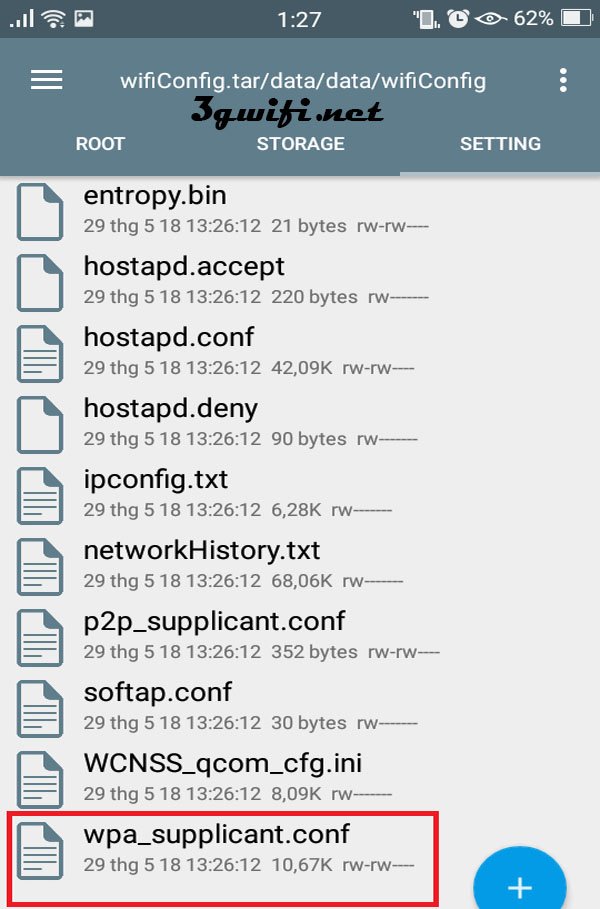
Step 10: The name and password will be displayed in the form of ssid and psk. Find the wifi you want to know the password for. Once you have the wifi password, your operation will be successful.
Hope the information we provided above has guided you on how to view wifi passwords on Android without rooting your device. Follow the steps above to retrieve your wifi password. Good luck.





