


 English
  Tiếng Việt
 To know how to change Viettel wifi password at home that not everyone knows, with the following detailed guide you can easily change the password without wasting time by getting help from a technician to your home.

During the time of using wifi, you have realized that your wifi is no longer fast. The reasons leading to slow wifi may be due to neighbors using free wifi. Although you have set a password before, your acquaintances have revealed this password to neighbors.
The best way to prevent others from using it is to change the wifi password to prevent others from accessing without your consent.
>>> High-quality Viettel sim wifi router: 4g wifi router

Although your Viettel wifi password has not been leaked yet, you still need to change the wifi password once a month to ensure the security of your wifi network. This password change method can also be applied to some modems from other network providers.
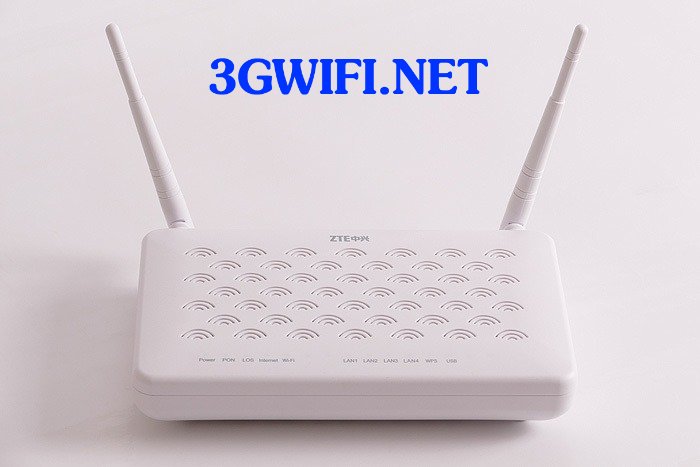
Note after changing wifi password
This is the case where after changing wifi, your device can no longer access. This is because the device is still connected to the wifi with the previously used password. You should press the forget old wifi password button, otherwise your device will try to connect to the wifi with the wrong password.
>>> Refer to the best wifi routers from 3gwifi: best 3G wifi router today

How to change Viettel wifi password
Watch the video tutorial on how to change Viettel wifi password below. If the video is too fast, you can watch more details with the following instructions.
The first step is to access the IP address (192.168.1.1) to start accessing the wifi password change page. If you access that IP address page, it will ask you to enter your username and password to log in. You can see below the Viettel wifi modem there is a password which is the SN number sequence, and the default account is Admin.
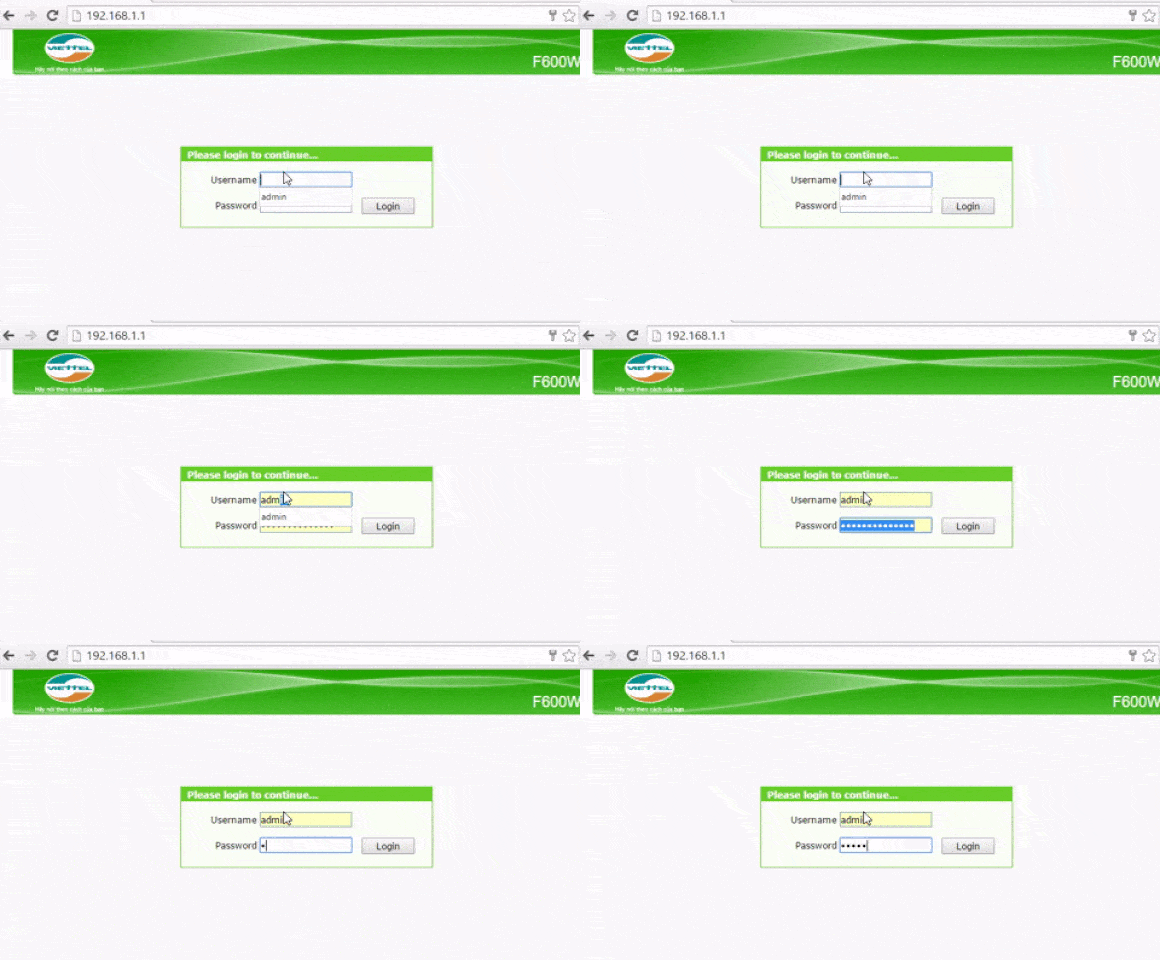
Access IP address to set up Viettel Wifi
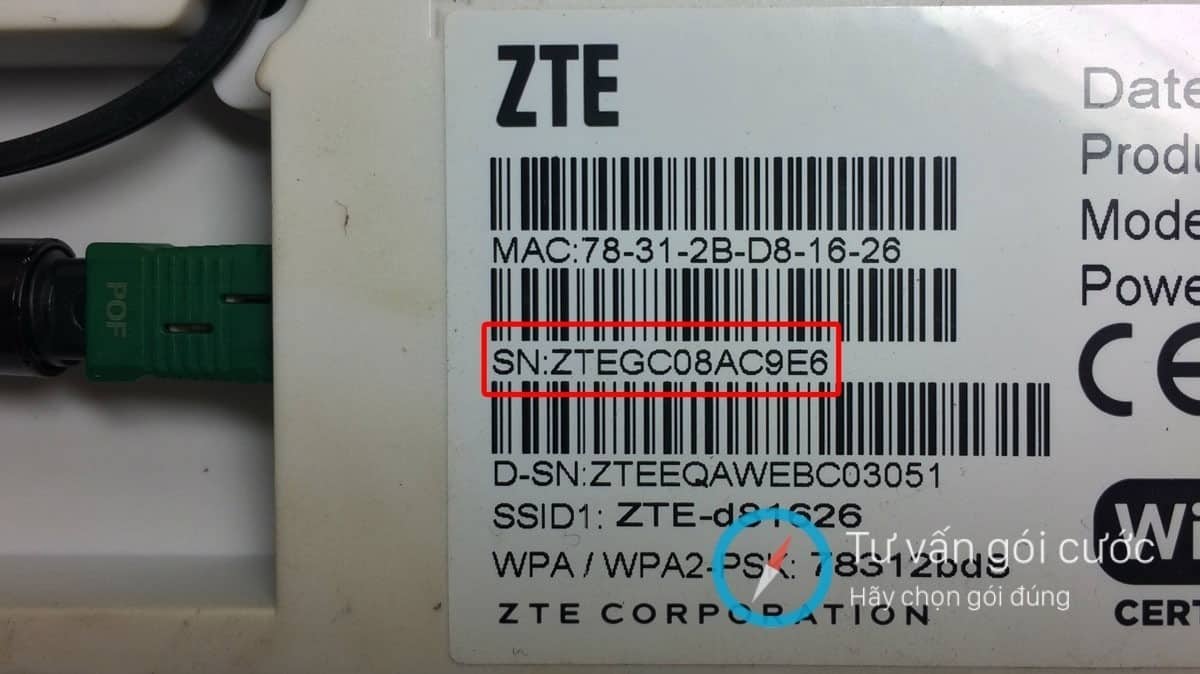
Default password on the back of the modem
After successfully logging in, please look at the menu on the left side and click on the following items in order: Network > Wlan > Security. The WPA PassPhrase is the current modem password. If you want to change the password, just replace it with the password you want and then click the Save button.
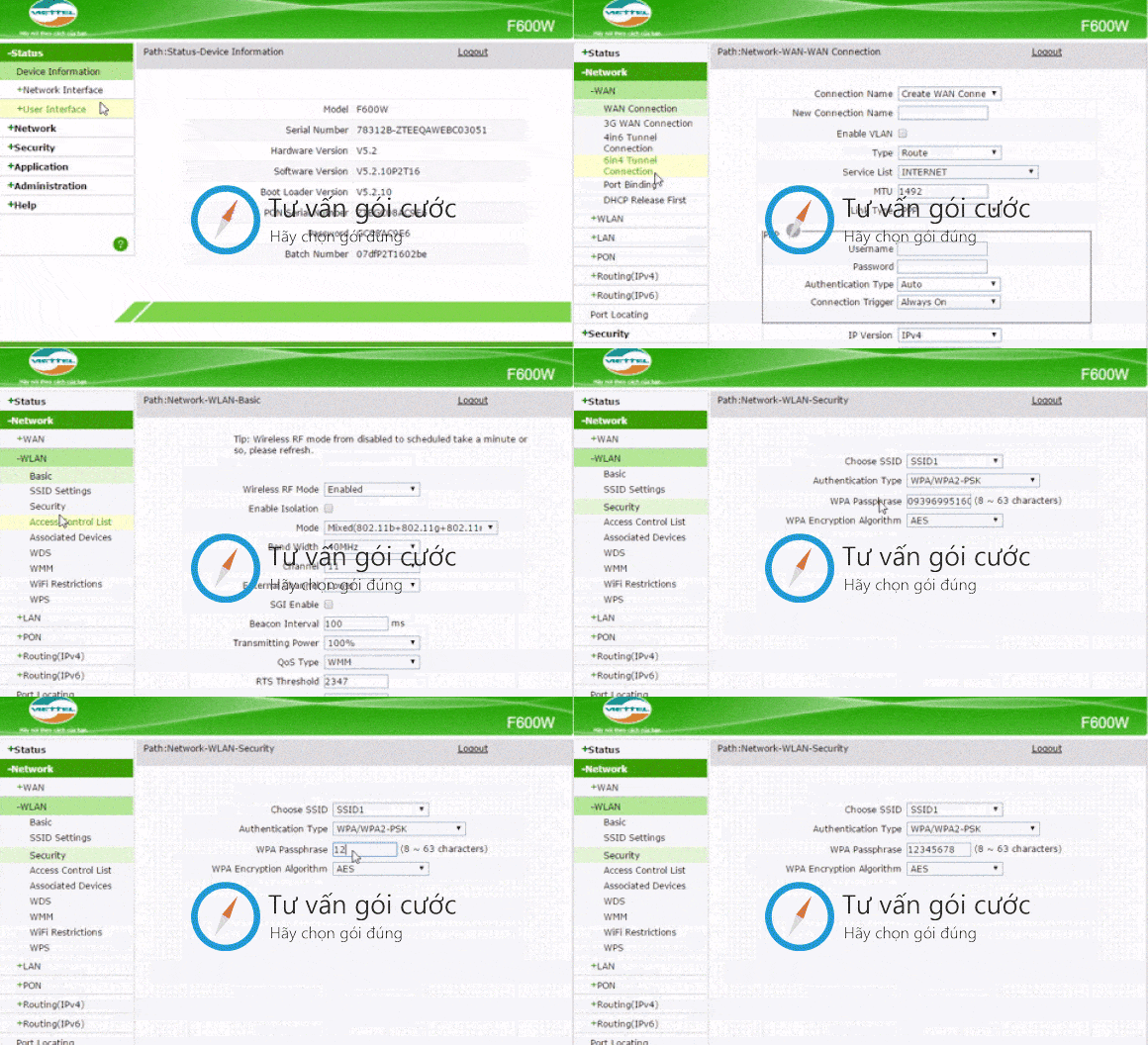
After saving, the modem will temporarily stop working to update the information. You will lose connection because the modem has automatically saved the password, so the old password can no longer be used. To connect to wifi normally with your device, enter the newly changed password.
So you already know how to change the Viettel wifi password. It's not difficult at all, is it? If you have any other questions or need further consultation, please contact us via HOTLINE or leave a comment below, and we will assist you as quickly as possible.how to change Viettel wifi password rồi đấy không khó chút nào đúng không, nếu bạn còn bất cứ câu hỏi nào khác còn thắc mắc hoặc tư vấn thêm hãy liên hệ với chúng tôi qua HOTLINE hoăc để lại comment bên dưới chúng tôi sẽ hỗ trợ bạn nhanh nhất có thể.





