


 English
  Tiếng Việt
 When you fill in your information and successfully log in to Facebook or any website, users will have the habit of saving their passwords so that the next time they access it, they don't need to enter the User and Password again. But that indirectly causes you to forget the password you are using over time. Therefore, I will show you how to recover your Facebook password very easily and quickly.

Recover password using a browser
When users access a website that displays login information such as Username and password, for example, Facebook, you just need to right-click on the password field and select inspect. Immediately, a panel will appear with the corresponding code displayed on the right or bottom of the browser.
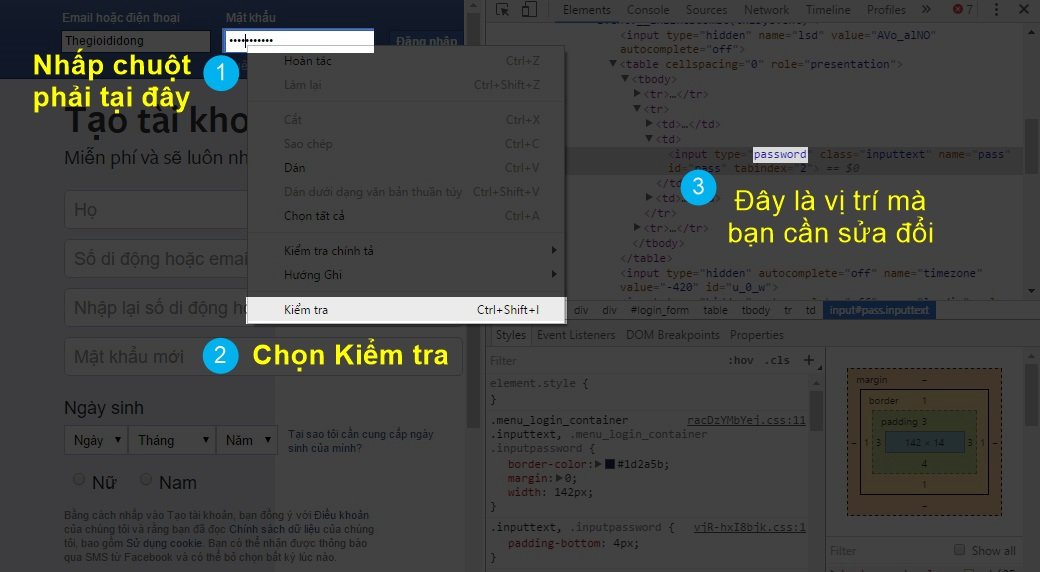
>>> Access Facebook easily anytime, anywhere with: 4g wifi hotspot
Next, users need to find the word “Password” in the code and change it to “Enable”. Immediately, the user's password will appear.
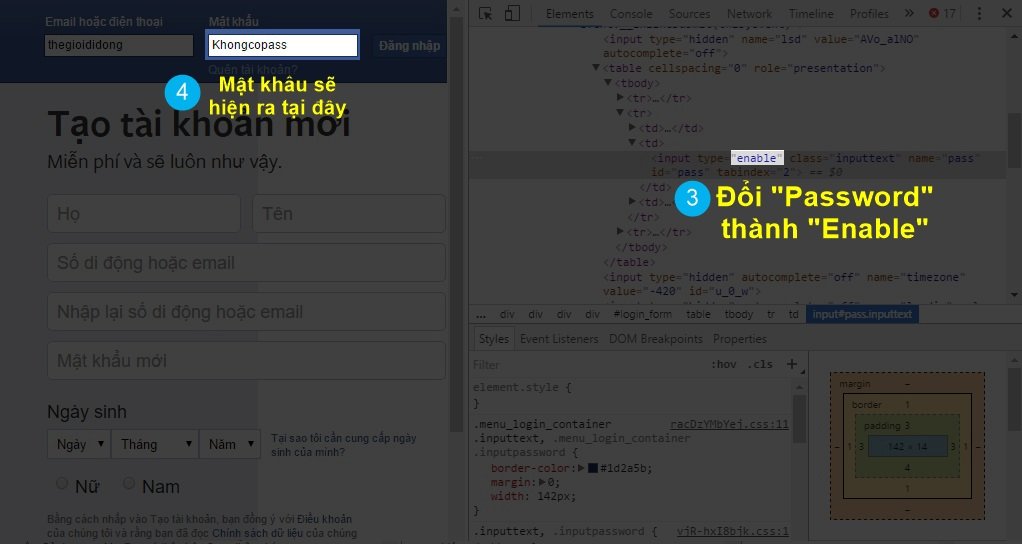
With this method, you can view all passwords that are encrypted with ****** or ••••••. The encrypted lines will appear as alphanumeric characters. Then you just need to enter them to use. This is not hacking a Facebook account. It's just that you accidentally forgot your password.

Access the Password Manager in your browser
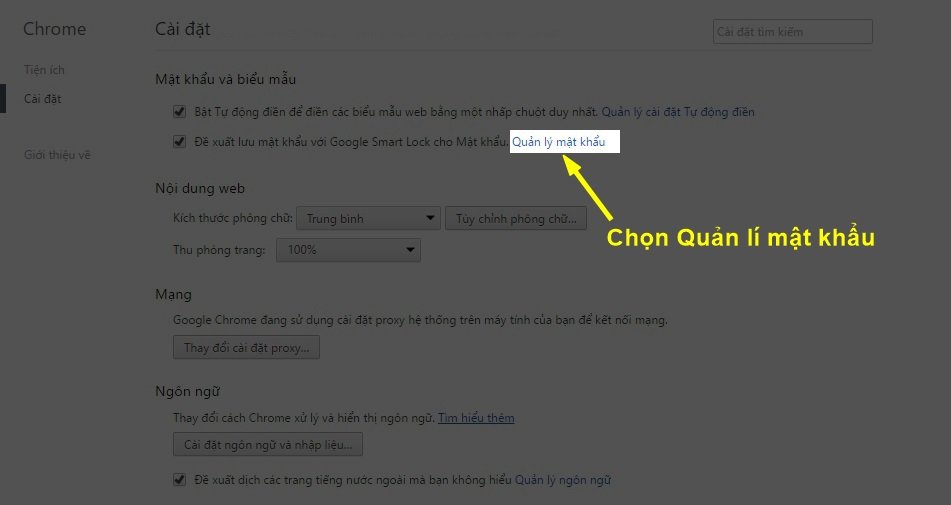
All web browsers have a section for saving login passwords. I will use Chrome as an example because it is the most used browser. To do this, you need to go to Settings > Advanced Settings > Manage Passwords.
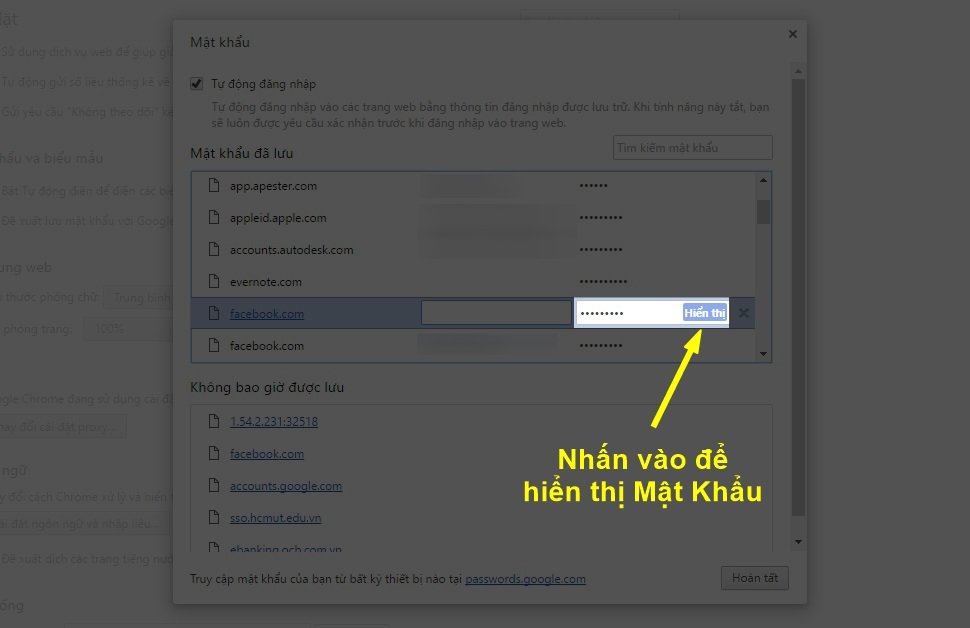
A list of passwords you have saved in your browser will appear. You just need to type Facebook to see the password you have saved. However, if you have never saved your Facebook password in your browser, this method will not work. Try the last method below.
>>>We also recommend referring to our high-quality products at: mobile wifi
Click on the forgot password Facebook section
If you still remember the email you registered your Facebook account with, go to the forgot password section. Then there will be a find password option. You just need to enter your email for Facebook to send you a login code. Then you will use it to log back into your Facebook account and change to a new password.
Alternatively, you can also recover your password through Facebook's security code, find password through friends, ID card information... However, these methods are very complicated and time-consuming. You will have to wait 6-12 hours for Facebook staff to verify your identity and re-issue your password.
These are very simple ways to help recover your Facebook account password. If you cannot recover your password, create a new account to use. Because these are all the ways to recover your Facebook account password.





