


 English
  Tiếng Việt
 You want to have wifi for home use but the carrier's wifi modem does not meet your needs. You have just bought a wifi device and don't know how to install it, check out how to install wifi at home in this article. Installing wifi at home is very simple and you don't need to hire a technician.
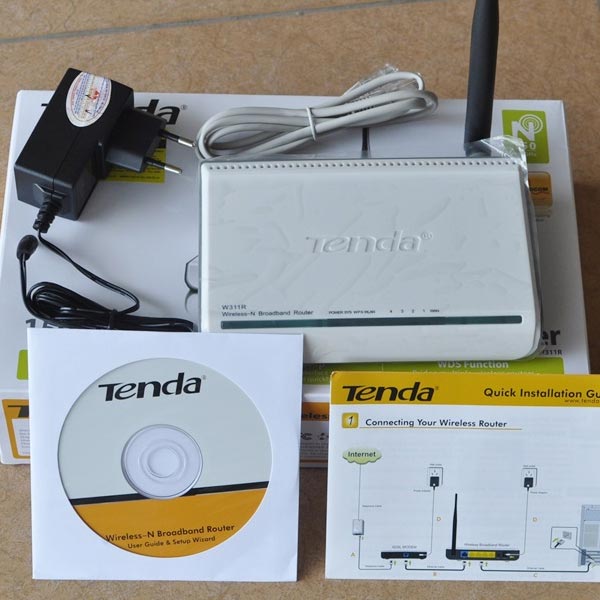
A wifi router, also known as a Router, is a device that shares a wired network into a wireless network for consumers' wireless device connection needs withguide on how to install wifi at home right after this.
>>> No need to install wifi at home when you have: 4G wifi router
Share the simplest way to install wireless wifi for you
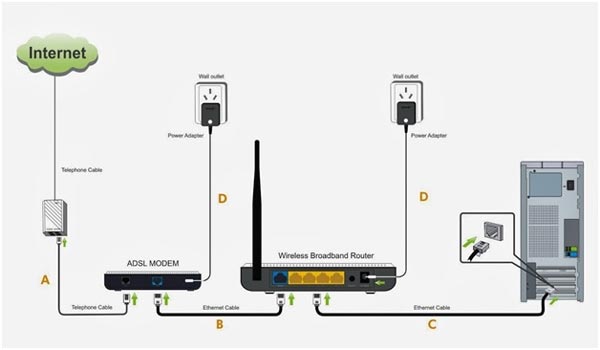
To successfully install wifi at home, the first thing you need to do with your wifi device is to configure it. You connect the device to your home wifi, then open a web browser and enter the IP address to finish.
After you have accessed the configuration page for the modem, a window will appear asking you to enter the User and Password to configure the modem. These details are by default 'admin' for both username and password. Some modems will have specific names and passwords, most of which will be written on the back of the modem.
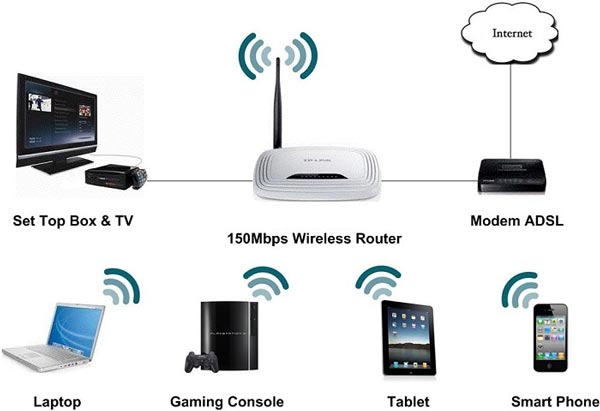
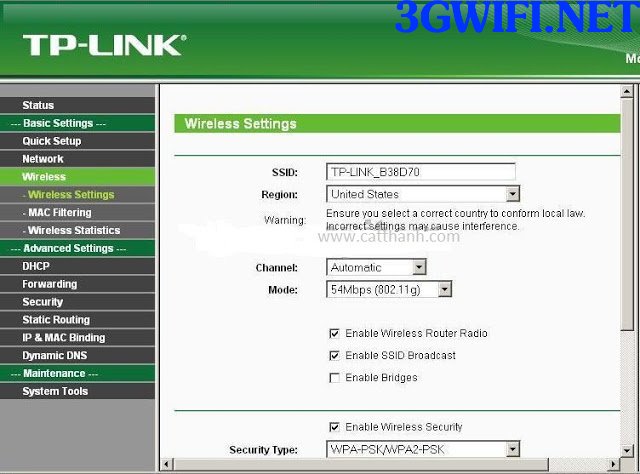
After accessing the interface for setting up the modem, you can customize it as you wish, from the wifi name to changing the password to something easier to remember. This will make it easier to manage the number of Internet users and ensure the device always achieves the most stable speed.
Currently, the price of routers is only from 200,000 - 500,000 VND, very cheap. Therefore, people can easily buy them and place them on different floors. Then, no matter where you are in the house, you will always have a strong wifi signal.
>>> If you don't like installing and configuring, buy: mobile wifi
Thus, everything necessary for installing wifi at home has been completed. If you don't understand or have any other difficulties that you can't perform as above, you can refer to other ways to install wifi to configure various types of wifi modems.
You already know how to install a wifi network at home, right? After reading, apply it immediately so you don't forget. Wishing you success in installing wifi at home. If you don't like installing it but want to use it right away, check out the mobile wifi hotspot that uses a SIM card.





