


 English
  Tiếng Việt
 You want to share the Wi-Fi network you are connected to on your Martbook device, but you don't remember the password. To share the Wi-Fi network with other devices for friends and relatives, what do you need to do to get the password? So, check out our article on how to view wifi password on macbook right below.
How to view wifi password on Macbook?
Benefits of how to view wifi password on macbook
Many people ask us what the benefits of viewing the wifi password on macbook are. In fact, with just a few simple steps, you can get the password easily. Here are some reasons why you should view the wifi password on macbook.
- You can easily get the wifi password without bothering anyone.
- You don't need to reset the wifi password but can still retrieve the password when you forget it.
- You only need to log in to the wifi password once, and you can check the password immediately without asking again.
- Easily share with friends and relatives when you forget the password or even your neighbor's wifi that you have logged into.

It's very convenient to get the wifi pass from macbook
Instructions on how to view wifi password on Macbook
You need to follow these steps:
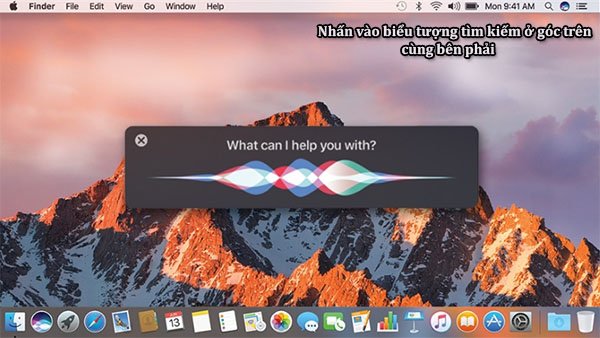
Step 1: First, you need to click on the magnifying glass icon in the upper right corner of the macbook screen.
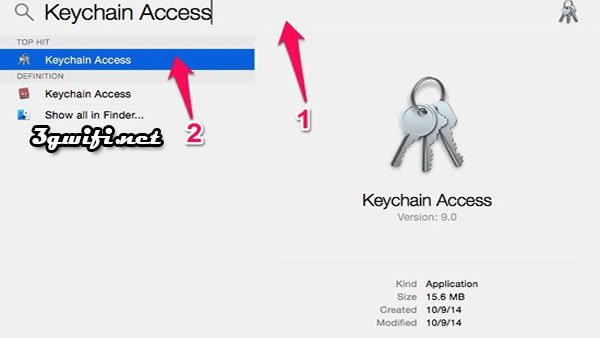
Step 2: Type the keyword "keychain Access" to search. Then click on Keychain Access to start the application.
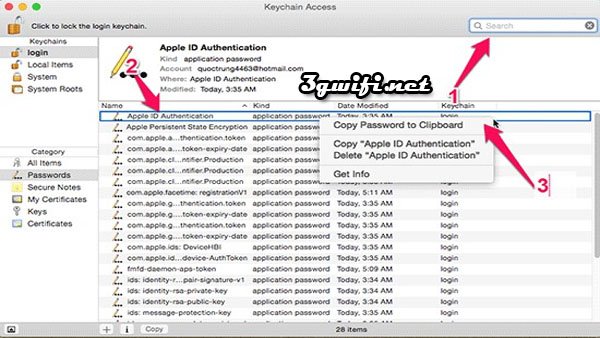
Step 3: Enter the wifi name you need to find in the search box on the top right. Next, look down and search for the wifi network name. Continue to right-clickcopy Password to Clipboard.
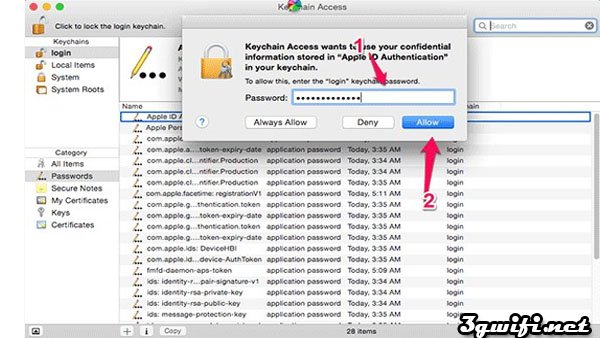
Step 4: At this point, the system will ask for the password. You just need to enter the Admin account on the computer. Continue to clickAllow.
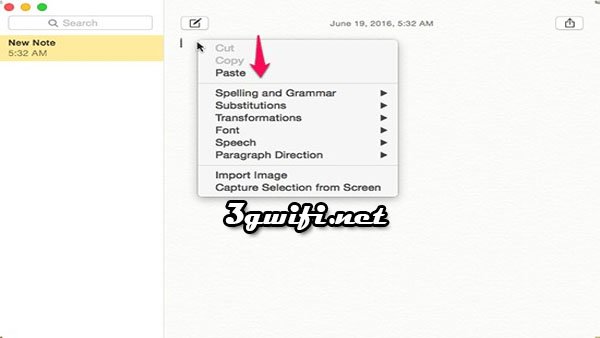
Step 5: Then you go to applications like Notes, Word or Text editor, … > Paste to view the password again
We hope that with the information we have provided above, we have answered your question about how to view wifi passwords on Macbook. Follow our steps to help you get the password without any effort. Wish you success.





