


 English
  Tiếng Việt
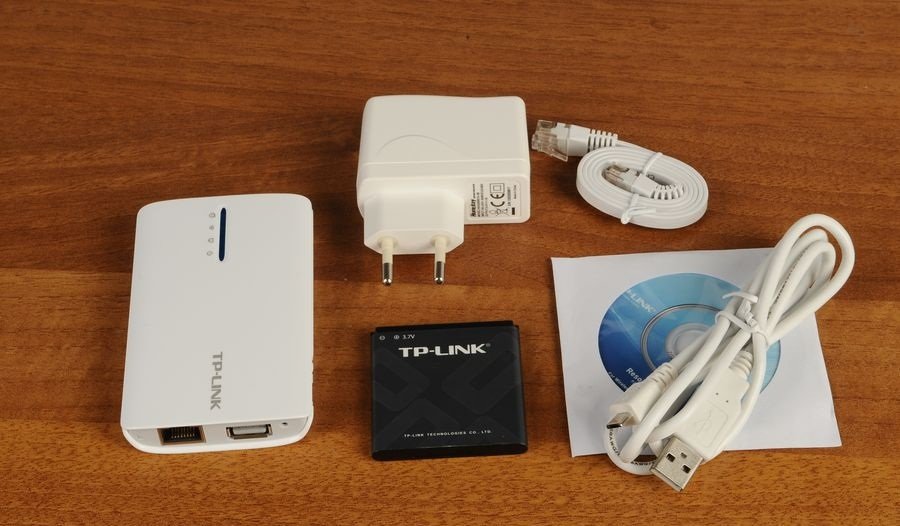
 We would like to introduce the unboxing and user guide video for the latest TP Link MR3040 3G wifi router. If you have bought the device and do not know how to set it up or use it, please watch the video below. In less than 5 minutes, you can easily use the TP-Link MR3040 wifi router.Step 1:Connect to the wifi router with your phone or computer. Enter the password on the back of the device (8 characters) or via the LAN cable from the yellow LAN port.
Step 2:To change the wifi name, access the address 192.168.0.1 or http://192.168.0.254 or tplinklogin.net. Then enter User: admin / Password: admin.
Step 3:Then, to configure other settings, go to Quick Setup. Select 3G Preferred - Choose the 3G mode and other internet networks. When the 3G network is prioritized, if the 3G network is lost, it will automatically switch to the other network. There are also many other modes you can explore.
Note: If the 3G signal bar does not appear in the 3G status section after following these steps, it may be because the wifi router has not recognized the driver for the 3G USB. You can go to the website www.tp-link.com to download the driver corresponding to your 3G USB and follow the next step to install the driver.Video guide for TP-Link MR3040 3G wifi router
So, you now know how to set up the TP-Link MR3040, right? Wish you successful installation, password change, and configuration.
Video hướng dẫn sử dụng bộ phát wifi 3G TP-Link MR3040
Vậy là bạn đã biết cách cài đặt TP-Link MR3040 rồi phải không. Chúc bạn cài đặt đổi mật khẩu và cấu hình thành công.





