


 English
  Tiếng Việt
 With the current development of science and technology. Electronic devices, mobile devices are equipped with many smart features to keep up with technology. Do you have an iPad and want to share Wi-Fi with other devices? So how to do it? All will be answered by us in the article about how to share wifi on ipad
The effect of sharing wifi on ipad
For iPad users, the great effect of wifi cannot be denied. Suppose you are on a picnic in a remote location, you have an iPad with Data capacity. You will surely be the savior of everyone in the group. But if you want to share wifi, you need to know how to share wifi.
You will connect 3G on your iPad to broadcast wifi for the rest of your friends, helping them easily connect to the internet when needed during the picnic.
Additionally, you can also use your iPad to share wifi with other devices such as laptops or music players...
To share wifi from your iPad, you need to insert a 3G/4G SIM with Data capacity. If you don't have Data capacity, you need to register for capacity.
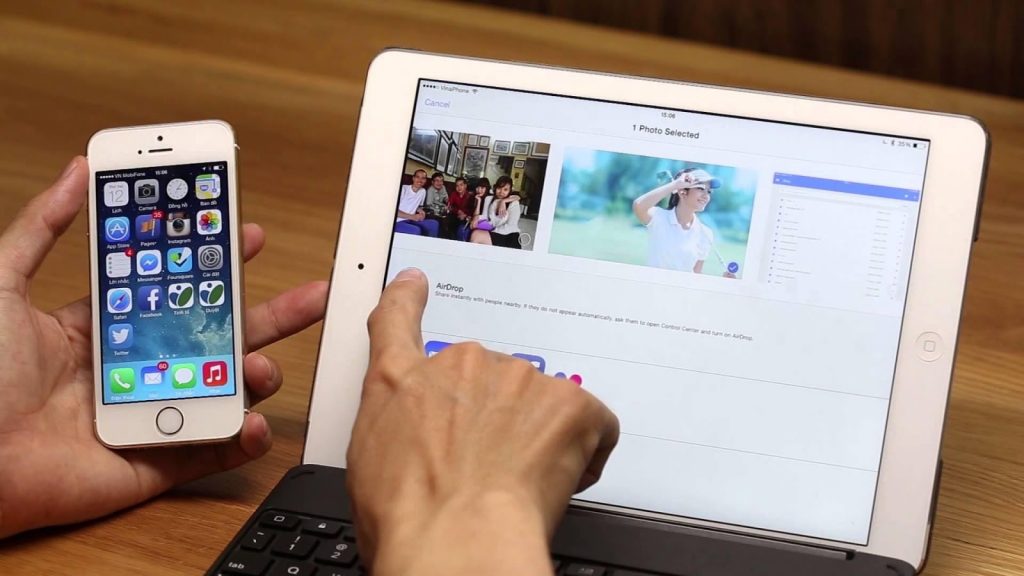
Share wifi for other devices
Steps to share wifi on iPad
To share wifi on iPad, you need to follow these steps:
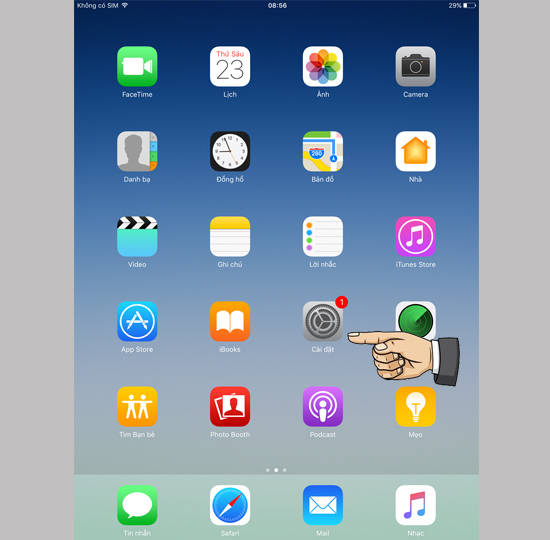
Step 1: On the iPad's home screen, go to Settings.
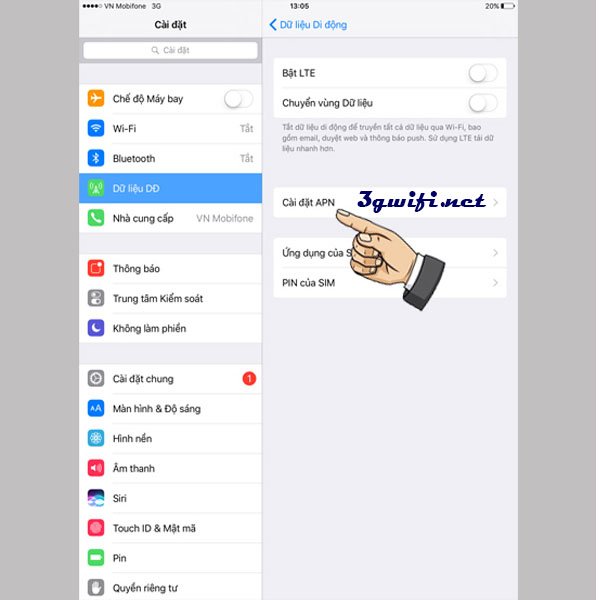
Step 2: In the Settings interface, click on "Cellular Data"
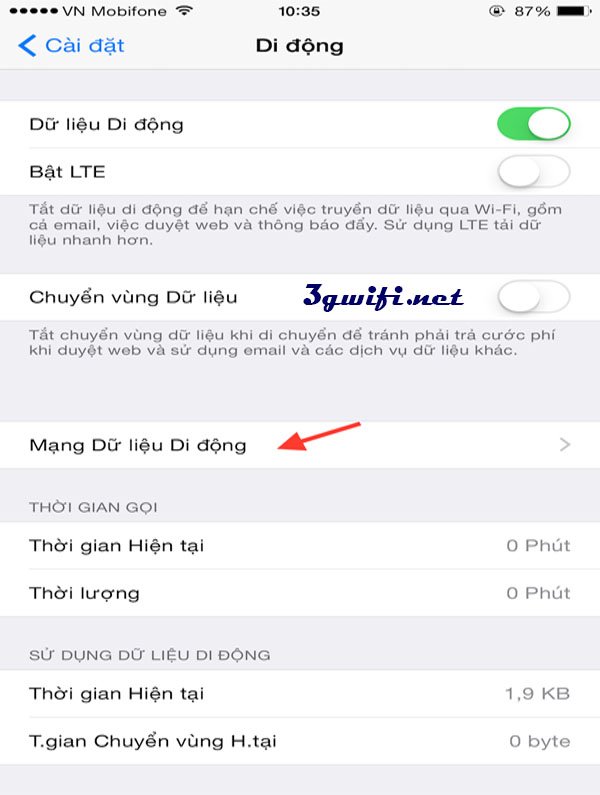
Step 3: In the "Cellular Data" section, you need to select "APN Settings"
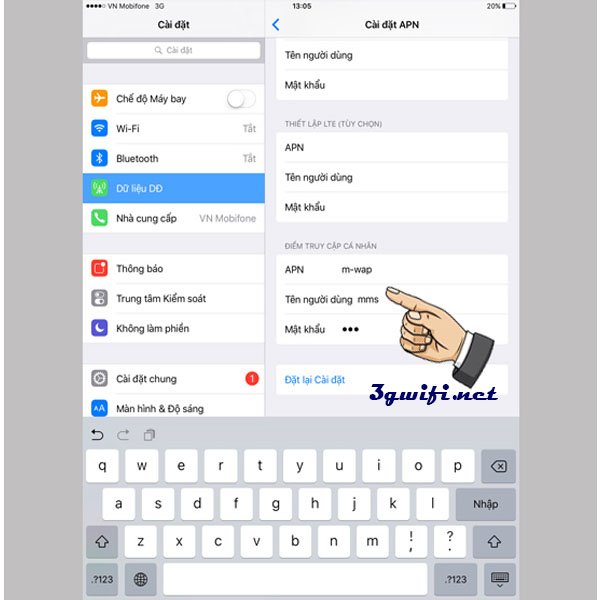
Step 4: Enter the 3G/4G configuration of the network operator you are using in the "Personal Hotspot" section
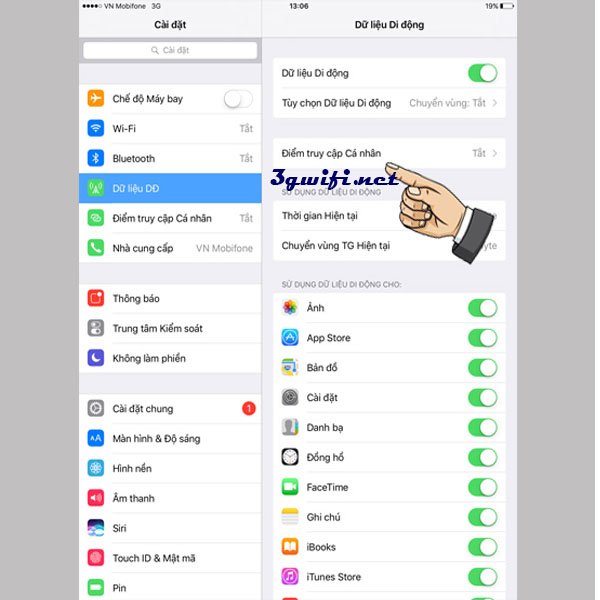
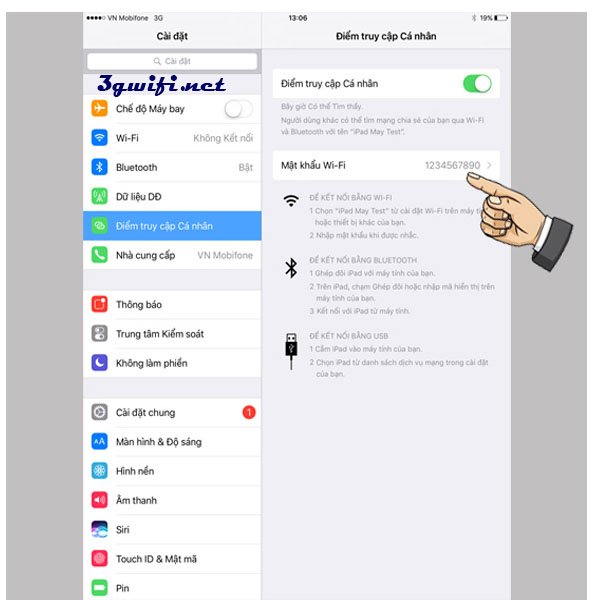
Step 5: At this point, "Personal Hotspot" will appear on the screen. Click on Personal Hotspot and turn it on.
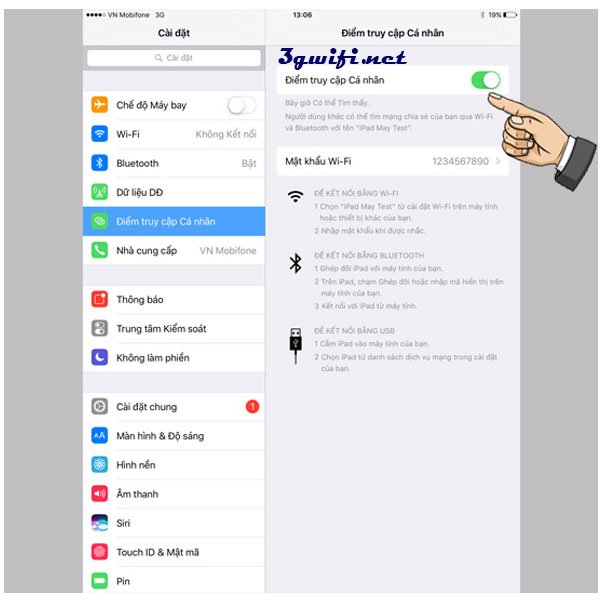
Step 6: Select "wifi password" to know the wifi password shared with friends. If you want more password security, you can click on "Wifi password" to change the password as you like.
Hope that with the useful information we provided above, it has helped you solve the difficulties you are facing. Just follow the steps above and you will successfully share wifi on your iPad. Good luck.





