


 English
  Tiếng Việt
 Browsing the internet, updating software, social media... all these actions require a network connection. But there isn't always wifi available for this, so using 3G/4G is an alternative. However, it often consumes too much 3G data with unwanted applications. So, here3GWIFI.NET shares with you some tips tosave 3G on Android phones.

Ways to save 3G/4G data on Android OS
Save with Chrome browser
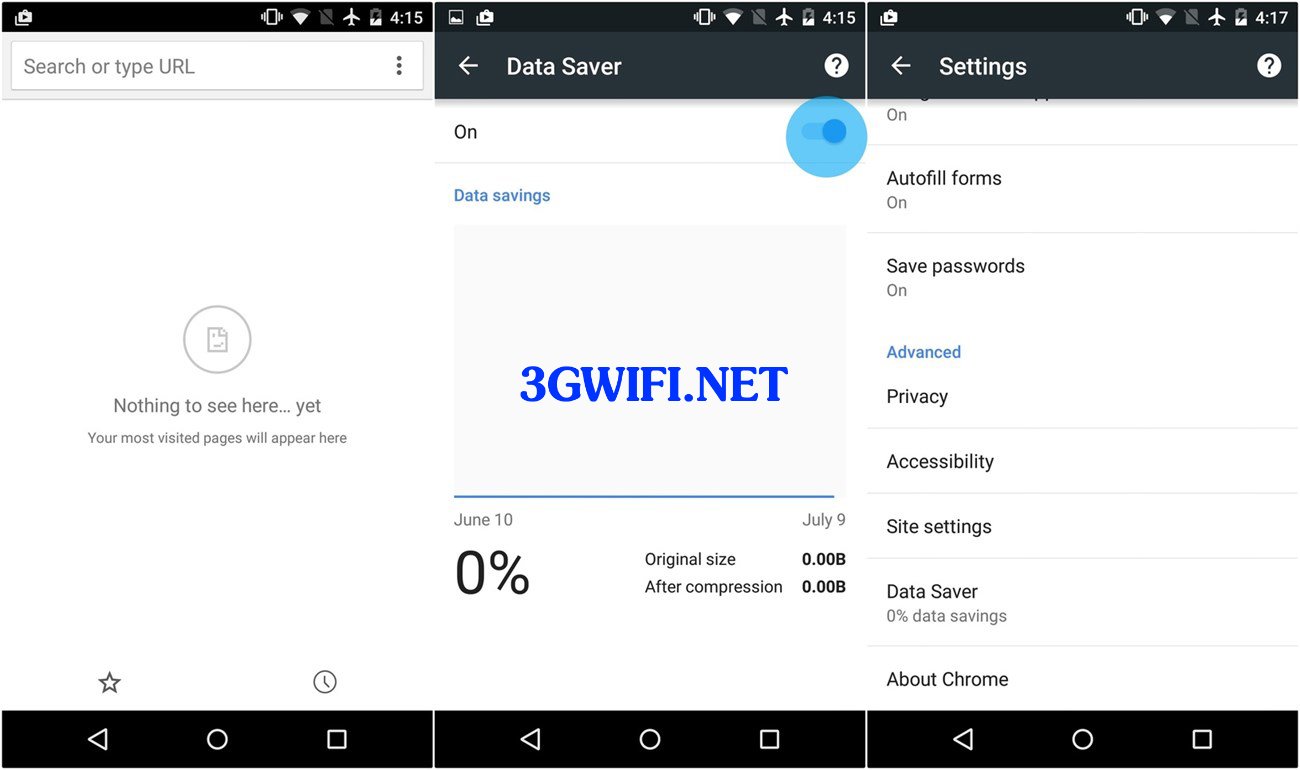
You select the icon with 3 lines, then choose settings. In the settings menu, select data saver, then slide the button to On. After activating the data saver mode automatically. The browser will reduce the data size when downloading.

When you browse the web like this, you will save a lot of data. If you often use Chrome for browsing, this is the best way to save data.
Turn off unnecessary synchronization
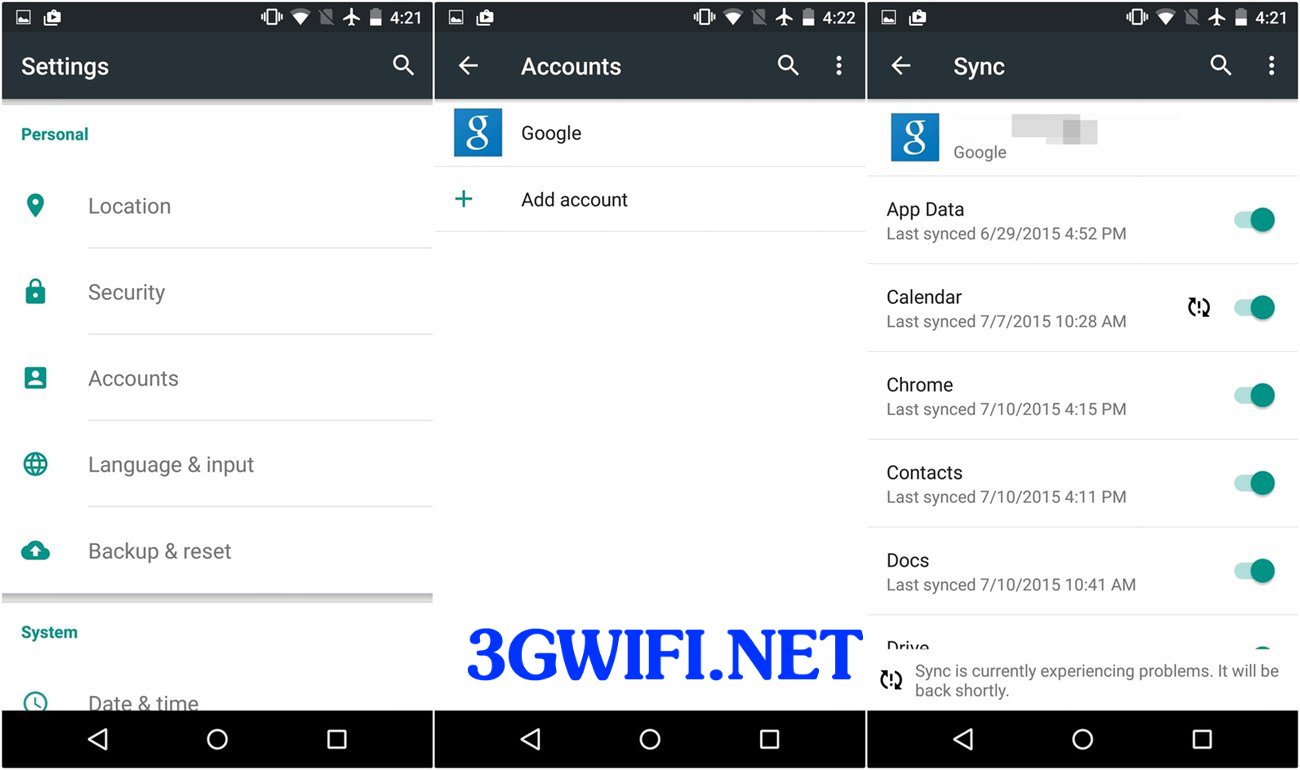
Turning off synchronization between accounts and the phone is the best way to save network data. Besides, you can also save battery and device storage. To do this, you just need to pull down the notification bar and turn off the sync option.
>>> Refer to the best wifi hotspots from: best 3G wifi hotspots today

If that option doesn't appear in the notification bar, go to settings > Accounts > select the account you want to turn off data synchronization for. Then select the items you don't want to sync. You should do this for multiple accounts like Google, Facebook at the same time for the best results.
Set network data usage limits
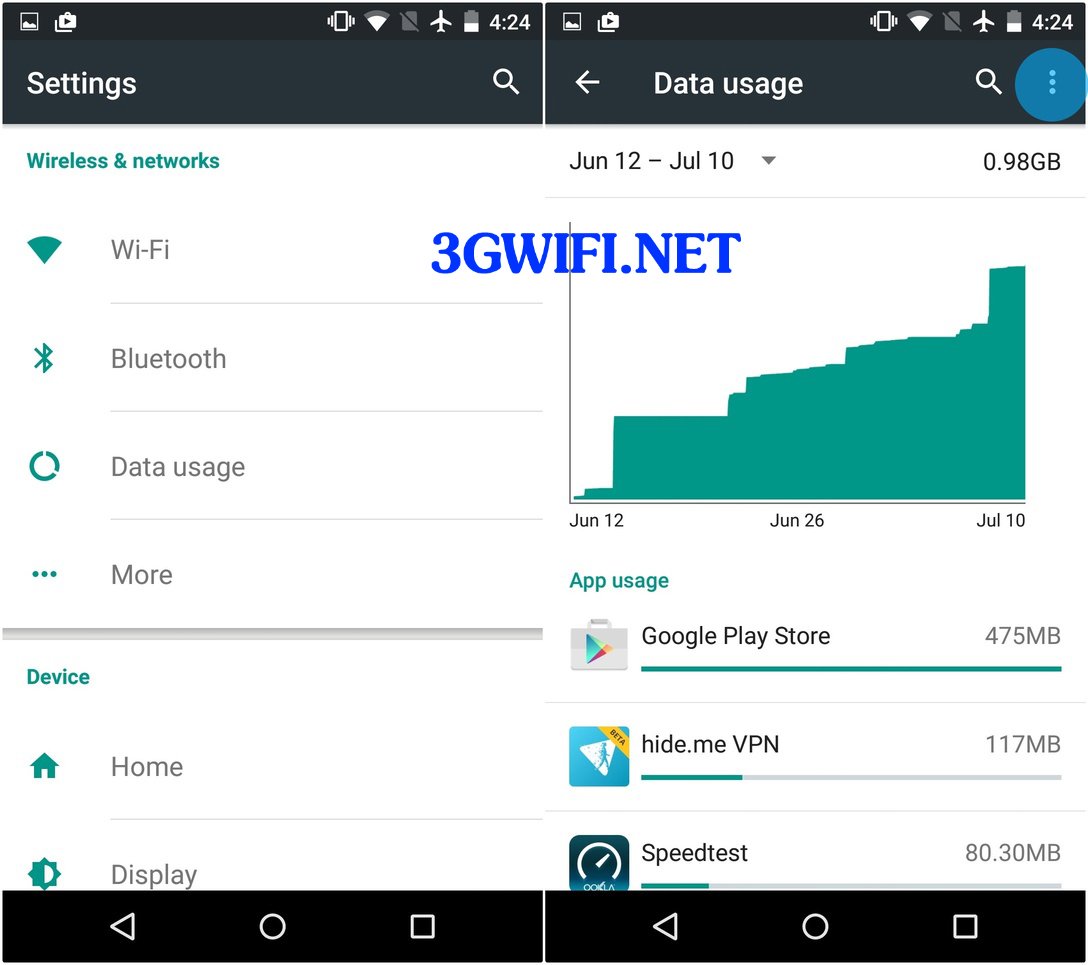
You don't use a data-limited plan because you want the highest speed at all times. But if you don't set a specific limit for yourself, you will sometimes be surprised by the amount of data you have used. To set data limits on your device.

Go to settings > Connections > Data usage, then adjust the data bar to set data warnings that suit your usage needs. Also, click the three dots in the top right corner and select restrict background data, which will help you save more network data. At the same time, when you check data usage, you will also know which apps are consuming the most data so you can use them more effectively.
Update apps only when on Wifi
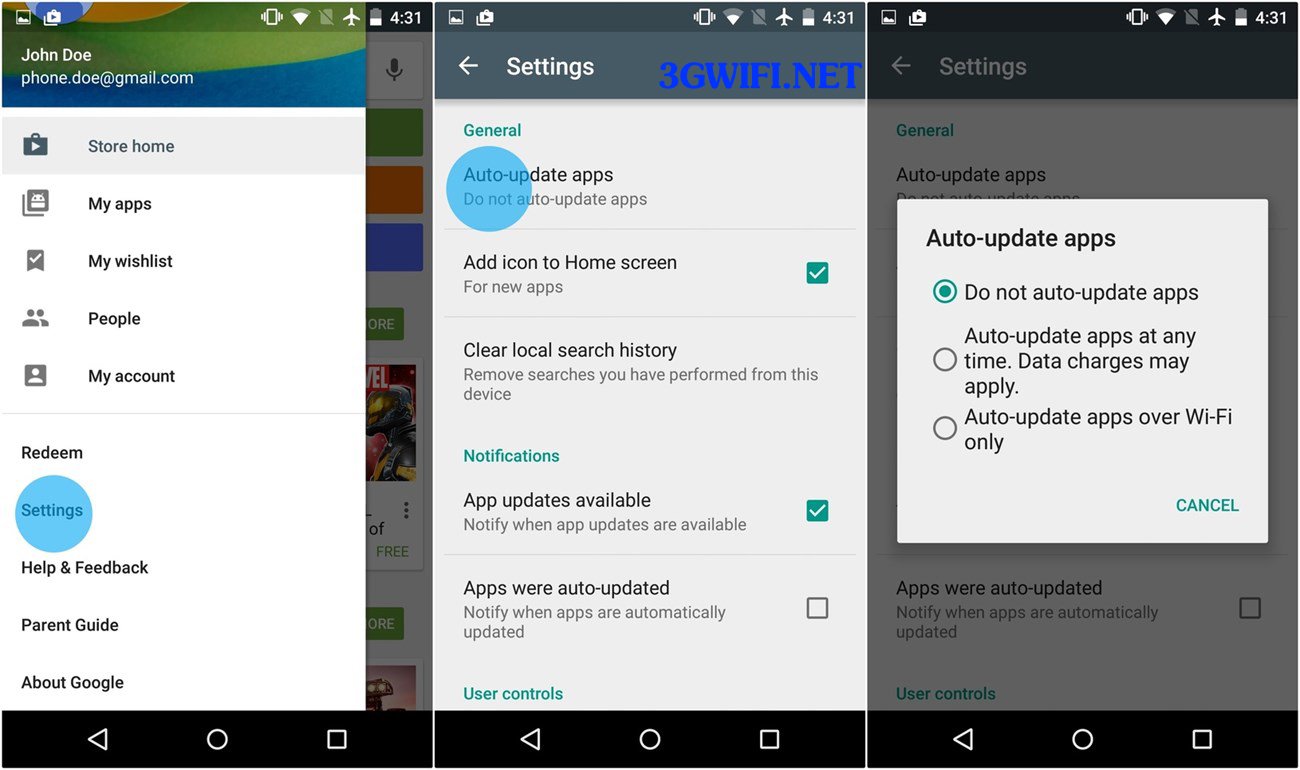
The latest app update is necessary to fix bugs and improve app performance. But if you don't want app updates to use 3G data, just set it to only update when on Wi-Fi. Choosing to update apps only when on Wi-Fi is very simple.
>>> Always have Wi-Fi to update apps when you have: 4g wifi router

Go to the Google Play menu from the top left corner and select Settings > Auto-update apps. You will see a Popup window with 3 options. Do not auto-update apps, Auto-update apps at any time, Auto-update apps over Wi-Fi only, choose the auto-update mode when on Wi-Fi to save more data.

Save maps for offline use
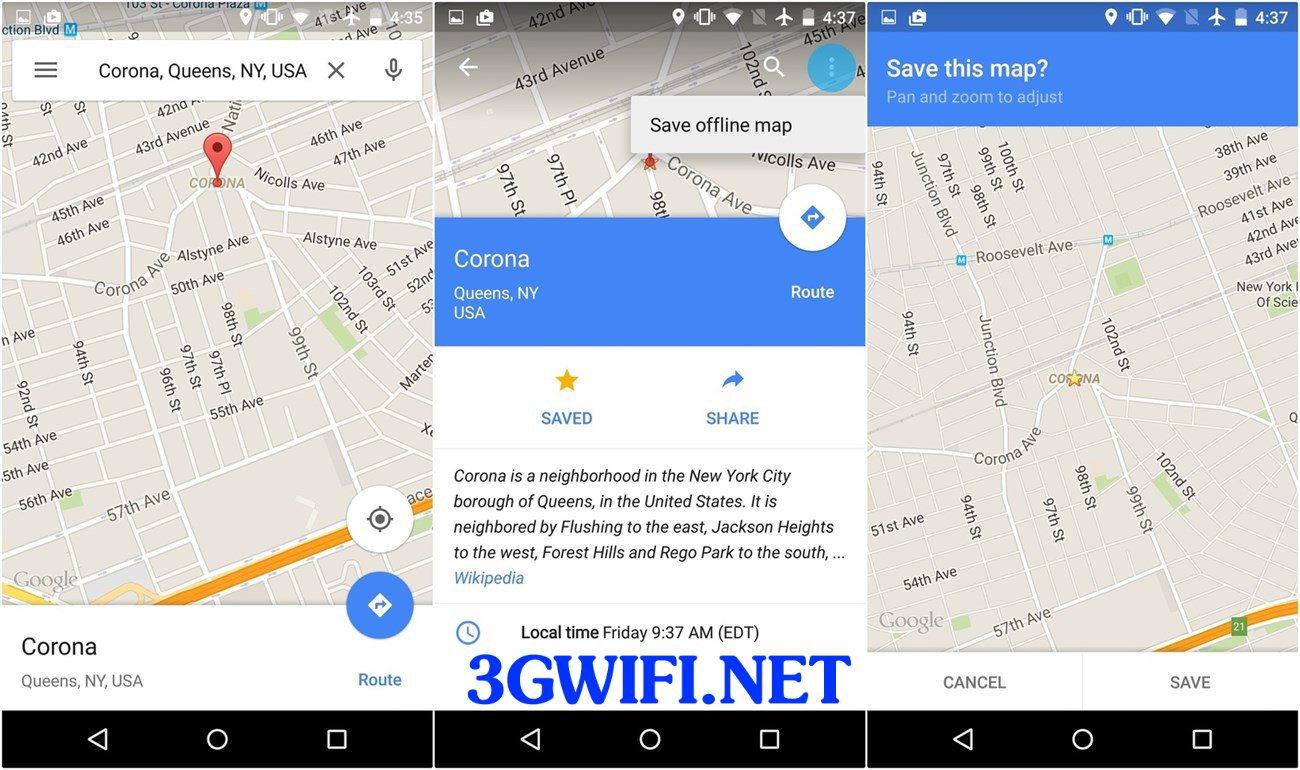
This is a way that not only helps you save data but also allows you to view maps at any time without needing an internet connection. To perform this mode, select the location you need to find and then select the three-dot icon.
Then press Save map to Use offline, then zoom in/out on the area you want to save the map to, then press the Save button to save and name the area you want to save. Although you can't save too much, it will also help you save mobile data.





