English
  Tiếng Việt
 - 1. 3G WiFi Router and common errors
- 1.1. Error due to DHCP Server IP address
- 1.2. available today
- 1.3. The first thing you need to check is whether the device's cables are working normally and securely connected. Are the cables crimped to standard A or B? Crimp straight cables and use a cable tester to measure the signal transmission at both ends.
- 1.4. ADSL plays an important role in Internet connection. Therefore, you need to use your computer to check the ADSL by connecting directly to the ADSL modem to see if you can access the network. If no connection signal is emitted, the error is with this terminal device.
- 1.5. Update to the new version
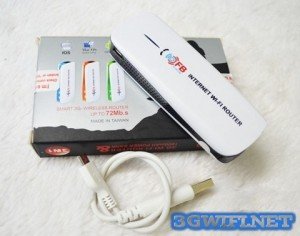
Nowadays, 3G WiFi Router are no longer unfamiliar to many users. They use WiFi routers as essential devices in their work and daily lives. However, the reality shows that many customers encounter Wireless Router errors. To fix these errors, please refer to the article below.
3G WiFi Router and common errors
Error due to DHCP Server IP address
When encountering issues related to this error, if you have configured Bridge Mode correctly, you need to log in to the ADSL Modem and disable the DHCP Server. If your device is configured using Automatic Configuration – DHCP, it is possible that the ADSL Modem and Wireless Router will assign the same IP address to the client, leading to conflicts.
However, usually the ADSL Modem assigns IP addresses from 33 onwards to wired clients, and the Wireless Router assigns addresses from 100 to 149. Therefore, if you do not manually change the IP address range assigned in the ADSL Modem, you will avoid duplication when the DHCP Server assigns addresses on both Wireless Router and ADSL Modem
.>> You may be interested in a compilation of high-speed, cheapest 3G SIM cards
available today
Physical error
The first thing you need to check is whether the device's cables are working normally and securely connected. Are the cables crimped to standard A or B? Crimp straight cables and use a cable tester to measure the signal transmission at both ends.
Check ADSL Modem
ADSL plays an important role in Internet connection. Therefore, you need to use your computer to check the ADSL by connecting directly to the ADSL modem to see if you can access the network. If no connection signal is emitted, the error is with this terminal device.
Most N-standard Wireless Routers leave the broadcast channel in the default mode of 20MHz, at which point clients can achieve access speeds of up to 130Mbps. If you increase the broadcast channel from 20 to 40MHz, it helps the Wireless Router increase access speed to 300Mbps, which is called channel bonding. However, to increase coverage, it is usually best to choose the lowest channels possible, meaning that if you want higher access speed to the Wireless Router, the coverage will be narrower. Therefore, it is best to choose a broadcast channel at 20MHz.
Update to the new version
Sometimes customers cannot access the Internet because the configuration is lost. The cause of this situation is a sudden power outage and the configuration was not saved to ROM memory. You need to update again to fix the configuration loss.
With the basic errors above, we wish you success in fixing them.
The article was edited and updated on 27/12/2019