


 English
  Tiếng Việt
 Có rất nhiều bạn thắc mắc về cách đổi tên và mật khẩu của bộ phát wifi Huawei E5770 cho dễ nhớ, do mật khẩu mặc định của nhà sản xuất quá dài và khó nhớ. Vì vậy, hôm nay Sahaha sẽ hướng dẫn chi tiết cho các bạn về việc thay đổi tên và mật khẩu của bộ phát wifi Huawei E5770 như sau:
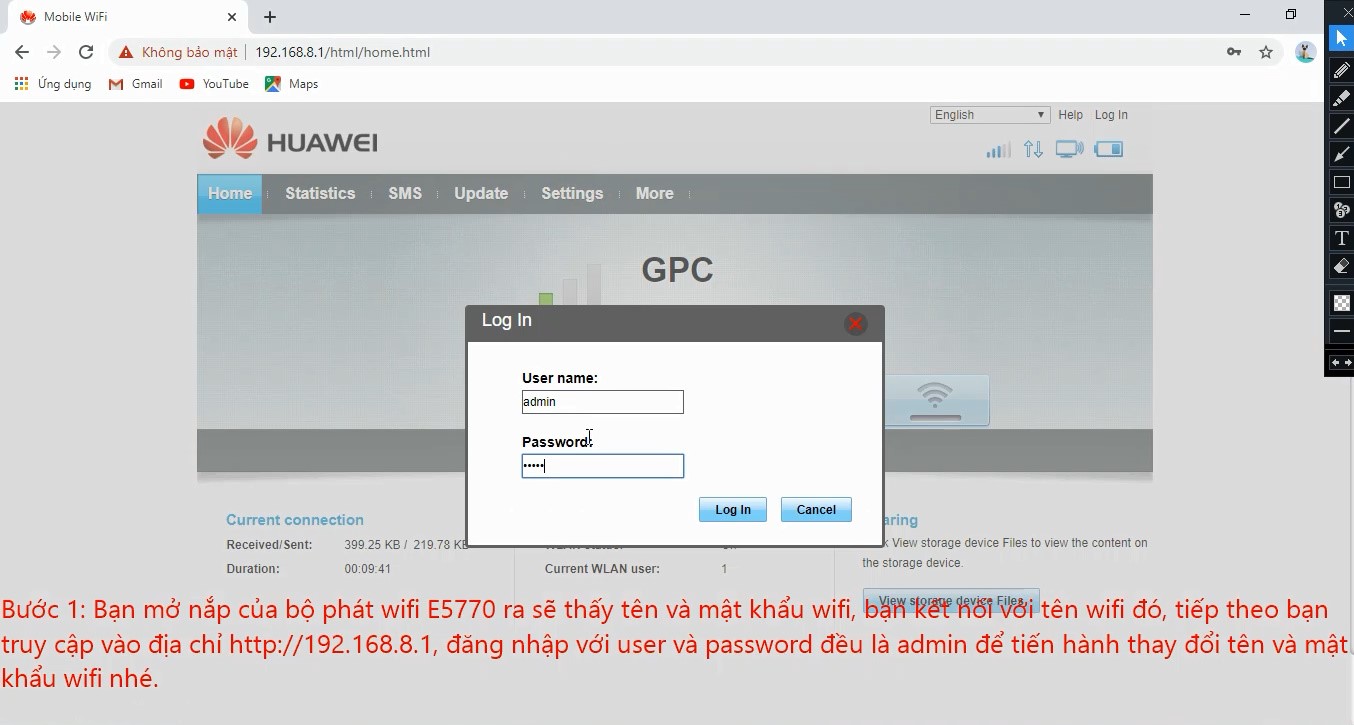
Bước 1:
Insert the SIM card into the hotspot, power it on, then connect to the wifi name and password on the back of the device, and access http://192.168.8.1 to change the new wifi name.
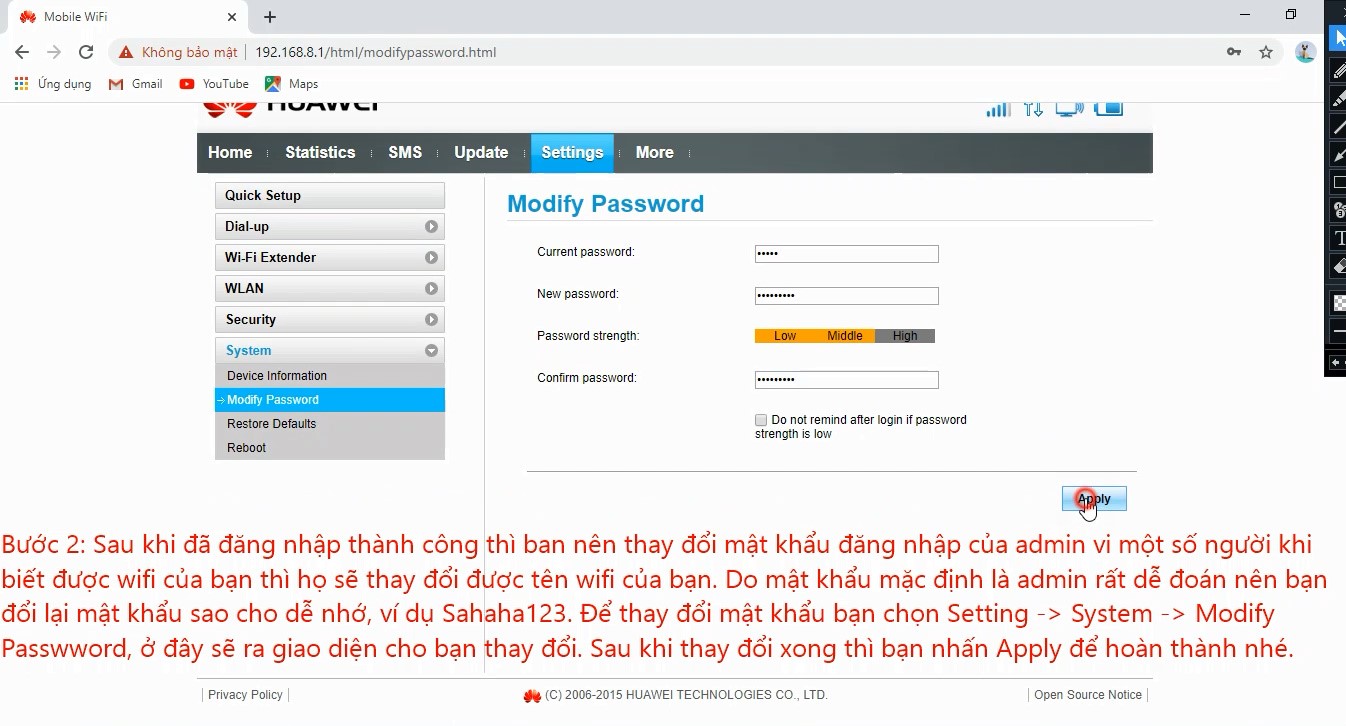
Bước 2:
Change the admin password, you choose System -> ModifyPassword -> an interface will appear for you to change the admin's new password, for example Sahaha123@.
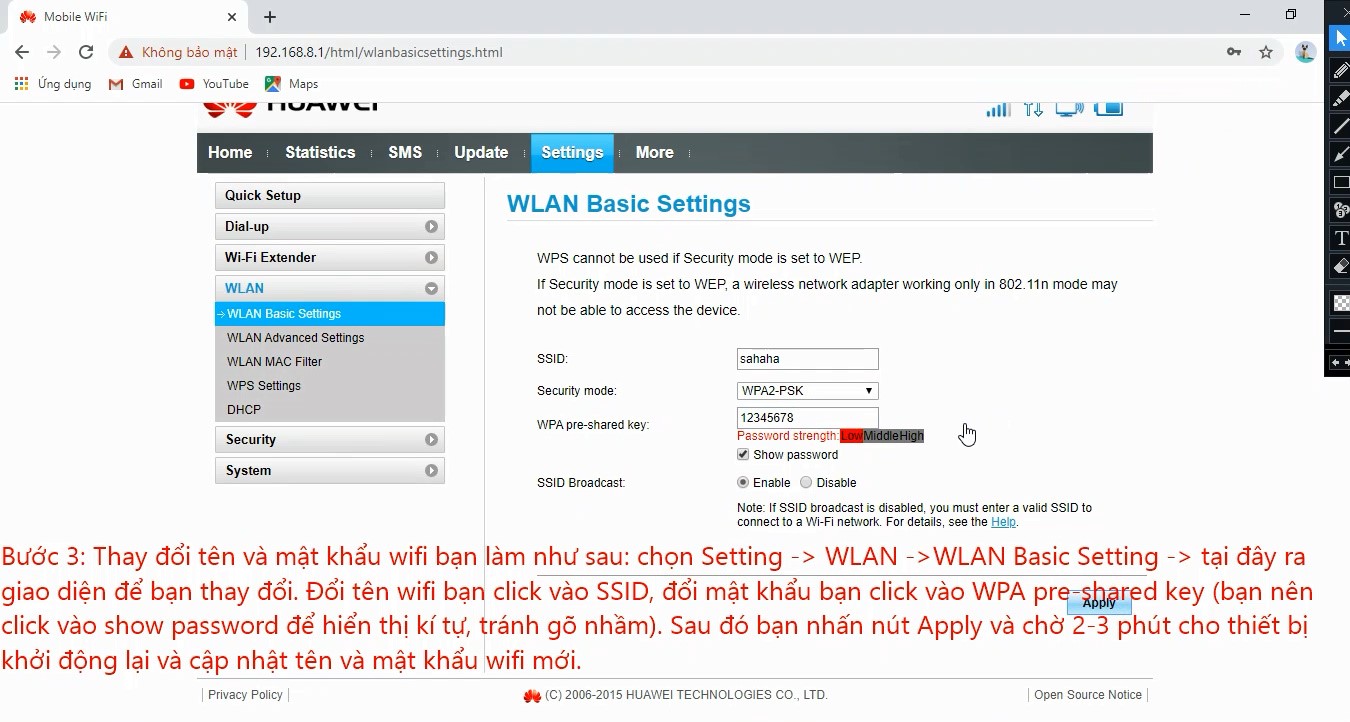
Bước 3:
To change the wifi name and password, do the following: Select Setting -> WLAN -> WLAN Basic Setting, here an interface will appear for you to change the name and password.
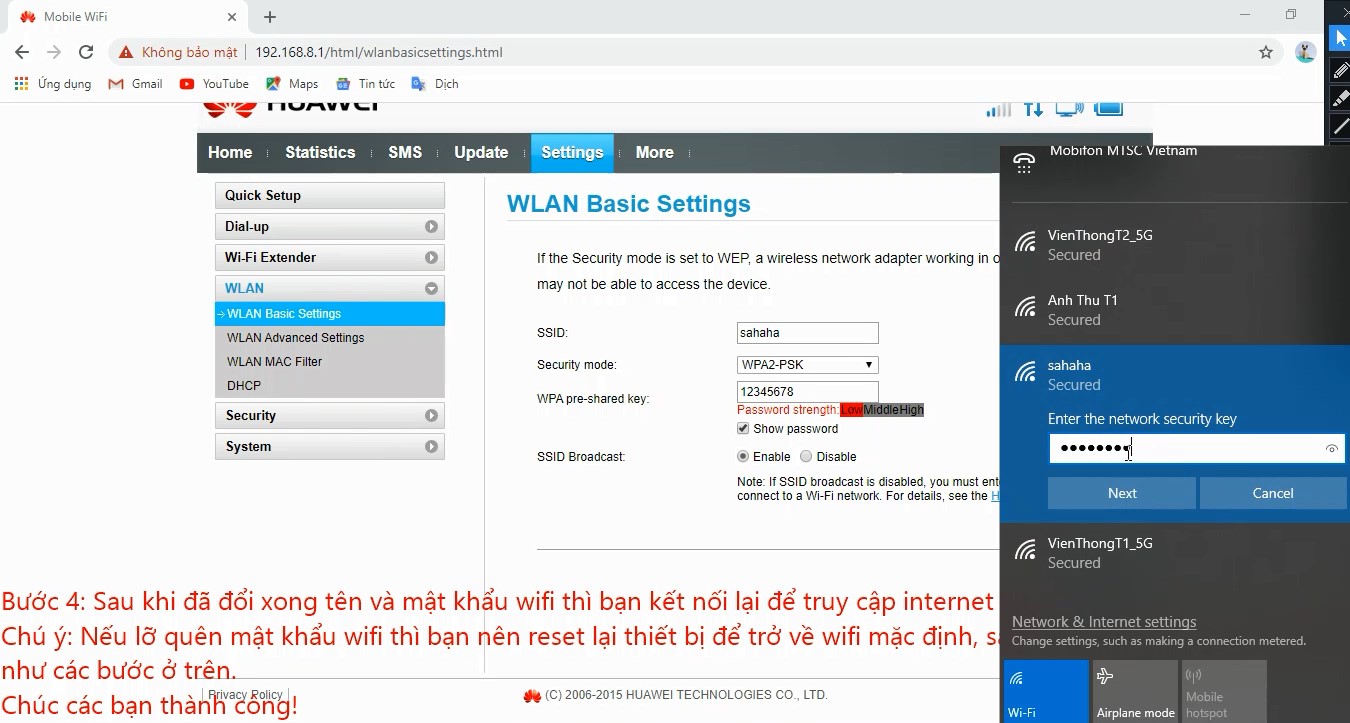
Bước 4:
After changing the wifi name and password, connect to the new wifi to access the internet...
Video hướng dẫn cài đặt và đổi mật khẩu Huawei E5770 từ A -> Z
Good luck!





