


 English
  Tiếng Việt
 Many of you are wondering how to change the name and password of the Huawei E5186 wifi router to make it easier to remember, because the default password set by the manufacturer is too long and difficult to remember. Therefore, today Sahaha will guide you in detail on how to change the name and password of the Huawei E5186 wifi router as follows:
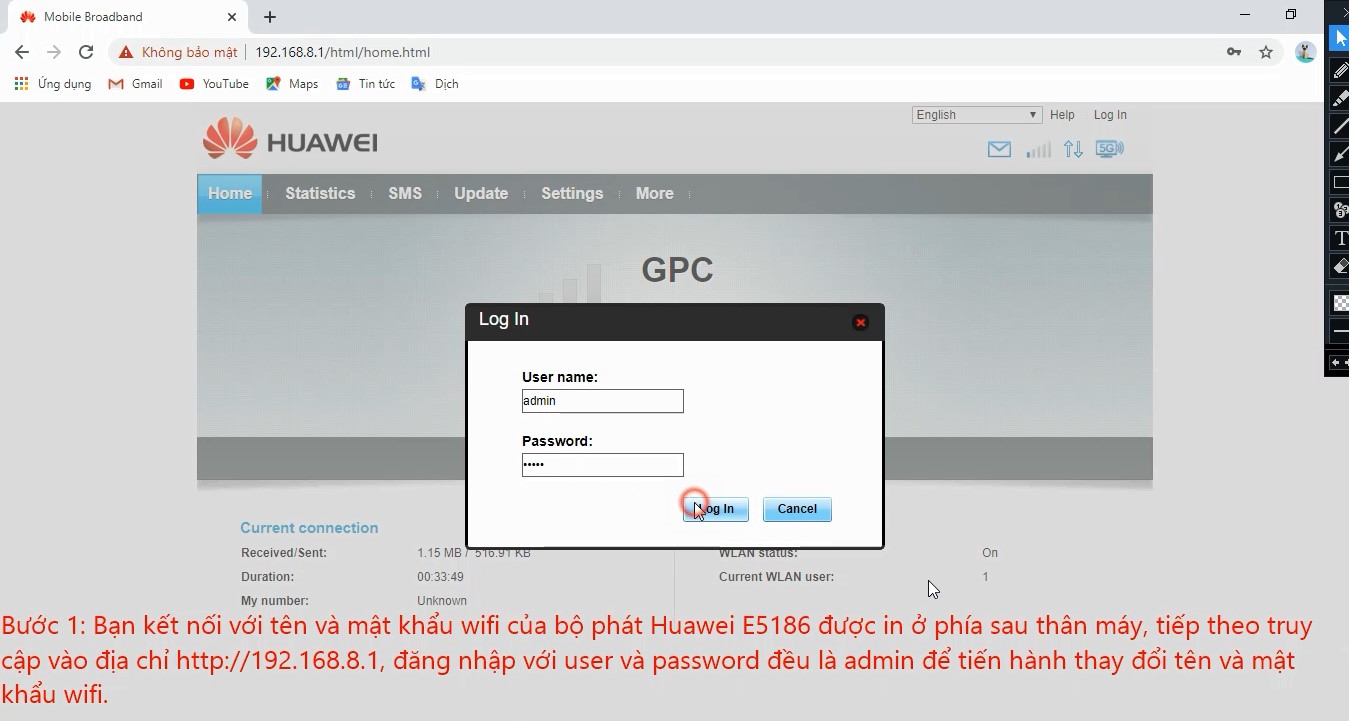
Step 1:
Insert the SIM card into the router, turn on the power, then connect to the wifi name and password on the back of the device, and access http://192.168.8.1 to change the new wifi name.
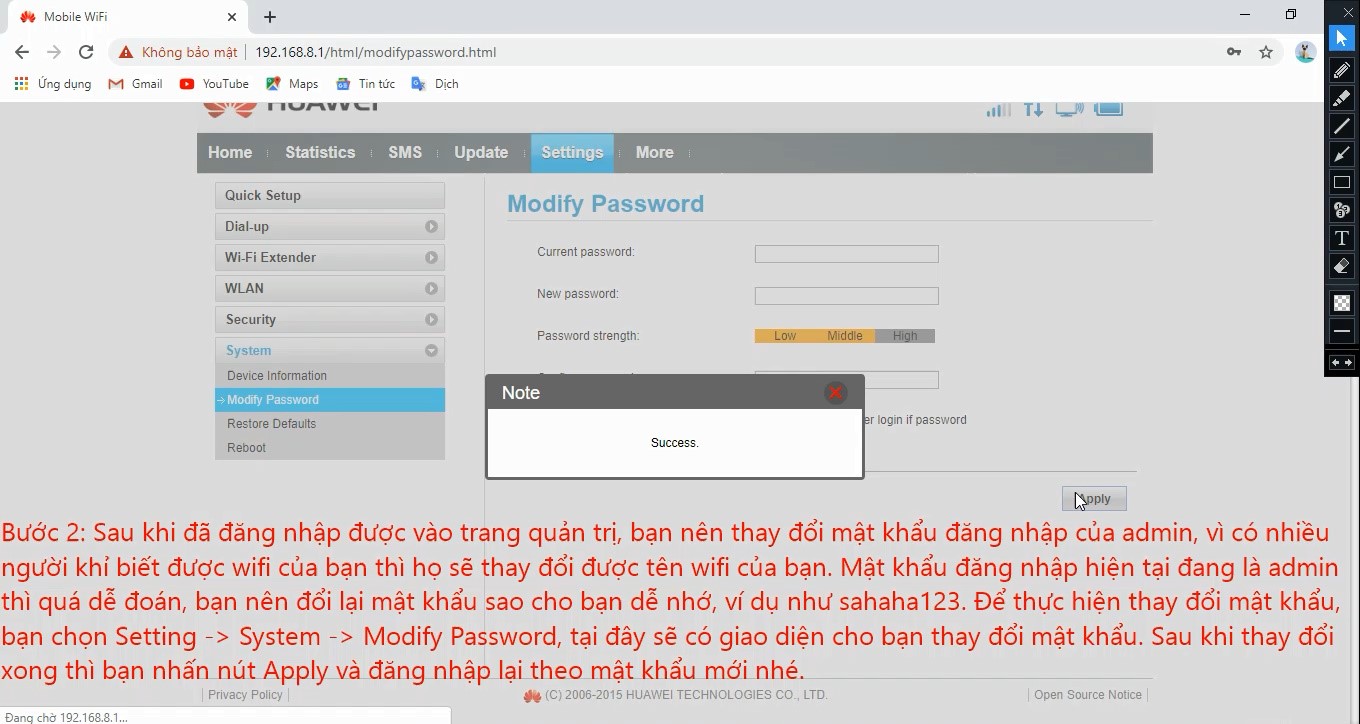
Step 2:
Change the admin password, select System -> ModifyPassword -> an interface will appear for you to change the new admin password, for example Sahaha123@.
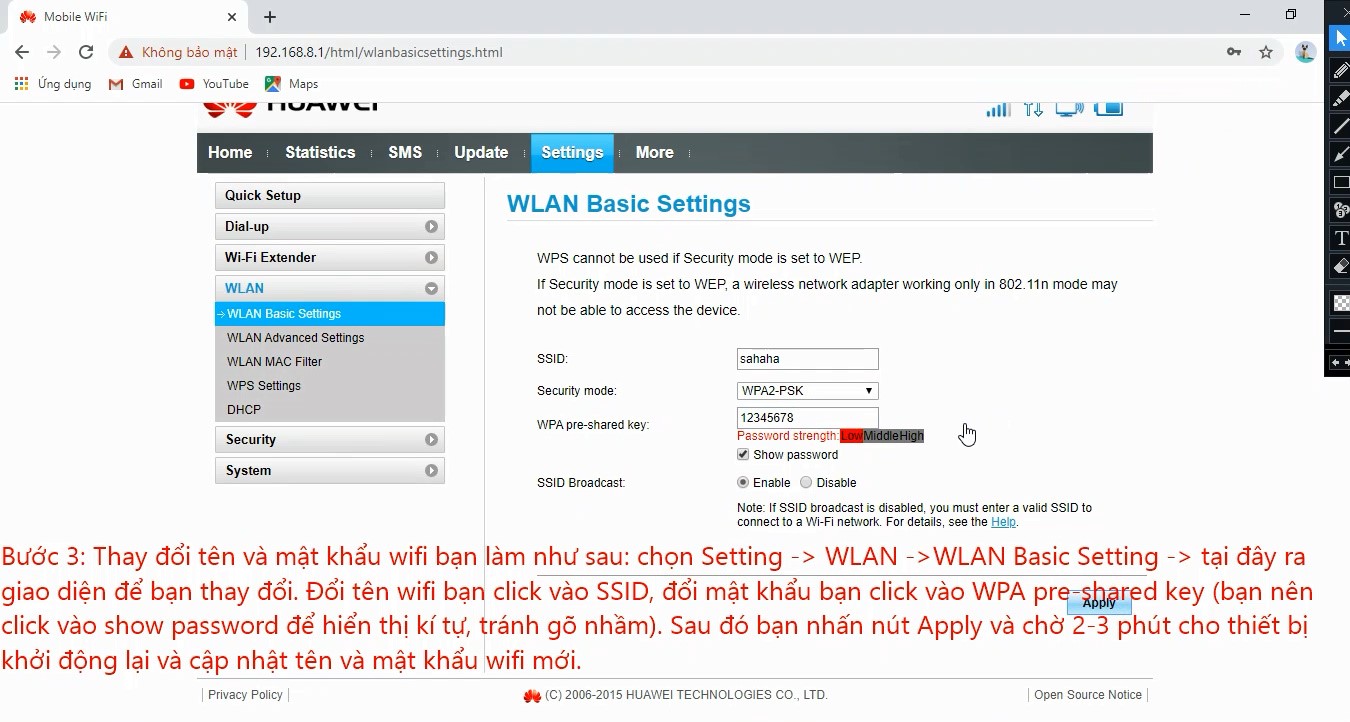
To change the wifi name and password, do the following: Select Setting -> WLAN -> WLAN Basic Setting, an interface will appear here for you to change the name and password.
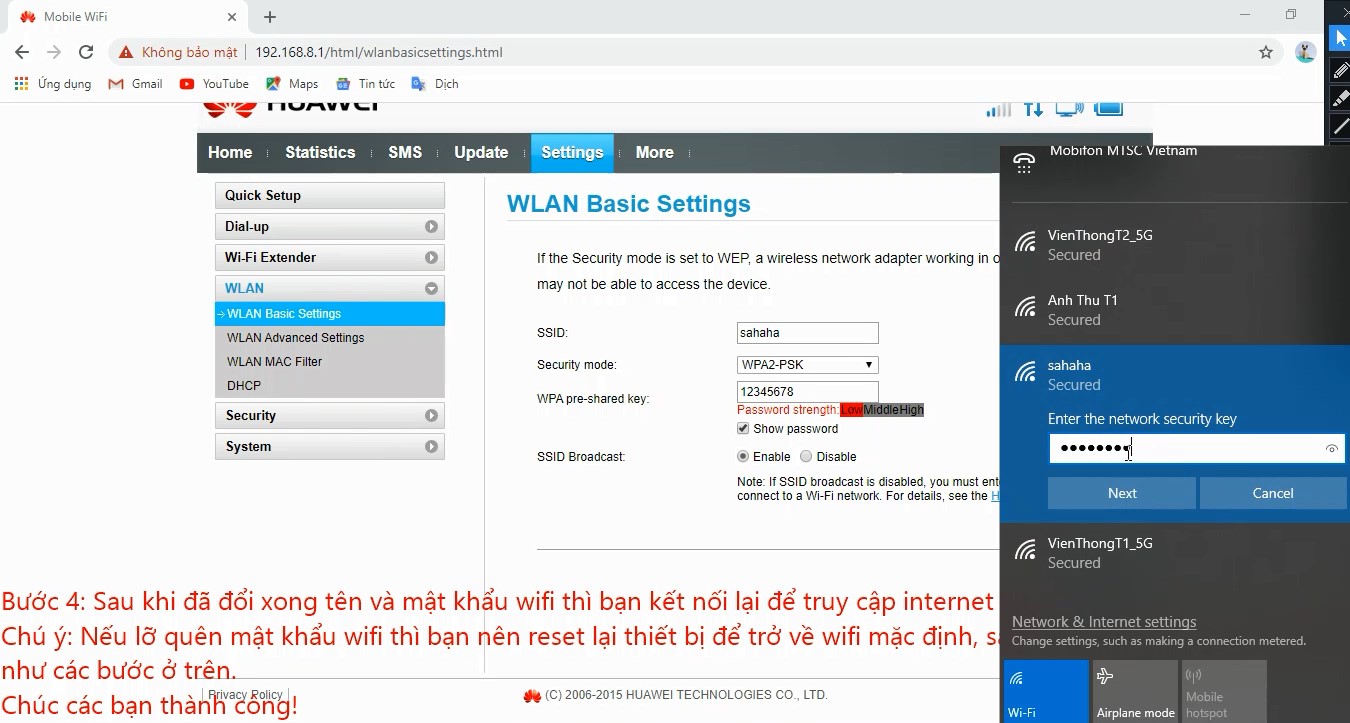
Step 4:
After changing the wifi name and password, connect to the new wifi to access the internet...
Video tutorial on setting up and changing Huawei E5186 password from A to Z
Wish you success!





