


 English
  Tiếng Việt
 You are preparing to travel to Singapore to broaden your horizons, learn more about the culture, and explore the most attractive destinations on this island nation. However, you want to call your loved ones in Vietnam? You want to book a car in Singapore? You want to share beautiful photos of your Singapore trip on social media? Then you will need to buy a Singapore 4G SIM card. So, should you buy a SIM at Singapore airport? Which counter to buy from? Follow our article to answer those questions!
Information about mobile network operators in Singapore
As a country with advanced information technology and telecommunications, Singapore has many mobile network operators. However, there are only 3 main operators: M1, Singtel, and Starhub. Each operator has its own strengths and weaknesses, as well as different prices. Among them, Singtel SIM is highly rated - the oldest and strongest network operator in Singapore. If you need an extremely stable connection to work continuously on the internet or ensure the quality of international calls, Singtel is the perfect choice.
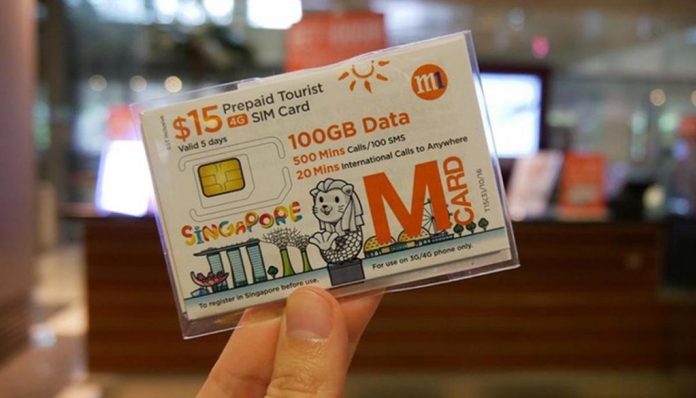
M1, Singtel, and Starhub are the main mobile network operators in Singapore
M1 is also not a bad choice when you are looking to buy a quality Singapore tourist SIM card. With a fairly stable speed and reasonable cost, along with a quick and simple connection process, it allows you to connect to the internet immediately without worrying about finding a place with free Wi-Fi.
Starhub is not rated as highly because its connection is somewhat less stable than M1 and Singtel.
>>> If you need to use a lot of Internet and are traveling in a group, please:Rent a portable Wi-Fi device for Singapore
Instructions on how to buy a SIM at Singapore airport
You can buy a SIM card at currency exchange counters at Singapore airport. Here, staff will guide you through the detailed procedure for purchasing and activating a Singapore 4G SIM card; you just need to follow their instructions.
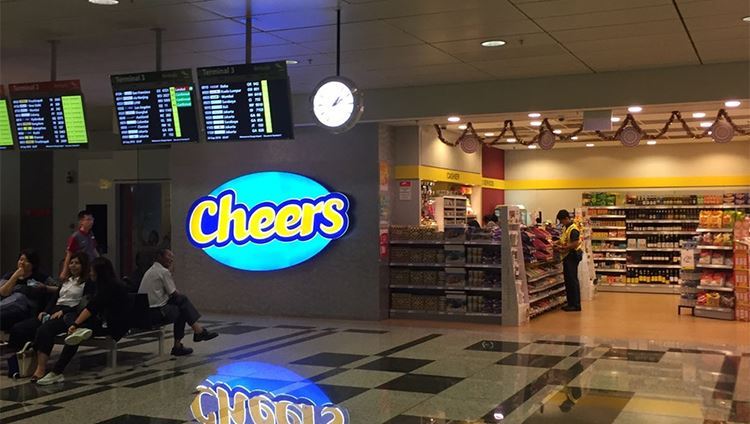
Instructions on how to buy a SIM at Singapore airport
Besides the airport, you can choose to buy a Singapore tourist SIM card at 7-ELEVEN stores. These stores are usually open 24 hours a day and are located in most supermarkets and residential areas in Singapore, so you can easily find them. Additionally, they are sold at post offices, Cheers convenience stores, FairPrice supermarkets, Marina Bay Sands hotel, and individual telecom customer service points. However, if you buy a Singapore 4G SIM card at these locations, be prepared for them to be much more expensive!
On the other hand, to buy a Singapore SIM card, you must have your passport. The Singapore government requires all SIM cards in Singapore to be registered at the time of purchase, and this process is even more stringent for tourists. Not to mention, you will have to spend some time waiting to complete the procedures.
For convenience and cost savings, you should buy your Singapore SIM card in Vietnam to avoid unnecessary hassle as soon as you arrive in the country.
>>> You can refer to the price list of SIM cards for other Southeast Asian regions at:buy foreign SIM cards in Vietnam
How to use a Singapore SIM card
For Singapore tourist SIM cards, you do not need to register with the network operator, as the store or SIM provider has already completed this for you. You just need to insert it and it's ready to use. After inserting the SIM, wait about 5 minutes for a message to arrive; the SIM will be automatically activated. If you do not receive a message after 5 minutes, you must restart the SIM.
How to use a Singapore SIM card
After inserting the SIM card, turn on 3G, then turn on the data roaming button > open the access point card > select the emov item > the phone will connect to the network.
If you cannot connect after turning on Mobile Data, please follow these instructions:
- Turn off Mobile Data and International Roaming functions, then restart your phone
- Turn on Mobile Data and International Roaming functions again to use the SIM
For IOS operating system:
- Go to Setting > Cellular > Turn on Cellular Data and go to Cellular Data Options > Cellular Data Network > In the APN fields, enter “emov”
- Click the < arrow to save
For Android operating system:
- Go to Setting > Connection > Mobile Networks > Access Point Name > select Add to create a new access point > Fill in the information > APN: emov.
Name: emov Authentication, Type: CHAP or PAP
- Click < to save and then select the newly created access point named emov.
- Turn on Mobile Data and International Roaming to use the SIM.
- Restart the phone to get network.
VIDEO ADVISING ON CHOOSING SINGAPORE SIM CARDS
Experience buying Singapore SIM cards
Sahaha hopes that, with the Singapore SIM card usage experiences above, your trip to experience and explore a new country will become much easier. If you need to buy quality, reputable Singapore SIM cards in Vietnam, please contact us immediately via hotline: 19002106.We are committed to bringing tourists high-quality international travel SIM products at reasonable prices that best suit your needs. In addition, the procedure for purchasing Singapore SIM cards at Sahaha is very simple and quick, so you can receive your SIM on the same day. It will surely satisfy you





