


 English
  Tiếng Việt
 Sahaha's travel Wifi is very easy and simple to use. You just need to follow these steps to use it.
- Step 1: Turn on the power button until the screen lights up, wait 20-30 seconds for the device to activate and display the wifi name and password.
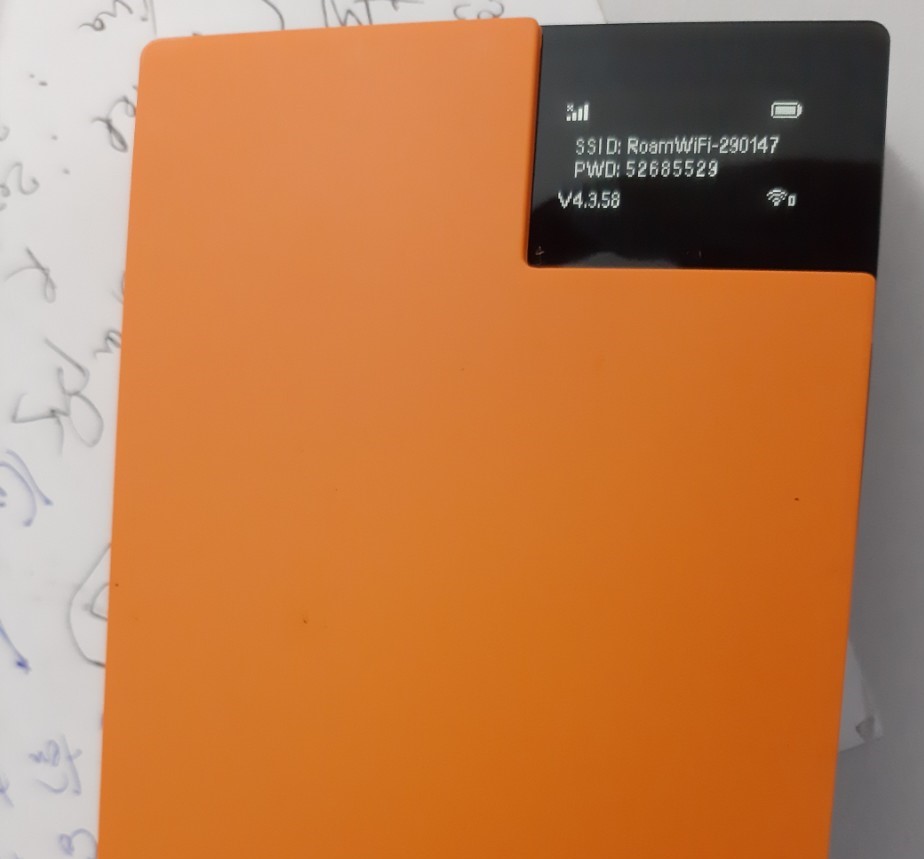
- Step 2: Turn on the wifi function on the devices you want to connect (such as phone, iPad...). Find the wifi name on your phone to match the wifi name on the device.
- Step 3: Search for the wifi name in the list of available wifi networks on your phone, enter the password displayed on the hotspot screen to connect to the wifi.
- Step 4: If you are done using it, press and hold the power button for 10 seconds to turn off the device.
Note: You should turn off the Data roaming function on your phone to avoid additional charges when using the internet abroad.
In case of errors, please take a photo and send it to the following number: zalo 0974.051.444 so that our technical team can support you as soon as possible.
Device Operating Mechanism
Our travel wifi hotspot device is a compact, pocket-sized device that uses the mobile signal of your destination to receive and broadcast wifi signals to your other handheld devices. When traveling or on business trips abroad, you just need to turn it on and wait for it to receive signal in the area to use it.
As this is a rental device with a data plan, we reserve the right to claim compensation according to the contract in case of loss of the device or its accessories.
Fair Usage Policy:
- User data usage limit (for limited data plans). This policy is stipulated by local internet service providers to prevent data abuse and network congestion.
- The user's connection speed will be slowed down or stopped if the data exceeds the allowed limit. Data exceeding the limit will not incur additional charges on the plan you have rented.
- For limited data plans (512Mbps/day), you will have 512 Mb of high-speed data per day for stable use. If you use more than 512Mbps, you can still use it but at a slower speed, and you will have to wait until 0:00 AM the next day to get another 512 Mb.
The device can use physical and virtual SIM cards
Since the device is designed to use both physical and virtual SIM cards, you can insert a SIM card. The hotspot will prioritize the physical SIM, so you should remove the SIM card when traveling or on business trips abroad.
The complete device set includes: 1 wifi hotspot, 1 universal charger usable in many countries, 1 charging cable, 1 stylish carrying pouch.
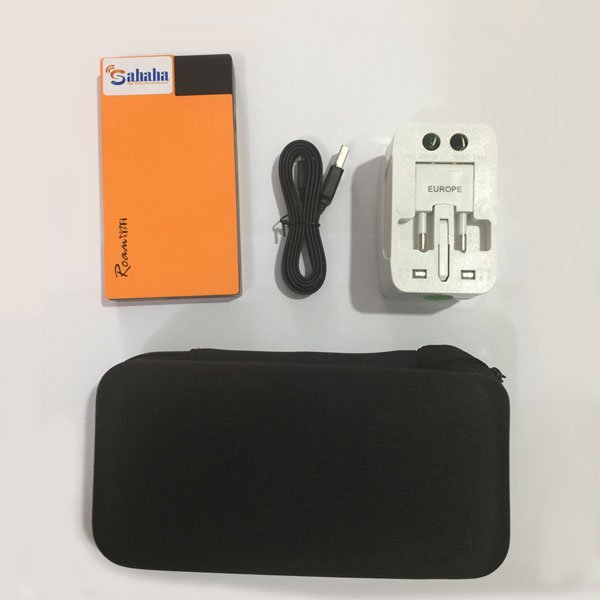
The travel wifi hotspot has a large battery capacity of up to 5000 mAh and can be used for 12 hours with 5 simultaneous connections.
Compare the benefits between buying a travel SIM and renting a Wi-Fi device when traveling abroad
- A travel SIM can only be used for 1 device, while renting a Wi-Fi device allows multiple people to connect at the same time, which is very convenient.
- When using a SIM to connect to the internet, your phone will overheat and the battery will drain quickly, but connecting to Wi-Fi from a hotspot device will keep your device safer.
- When you use a SIM, you will have limited data capacity, but when you use a Wi-Fi hotspot, there are no additional costs and especially no data limit.
- In case of errors when using a SIM, support from our company as well as the local carrier is very difficult (due to language barriers, carrier mechanisms...). But when you use our Wi-Fi rental service, support and troubleshooting will be easier via zalo at: 0974.051.444.
- Most travel SIMs do not support carrier-locked phones (e.g., locked iPhones cannot be used). And some SIMs do not support hotspots.
Benefits of using our Wi-Fi rental service
- You don't have to buy a SIM upon arrival, no additional costs incurred.
- Unlimited daily data access.
- Simple, convenient procedures, with home delivery support.
- Just turn it on and use it, no need to install anything.
- If you travel in a group, the device can connect multiple people at the same time.
- Usable in over 100 countries worldwide.
- Various flexible rental plans for you to choose from.
- Easy payment/deposit by cash or bank transfer.
- Large capacity battery up to 5000 mAh, continuous use for 12 hours.





